Summary
Editor's rating
Is the Series X worth the price in 2024?
A black brick that hides well next to the TV
Controller battery: still stuck in the AA era
Build quality feels solid, but software reliability can be hit or miss
Fast loading and smooth graphics, with a few storage headaches
What you actually get out of the box
Pros
- Very fast loading times and smooth performance in 4K for most games
- Game Pass offers a large library of titles for a reasonable monthly cost
- Discreet, sturdy design that fits easily into most living rooms
Cons
- Limited internal storage and confusing compatibility with external drives
- Controller still uses AA batteries by default, extra cost for rechargeable options
- Can run quite warm and needs good ventilation, some reports of rough out-of-box software experience

Specifications
View full product page →| Brand | Xbox |
A console that finally replaces my gaming PC (almost)
I’ve been using the Xbox Series X for a few weeks now, and I went into it as someone who mainly plays on PC and had a PS4 before. I didn’t expect to be that impressed, but in daily use it really feels like a compact gaming PC that you don’t have to babysit. Plug it in, log in, and you’re basically ready. No fiddling with drivers, no tweaking graphics settings for half an hour before actually playing.
The first thing that struck me is how fast everything loads. Games boot in seconds, and Quick Resume is actually useful in real life. I can jump between a single-player game and something online without feeling like I’m wasting my evening staring at loading screens. Compared to my old PS4 and even my mid-range PC, the difference in loading times is pretty obvious.
It’s not perfect though. The console can get quite warm, and you really notice it if it’s in a tight TV unit. I didn’t get an extra fan like one of the Amazon reviewers mentioned, but I did have to move it so it could breathe properly. Also, the internal storage fills up fast if you install a mix of big AAA games and a few smaller ones.
Overall, my feeling after these weeks is simple: the Series X is powerful and practical, but you need to be aware of a few annoying details like storage limits and heat. If you’re coming from an older console or you don’t want to spend on a full gaming PC, it’s a pretty solid option, as long as you accept that some things are still a bit of a compromise.
Is the Series X worth the price in 2024?
In terms of value for money, the Xbox Series X sits in a pretty interesting spot. It’s not cheap, but when you compare it to building a gaming PC with similar performance, it starts to look reasonable. You get 4K gaming, fast load times, and a clean plug-and-play experience. Add Game Pass on top of that, and you suddenly have access to a big library for around the price of one big game per month. For someone who actually uses Game Pass a lot, the overall package is pretty solid.
That said, there are a few hidden costs. Storage is the big one: the internal SSD fills up quickly, and the official expansion SSD is expensive. If you go the external USB route like that Amazon reviewer with the 4 TB drive, you’ll quickly discover that not all games run from external storage, which reduces the benefit. So either you juggle your games, or you pay for the official expansion. On top of that, you probably want a rechargeable battery solution for the controller.
Compared to a PS5, it’s mostly a matter of ecosystem and which exclusives you prefer. Performance and price are in the same ballpark. Personally, I lean Xbox because of Game Pass and the link with PC, but if you’re into Sony exclusives, the value equation changes. Purely in terms of raw hardware for the price, the Series X holds up well, but it’s not some miracle bargain either. It’s good value, but not mind-blowing.
If you’re upgrading from an Xbox One or an older PS4 and you want a machine that will last you the next few years without worrying about specs, the Series X is a solid investment. If you already have a good gaming PC, the value is less clear: it becomes more about comfort on the couch than raw power. Just be honest with yourself about how many games you really play at the same time and whether you’re ready to pay extra for storage and batteries.
A black brick that hides well next to the TV
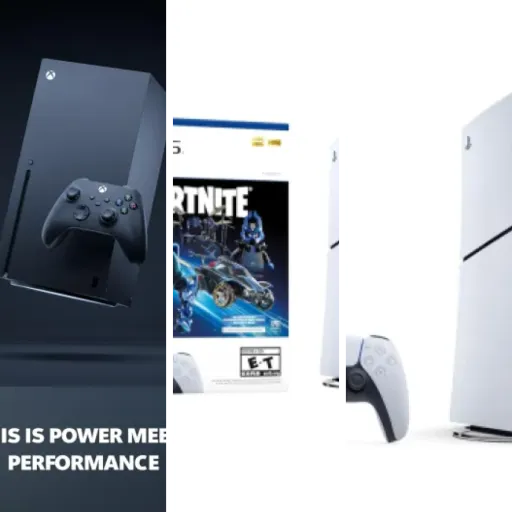
The design of the Xbox Series X is very simple: it’s basically a black rectangular tower. No curves, no flashy shapes, no light bars. It’s the opposite of a show-off device. Personally, I like that. It doesn’t scream “gamer toy” in the living room, it just looks like a small PC or a speaker. The matte black finish hides dust fairly well, but fingerprints show up a bit if you handle it a lot during setup.
In terms of layout, the front is minimal: power button, one USB port, and the disc drive. The rest is on the back: more USB ports, Ethernet, HDMI, storage expansion slot, and power. It’s all clearly marked, and once it’s in place you basically never touch the back again. One thing you need to plan for: this thing is designed to be vertical for best airflow. You can lay it horizontally, but then it’s trickier to place and it looks a bit odd depending on your TV furniture.
The main design issue in real life is ventilation. The top is basically one big exhaust grille, and that’s where all the hot air goes. If you slide the console into a tight shelf with little space above, it will get very warm. One Amazon reviewer mentioned getting a fan, and I understand why. In my setup, I had to move it to the side of the TV unit instead of inside it, otherwise the heat build-up was worrying after an hour of play.
Overall, I’d say the design is practical and discreet, but not very flexible if you have a cramped TV stand. It’s not some flashy centerpiece, it’s more like a functional black box that wants air and a bit of space. If you’re okay with that and you can give it some room to breathe, the design does the job without being pretty or ugly. It just exists and works.
Controller battery: still stuck in the AA era
On the console side, there’s not really a “battery” to talk about, but the controller situation is another story. Out of the box, the Series X controller still uses AA batteries. No built-in rechargeable battery like many modern controllers. That alone is a bit disappointing in 2024. You either keep buying AA batteries or you invest in a rechargeable kit or third-party battery pack.
In my case, I started with basic alkaline AA batteries just to see how long they’d last. With a few hours of play most evenings, I got roughly a couple of weeks before the battery indicator started dropping. That’s not terrible, but it’s not great either, especially if you forget to keep spare batteries at home. You really feel like this should be solved better by now, especially at this price point.
The good news is that you can plug the controller in via USB-C and use a rechargeable solution, but that means extra cost on top of the console. If you’re planning to play a lot, I’d say a rechargeable pack is basically mandatory. Otherwise, the AA situation becomes annoying pretty quickly. There is a lithium battery mentioned in the product info, but in practice what you get in the box is classic AA usage, not a controller with an integrated battery like on a PS5 pad.
So on the power side, the console itself is fine once plugged in, but the controller system feels a bit outdated. It works, but it’s not very convenient in the long run. If you’re buying this console, just factor in an extra cost for a charging kit or good rechargeable AAs, otherwise you’ll end up making battery runs at the worst possible time.
Build quality feels solid, but software reliability can be hit or miss
Physically, the Xbox Series X feels sturdy. It’s heavy, the plastic doesn’t creak, and the buttons don’t feel cheap. The power button has a firm click, the disc drive doesn’t sound like it’s going to die when you insert a game, and the ports hold the cables well. It gives the impression of a device that can sit under your TV for years without falling apart. After a few weeks of daily use, there are no weird noises, no rattling, and nothing that suggests weak construction.
Where I see more doubt is on the software and quality control side. One of the Amazon reviewers mentioned getting a unit that wouldn’t boot properly out of the box, with update errors and the need to use a USB stick with repair files. That’s the kind of thing that kills confidence right away, especially if you bought it as a gift for someone. My own unit didn’t go that far, but the initial update process was not as smooth as it should be for a brand new console in 2024.
Over time, updates have been okay for me: they install in the background or on shutdown, and I haven’t had crashes during games. But you can tell Microsoft pushes a lot of firmware and OS updates, and each update is a small risk that something goes wrong. It’s not catastrophic, but it’s something to keep in mind if you’re buying this for someone who isn’t very tech-savvy and might panic at error codes.
So from a durability point of view: hardware seems robust, but initial setup quality control and the dependence on system updates are the weaker parts. If you’re unlucky, you might have to deal with support or returns right after unboxing. If you’re lucky and your unit is fine, I don’t see anything physically fragile that would break under normal use. Just keep the console ventilated and dust it occasionally so the heat doesn’t kill it over the long term.
Fast loading and smooth graphics, with a few storage headaches
On performance, the Series X is where things get interesting. In daily use, it’s very fast. Games load in seconds compared to the previous generation. Open-world titles that used to take ages to start on my old console now launch fast enough that I don’t grab my phone out of boredom. Quick Resume is genuinely useful: I can switch between two or three games without fully restarting them, which is a big plus when you only have an hour in the evening.
Graphics-wise, it handles 4K and high frame rates without drama, as long as the game supports it and your TV can follow. I tried a mix of newer titles and some older ones, and most of them run very smoothly, with stable frame rates and decent image quality. It’s not quite on the level of a high-end gaming PC with everything maxed, but for the price and the simplicity, it’s good enough that I don’t miss my PC much when I’m on the couch.
The biggest limitation is storage and compatibility with external drives, exactly like one of the Amazon reviewers mentioned. The internal SSD is fast but small once you install a few big games. I added an external 4 TB drive and quickly learned the same lesson: not every Series X|S title will run directly from USB. Some need to be on the internal SSD or the official expansion card. That means you end up shuffling games around, waiting for transfers, and sometimes discovering after a long download that you have to move it again.
So in practice, performance is very good in terms of speed and graphics, but it’s held back a bit by Microsoft’s storage strategy. If you’re the type who keeps 20 games installed at once, you’ll either spend time managing storage or you’ll have to buy the expensive official expansion SSD. If you only play 3–4 big games at a time, the console itself performs really well and feels very snappy in everyday use.
What you actually get out of the box
Out of the box, the Xbox Series X package is pretty straightforward: the console, one controller, the power cable, and an HDMI cable. No fancy extras, no headset, nothing more. It’s the basic kit, but it’s enough to start playing right away if you already have a TV and maybe some AA batteries or a rechargeable kit handy. The product dimensions listed (around 37.8 x 21.6 x 29.4 cm, roughly 6 kg) match what you feel: it’s a dense, heavy block, not some light plastic toy.
Setup is simple on paper: plug in, connect HDMI, power on, sign into your Microsoft account, let it update. In my case, and like one of the Amazon reviews in Polish mentioned, you can run into annoying firmware updates right at the start. My unit didn’t brick itself, but the first update took quite a while and stalled once. I had a small moment of panic when the screen froze on the update bar. I had to restart the console and let it try again, which isn’t reassuring for a brand new device.
Once past that, the interface is the classic Xbox dashboard: tiles, Game Pass front and center, your library, store, and settings. If you’ve used an Xbox One, you’ll feel at home. Personally I find it a bit messy at first, but after a few days you know where the important stuff is: your games, Game Pass, and storage management. Don’t expect some shiny new UI revolution; it’s more of an evolution.
In practice, what you really get with this machine is a plug-and-play gaming box with access to Game Pass, backward compatibility with tons of Xbox One and older titles, and 4K support if your TV can handle it. There are no surprises, good or bad, in the package itself. The only real downside at this stage is the feeling that a brand-new console should not need repair files from a USB stick like that one reviewer experienced. If you’re unlucky and get a dusty warehouse unit or something from an older batch, be ready to do some troubleshooting instead of playing right away.
Pros
- Very fast loading times and smooth performance in 4K for most games
- Game Pass offers a large library of titles for a reasonable monthly cost
- Discreet, sturdy design that fits easily into most living rooms
Cons
- Limited internal storage and confusing compatibility with external drives
- Controller still uses AA batteries by default, extra cost for rechargeable options
- Can run quite warm and needs good ventilation, some reports of rough out-of-box software experience
Conclusion
Editor's rating
After using the Xbox Series X as my main living room machine, I’d sum it up like this: powerful, practical, but with a few annoying compromises. In daily use it really feels like a small gaming PC that you don’t have to maintain: fast loading, smooth graphics, Quick Resume that actually saves time, and a simple setup once you get past the first firmware update. For someone who just wants to sit down and play without tweaking settings for an hour, it does the job very well.
Where it falls short is on the details. The console runs warm and needs proper ventilation, the internal storage is too small if you like keeping lots of big games installed, and the situation with external drives and compatibility is confusing. The controller still relying on AA batteries in 2024 is also a bit of a letdown, and the fact that some users receive units that need repair files right out of the box doesn’t inspire total confidence.
If you want strong performance for the price, access to Game Pass, and a machine that can realistically replace a mid-range gaming PC in the living room, the Series X is a good choice. It suits players who mainly care about playing current-gen games comfortably on a TV and who don’t mind spending a bit more on storage and a charging solution. If you’re very sensitive to software bugs, you hate dealing with updates, or you already have a powerful PC, you might not see enough added value here to justify the purchase.