Summary
Editor's rating
Value for money: where the Series S makes the most sense
Small, simple, and easy to fit anywhere
Controller battery: still on AA, which is both handy and annoying
Build quality, heat, and long-term feel
Good performance for 1080p, but not a 4K beast
What you actually get with the Xbox Series S
Pros
- Compact and quiet console that fits easily in small TV units or desks
- Good performance and fast loading times for 1080p/1440p gaming
- Lower price than Series X while still accessing the same Xbox and Game Pass ecosystem
Cons
- Limited 512GB storage fills up quickly with modern games
- Digital-only: no disc drive, useless if you own lots of physical games
- Controller still uses AA batteries and no rechargeable pack is included

Specifications
View full product page →| Brand | Xbox |
A compact Xbox that finally fits in a small living room
I’ve been using the Xbox Series S 512GB in white for a while now, mainly in the living room on a 1080p TV and sometimes on a desk monitor. I didn’t buy it as a high-end monster, more as a cheap way to play recent games without turning the room into a PC lab. With that in mind, it does the job pretty well. It’s clearly built as a digital-only, budget-friendly entry into the Xbox world, and if you accept that from the start, it makes a lot more sense.
What pushed me to try it was the size and the price. My TV unit is shallow, and a chunky console just doesn’t fit nicely. The Series S is small enough that I can place it horizontally without blocking airflow, and it doesn’t look like a spaceship. I also liked the idea of pairing it with Game Pass instead of buying full-price games all the time, even if the subscription price has gone up and that stings a bit.
After the first few days, the main thing that stood out was how quick it boots and loads games compared to older consoles. Coming from an Xbox One and a basic hard drive, it’s night and day: less waiting, more playing. But you do feel that this hardware isn’t meant for heavy 4K gaming. In more demanding games, you see resolution cuts and lower detail compared to what you’d see on a Series X or a decent gaming PC.
Overall, my first impression is that the Series S is a pretty solid little box if you’re realistic: it’s more of a 1080p / 1440p console for people who want something simple and quiet. It’s not perfect, and the 512GB storage fills up fast, but for the price I paid, I’m not shocked. There’s better if you want top graphics, but as a compact console for casual or mid-core gaming, it holds up.
Value for money: where the Series S makes the most sense
For me, the main selling point of the Series S is the price-to-usage ratio. If you just want a simple console for 1080p gaming, streaming, and some couch co-op, it’s hard to argue with what you get for the money. You have access to the same ecosystem as the Series X: same games, same Game Pass catalog, same online features. You give up the disc drive and some graphical fidelity, but you’re also paying quite a bit less. In that sense, it’s good value, especially as a first console or a second one for a bedroom or office.
Where things get a bit less clear is the hidden costs. The 512GB storage fills up very fast, so if you like to keep lots of big games installed, you’ll probably end up buying either an external drive for old-gen titles or, worse, the proprietary expansion card, which is not cheap. Add to that the cost of a rechargeable battery kit or a bunch of AAs, plus the rising cost of Game Pass, and the whole ecosystem can get pricey over time. The console itself is budget-friendly, but the services and accessories around it add up.
Compared to building a low-end gaming PC, the Series S is still more straightforward and cheaper upfront. No parts hunting, no driver headaches, just plug and play. Compared to the Series X, it’s clearly weaker, but if you don’t have a 4K TV or you don’t care about ultra settings, paying extra for the X might not make sense. For someone like me who plays a mix of indie games, sports titles, and a few big releases a year, the Series S hits a good balance.
So in terms of overall value, I’d say it’s pretty solid, especially if you catch it on sale. It’s not the best long-term investment if you’re obsessed with future-proof graphics or hate subscriptions, but as a compact, affordable entry into modern gaming, it does its job. Just go in knowing you might spend extra on storage and a better controller solution down the line.
Small, simple, and easy to fit anywhere
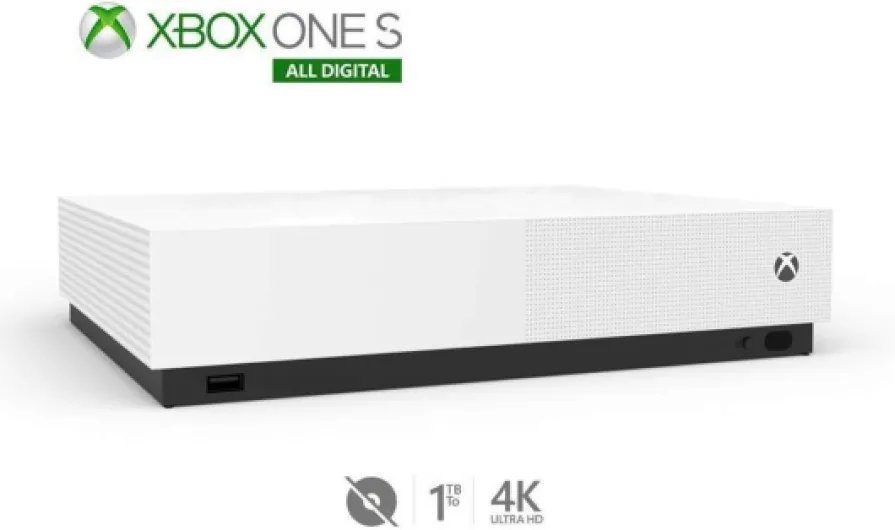
Design-wise, the Series S is all about being compact. It’s a small white rectangle with a big black circular vent on one side. That’s it. No flashy lights, no weird curves. Personally, I like that. It doesn’t scream “gamer toy” in the living room, it just sits there quietly. The dimensions (roughly 29 x 12.5 x 36 cm according to the specs, though in practice it feels smaller than that listing suggests) make it easy to slot horizontally into a TV unit or stand it vertically next to a monitor.
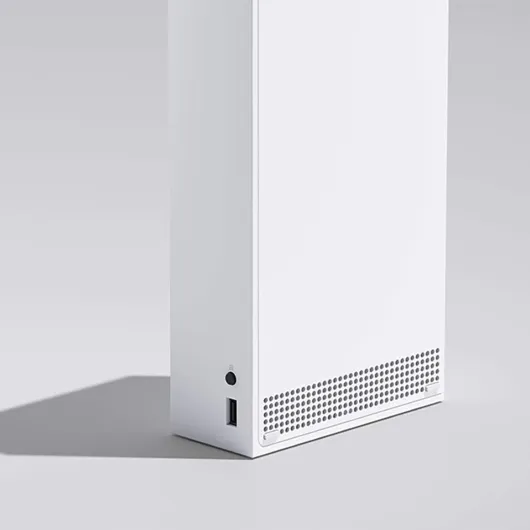
The white plastic shell looks clean at first, but it does show dust and smudges pretty fast. If you have kids or you eat on the couch, expect fingerprints and maybe some stains over time. The big black vent circle is a bit divisive: some people think it looks weird, others don’t care. In person, you stop noticing it after a couple of days. What matters more is that you don’t block that vent, because that’s where a lot of the heat goes out. I kept a few centimeters of space around it and never had overheating issues.
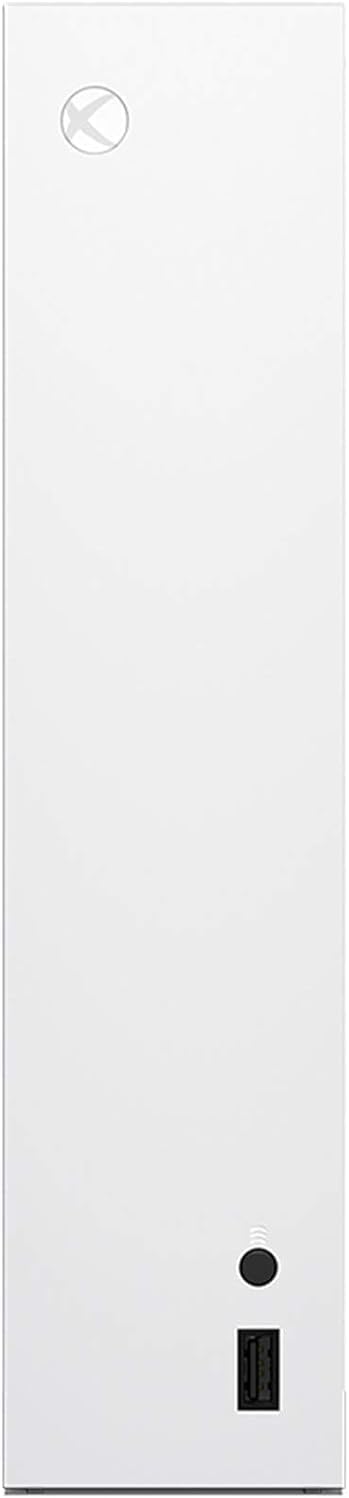
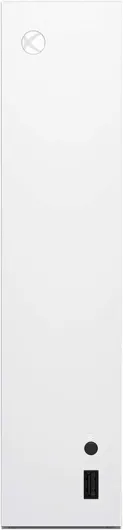
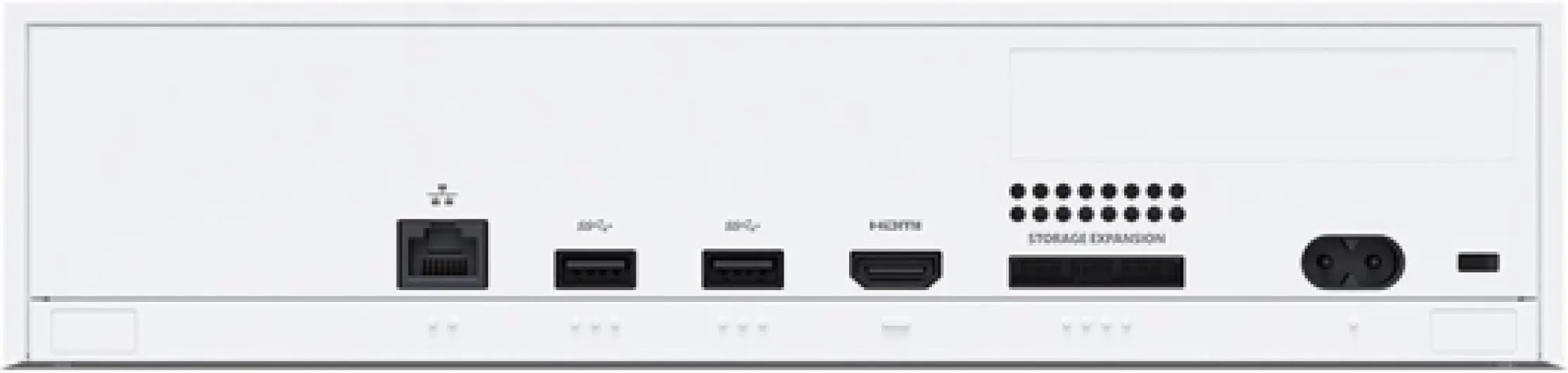
One thing to note: there’s no disc slot, so the front is very minimal. You get a power button, a USB-A port, and the sync button for the controller. On the back, you have HDMI, power, two more USB ports, Ethernet, and the slot for the proprietary expansion card. No USB-C, which is a bit of a shame in 2026, but not a dealbreaker. The ports are easy enough to reach if you don’t cram it in too deep.
In daily use, the design is practical. It’s light enough (around 3.2 kg) to move between rooms if you want to take it to a friend’s house or swap TVs. It doesn’t make the furniture vibrate, it doesn’t hog space, and it’s quiet. If you want a console that looks like a piece of furniture, the Series S is decent: nothing special, but effective. If you want something that feels premium in the hand, the white plastic doesn’t give that vibe, but at this price point I wasn’t expecting luxury materials anyway.
Controller battery: still on AA, which is both handy and annoying
The console itself obviously plugs into the wall, so the battery topic is all about the controller. The included Xbox Wireless Controller still runs on AA batteries by default. You don’t get a rechargeable pack in the box, which feels a bit cheap in 2026, especially when you’re used to controllers with built-in batteries. So out of the gate, you either buy a pack of AAs or invest in rechargeable AAs or a separate charge kit.
In my case, I started with regular AAs that I had lying around. With casual use (a couple of hours per day, not every day), a pair of batteries lasted me roughly 2–3 weeks before the low battery warning popped up. That’s not terrible, but it’s another thing to think about. Once I switched to rechargeable AAs, it became less of a problem: I just swap them and charge the used pair. Still, for a new console generation, it would have been nice to have a built-in USB-C rechargeable option out of the box.
The upside to AA batteries is that if your controller dies in the middle of a session, you can just swap batteries in 10 seconds and keep playing. With built-in batteries, if you forget to charge, you’re stuck with a cable or waiting. So there is a bit of flexibility there. Also, if the battery eventually wears out after a few years, you’re not forced to replace the whole controller; you just keep using new AAs.
Overall, I’d say the battery situation is functional but not ideal. It works, it’s not a disaster, but it feels like a corner Microsoft refused to round off. Most people will end up buying either a rechargeable battery kit or a dock anyway, so factor that extra cost in if you’re comparing prices with other consoles that include rechargeable solutions in the box.
Build quality, heat, and long-term feel
On the durability and build quality side, the Series S feels light but not flimsy. The plastic casing doesn’t flex or creak much when you move it, and the buttons on the front (power and sync) have a decent click. I’ve moved it between the living room and a desk setup several times, tossed it in a backpack once (wrapped in a hoodie, not recommended but it happened), and it still works fine with no visible damage. So while it doesn’t feel premium, it doesn’t feel cheap in a worrying way either.
Heat and noise are usually the big concerns with small consoles. In my use, the Series S stays surprisingly quiet. Under heavy load, you can hear a soft whoosh from the fan if the room is silent, but nothing dramatic. No jet engine effect like some older consoles. The top vent gets warm to the touch after long sessions, especially in summer, but not burning hot. I’ve never had a shutdown or thermal warning. As long as you don’t block the vents and give it a bit of breathing space, it seems fine.
The controller is where quality can vary a bit. Most people, including me, get a solid unit: the sticks are fine, triggers feel good, and buttons respond well. But you do see some complaints online about faulty bumpers or drift, like that Amazon review where the left bumper didn’t work. That’s annoying and does happen sometimes with mass-produced controllers. Mine is still fine, but if you get a bad one, you’ll need to go through warranty or buy a replacement, which isn’t cheap.
In day-to-day use, I don’t baby the console: it’s in a normal living room, some dust, some cable pulling, kids around occasionally. So far, no cracks, no port issues, no random crashes. I’d say durability is decent but not bulletproof. Treat it like normal electronics, keep it ventilated, maybe dust it once in a while, and it should last. If you want something built like a tank, this isn’t that, but for the price and size, it holds up reasonably well.
Good performance for 1080p, but not a 4K beast
In practice, performance is where you really feel what the Series S is built for. On a 1080p or 1440p screen, most games run smoothly enough, with decent graphics and fast loading times. Compared to my old Xbox One, loading a big open-world game is way faster, and Quick Resume is genuinely useful: I can jump between two or three games without fully rebooting each one. For everyday gaming after work, that speed matters more than pixel counting.
However, if you’re expecting top-notch graphics on a big 4K TV, the limits show. A lot of newer games drop resolution or use aggressive upscaling on the Series S. Details in the distance can look softer, textures can be less sharp, and some effects are dialed down. If you put it side by side with a Series X or a decent gaming PC, you clearly see the difference. For me, sitting a bit further from a 55" TV, it’s acceptable, but if you’re picky about image quality, you’ll notice the compromises.
Frame rate-wise, many titles aim for 60 fps and manage it most of the time, especially if you choose the “performance” mode when available. That’s where the Series S feels good: smooth gameplay at 1080p with decent visual quality. In heavier games, you might get drops or have to choose between performance and quality modes that both come with trade-offs. But at this price, I didn’t expect the same stability as on high-end hardware, and for the most part, it’s playable and enjoyable.
One thing that helps a lot is the SSD and Xbox Velocity Architecture. Fast travel, reloading after death, and switching games are all much quicker than on last-gen consoles with hard drives. That doesn’t make the graphics suddenly high-end, but it makes the whole experience feel more modern. So overall: performance is solid if you stay in the 1080p mindset. If your main goal is native 4K and maxed-out visuals, this is not the right box.
What you actually get with the Xbox Series S
Out of the box, you get the Xbox Series S console, one white wireless controller, a high-speed HDMI cable, and a power cable. No headset, no charging kit for the controller, and obviously no disc drive. The console is clearly designed around digital use: you either buy games from the store or rely on Game Pass. If you have a shelf full of old Xbox discs, they’re basically useless here, even though the console can run many older titles digitally through backward compatibility.
In terms of setup, it’s straightforward. Plug in power and HDMI, scan a QR code with the Xbox app, follow the instructions, and you’re up and running. Updates took a bit the first time, but after that it’s fine. The OS is the usual Xbox interface: not the prettiest, but functional. You can install games from your phone, which is handy when you’re at work and want something ready to play when you get home. Just be ready to manage storage constantly because 512GB (around 360–380GB usable) disappears fast with modern games that are 80–120GB each.
One thing I appreciated is that, despite being a cheaper console, it still supports the same basic features as the Series X: Quick Resume, fast SSD, backward compatibility with thousands of games, and Game Pass. You’re not getting some crippled system that can’t run the same library; it’s more about resolution and graphic settings being lower. For a secondary console in another room, or for someone who doesn’t care about 4K, that’s fine.
On the downside, the console feels a bit bound to Game Pass if you really want to get the most out of it. Buying a lot of digital games at full price on a budget console feels odd, and with the recent Game Pass price increases, the “cheap” ecosystem starts to add up month after month. Still, as a simple package — small console, one controller, plug-and-play — it’s a decent starting point if you just want something to play FIFA, Forza, or some indies without building a PC.
Pros
- Compact and quiet console that fits easily in small TV units or desks
- Good performance and fast loading times for 1080p/1440p gaming
- Lower price than Series X while still accessing the same Xbox and Game Pass ecosystem
Cons
- Limited 512GB storage fills up quickly with modern games
- Digital-only: no disc drive, useless if you own lots of physical games
- Controller still uses AA batteries and no rechargeable pack is included
Conclusion
Editor's rating
The Xbox Series S 512GB in white is a small, practical console that works well if you keep your expectations in check. It’s built for 1080p/1440p gaming, fast loading times, and digital convenience, not for showing off 4K visuals. If you mainly want a quiet, compact box to play modern games, use Game Pass, and occasionally binge some streaming apps, it gets the job done without taking over your living room or your bank account.
On the flip side, the compromises are real. The 512GB storage is tight, the graphics are clearly behind the Series X and a good PC in heavier games, and the controller still relying on AA batteries feels dated. You also need to factor in the ongoing cost of Game Pass and possibly extra storage if you’re a heavy user. It’s not the perfect console, and there are better options if you want top-tier performance or you already own lots of physical discs.
In short, the Series S is well-suited for casual and mid-core players, people with smaller TVs or spaces, and anyone who wants a cheaper way into the Xbox ecosystem. If you’re a graphics nerd, have a big 4K screen, or hate digital-only systems, you should probably skip this and look at the Series X or a PC instead. For what it aims to do, though, it’s a pretty solid little machine.