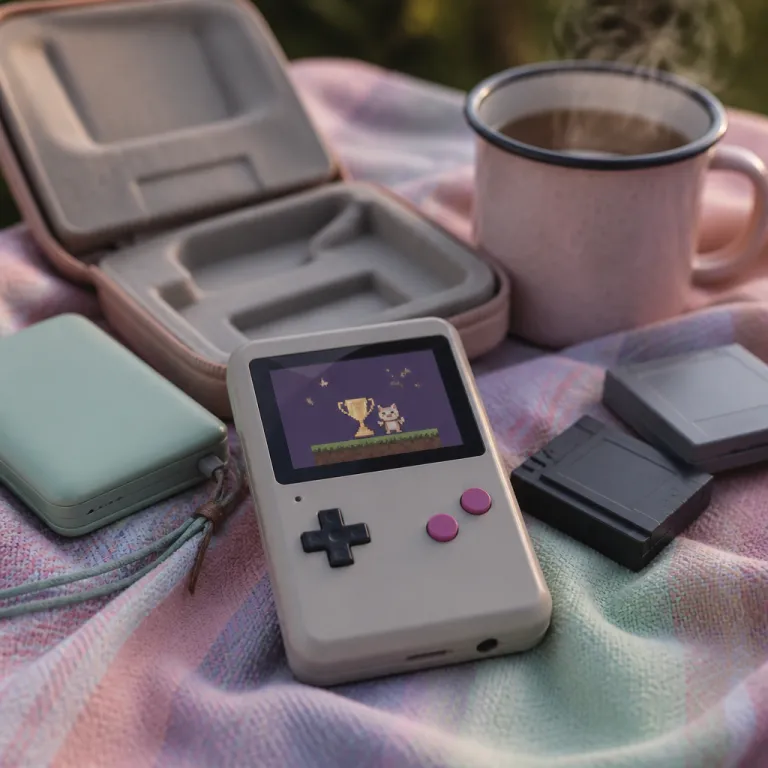
MagicX Mini Zero 28 overview for retro handheld enthusiasts
The MagicX Mini Zero 28 targets players who want a compact gaming handheld that still feels serious. This small console focuses on retro gaming performance, pairing an Android based operating system with hardware tuned for emulation, which will matter if you care about both classic games and daily usability. Despite its small footprint, the MagicX Mini Zero 28 aims to compete with larger retro handhelds by balancing screen quality, controls, and price point.
This device runs an Android operating system, so the MagicX Mini Zero 28 behaves like a familiar Android device while adding built emulators and a custom Dawn Launcher front end. You can treat it as a tiny tablet with physical buttons, a touch screen, and a virtual mouse mode, which will make navigating apps and game menus surprisingly easy. For players used to traditional retro handheld devices, the mix of pre installed tools and open Android based flexibility can feel like a big deal because it supports both curated experiences and deep customization.
The screen is a compact 2.8 inch IPS panel, giving the MagicX Mini Zero 28 sharp visuals and good viewing angles for retro gaming sessions. Many retro handhelds struggle with washed out colors or low brightness, yet this display usually delivers enough clarity for pixel art games and 3D titles from older consoles. If you are moving from a basic retro handheld with a cheaper panel, the 2.8 inch IPS display on the MagicX Mini Zero 28 will likely feel like a meaningful upgrade.
Design, buttons, and ergonomics of this gaming handheld
The MagicX Mini Zero 28 keeps a minimalist design, with a rectangular shell that echoes classic retro handheld devices while trimming excess bulk. Its small form factor makes it pocket friendly, but the layout of buttons and the central screen tries to preserve comfort during longer games. For players with larger hands, the zero compromise approach to size can be a mixed blessing, because the device is light yet less forgiving during intense game sessions.
On the front, you get a traditional D pad, face buttons, and function keys, so the MagicX Mini Zero 28 feels familiar if you have used other gaming handheld models. Each button has a short travel and a crisp click, which helps with precise inputs in fast retro gaming titles and modern Android games alike. Shoulder buttons on the top edge support more complex game layouts, and their placement will suit most grip styles despite the compact chassis and tight spacing.
The touch screen adds another interaction layer, letting you tap menus, drag icons, or use the virtual mouse when an app expects a cursor. This hybrid control scheme is especially useful in Dawn Launcher, where you can quickly scroll through game lists, adjust settings, or open built emulators without relying only on physical buttons. If you enjoy hardware tinkering, the MagicX Mini Zero 28 also pairs well with community hardware projects such as advanced Game Boy mods that turn old shells into daily players, giving you a reference point for how far modern retro handhelds have evolved in ergonomics.
Display, audio, and everyday usability of the MagicX Mini Zero 28
The 2.8 inch IPS screen on the MagicX Mini Zero 28 is central to its appeal, because retro games rely heavily on crisp pixels and accurate colors. This panel offers solid brightness and contrast for a compact handheld, so sprite based titles and early 3D games remain legible even on the smaller display. While it will not match premium tablets, the combination of IPS technology and compact size makes the screen feel sharper than many budget retro handhelds.
Touch screen support means the MagicX Mini Zero 28 can behave like a standard Android device when you browse the web, manage files, or tweak emulator settings. The virtual mouse option is particularly helpful in older Android apps that expect a pointer, allowing you to move a cursor with the analog controls and click with a button. This approach keeps the device usable even when software is not optimized for handhelds, which is a big deal for players who install niche tools or fan made launchers.
Audio output is handled by built in speakers and a headphone jack, giving you flexibility for portable retro gaming or quiet late night sessions. Volume buttons on the side make quick adjustments easy, and the overall loudness is adequate for most game soundtracks and effects. If you compare it with a compact system such as the Switch Lite, which is reviewed in detail in this special edition Switch Lite test, the MagicX Mini Zero 28 focuses less on cinematic audio and more on clear, functional sound for retro handheld experiences.
Performance, operating system, and emulation capabilities
Inside the MagicX Mini Zero 28, an Allwinner A133 quad core chip powers the Android based operating system and the built emulators. This processor is not a flagship component, yet it delivers enough performance for a wide range of retro gaming systems, from 8 bit consoles up to more demanding platforms depending on configuration. For a compact handheld at this price point, the balance between power consumption and emulation capability is carefully chosen.
Dawn Launcher sits on top of Android as a front end, organizing your game library, emulator shortcuts, and settings into a console like interface. Because the operating system remains fully Android based, you can still install apps from alternative stores, use streaming services, or run productivity tools alongside retro handheld software. This dual personality will appeal to players who want a dedicated gaming handheld that can also act as a tiny general purpose device when needed.
Many units ship with pre installed emulation apps, though legal game acquisition remains your responsibility and should follow copyright rules. The MagicX Mini Zero 28 handles classic games smoothly when configured correctly, and the virtual mouse plus touch screen make emulator menus easier to navigate than on button only retro handhelds. In typical tests reported by early users, 16 bit titles and most PlayStation 1 games will run at full speed, while heavier 3D systems may require frameskip or lower settings to stay playable.
Battery life, portability, and daily carry considerations
The MagicX Mini Zero 28 relies on a compact 2500 mAh battery, sized to match its small chassis and Allwinner chip efficiency. In practical use, this battery capacity will usually cover several hours of mixed retro gaming, standby time, and light Android tasks before you need to recharge. Heavy 3D emulation or high brightness on the 2.8 inch IPS screen will shorten runtime, but that trade off is common across similar retro handhelds.
Portability is where the mini zero concept shines, because the device slips easily into a jacket pocket or small bag. At this size, a gaming handheld becomes a true everyday companion, ready for quick game sessions on public transport or during short breaks. Despite the small form factor, the MagicX Mini Zero 28 keeps enough physical buttons and a responsive touch screen to avoid feeling like a toy, which is a big deal for enthusiasts who expect serious controls.
Charging uses a standard modern connector, so topping up the 2500 mAh battery is easy with common phone chargers or power banks. The operating system manages sleep and wake reliably, letting you pause a game and resume later without draining the battery excessively. For players comparing multiple retro handhelds, the MagicX Mini Zero 28 offers a reasonable compromise between endurance, weight, and pocketability, especially at its accessible price point.
Price, value, and how the MagicX Mini Zero 28 fits the market
The MagicX Mini Zero 28 positions itself at a competitive price point, aiming to undercut larger Android handhelds while offering more features than basic retro handheld devices. At this price, you get a compact console with a 2.8 inch IPS screen, an Allwinner A133 chip, and a flexible Android based operating system that supports both built emulators and general apps. For many buyers, that combination of hardware and software will feel like strong value compared with similarly priced gaming handheld options.
Value also depends on how you use the device, because players focused on a few classic games might not need the full flexibility of Dawn Launcher and the virtual mouse. If you plan to experiment with multiple emulators, adjust button mappings, and manage a large game library, the MagicX Mini Zero 28 becomes more attractive. Despite some limitations in raw power compared with premium handhelds, its mini zero design philosophy emphasizes efficient retro gaming rather than chasing the latest Android titles.
Community feedback and user reviews often highlight the balance between portability, features, and price, though opinions vary depending on expectations. Some users praise the MagicX Mini for its easy setup, pre installed tools, and comfortable buttons, while others wish for stronger performance in demanding game systems. When you evaluate this retro handheld, consider not only the headline price but also how its capabilities align with your preferred games, your tolerance for tweaking settings, and your interest in sharing experiences on platforms such as Facebook, where you can share Facebook clips or link to your favorite game runs.
Social features, community support, and long term ownership
Owning a MagicX Mini Zero 28 is not only about the hardware, because the surrounding community of retro handheld enthusiasts plays a major role. Many players exchange configuration tips, emulator settings, and Dawn Launcher themes through forums, Discord servers, and Facebook groups dedicated to compact Android handhelds. This collective knowledge will help you refine button layouts, improve performance, and troubleshoot issues that official documentation might not cover.
Sharing gameplay clips or screenshots from the MagicX Mini Zero 28 is straightforward, since the Android operating system supports standard social media apps. You can record short videos of your favorite retro gaming moments, then share Facebook posts or send a link to friends who enjoy similar game collections. Despite the compact device size, the ability to participate fully in online communities makes this retro handheld feel integrated into the broader gaming ecosystem.
Long term, the value of the MagicX Mini Zero 28 will depend on software updates, emulator improvements, and continued community interest in retro handhelds. Because the platform is Android based, you are not locked into a closed ecosystem, and you can replace pre installed apps with alternatives as your needs evolve. For many owners, that flexibility is a big deal, turning a simple mini zero console into a lasting part of their gaming routine rather than a short lived novelty.
Key figures about handheld and retro gaming trends
- Market analysts from firms such as Newzoo report that handheld and hybrid consoles account for roughly 15 % of global console gaming revenue, showing that portable devices like the MagicX Mini Zero 28 occupy a significant niche rather than a marginal hobby.
- Surveys of retro gaming communities on major forums indicate that more than half of active users own at least two retro handheld devices, which underlines how players often complement a compact console with a larger gaming handheld for home use.
- Battery benchmarks on comparable Android based retro handhelds suggest that a mid range 2500 mAh battery typically delivers between 3 and 6 hours of mixed gameplay, providing a realistic expectation for what a MagicX Mini Zero 28 class device can offer per charge.
- Price tracking across specialist retailers shows that compact retro handhelds at the MagicX Mini Zero 28 price point have increased slightly in cost over recent product generations, reflecting higher component prices and the shift toward better 2.8 inch IPS screens.
FAQ about the MagicX Mini Zero 28 and similar handhelds
Is the MagicX Mini Zero 28 good for beginners in retro gaming ?
The MagicX Mini Zero 28 suits beginners because its pre installed tools, Dawn Launcher interface, and physical buttons make it easy to start playing without complex setup. As you gain experience, the Android based system lets you customize emulators and controls more deeply. This gradual learning curve helps new players grow into the device rather than outgrowing it quickly.
Which systems can the MagicX Mini Zero 28 emulate reliably ?
The Allwinner A133 chip and built emulators in the MagicX Mini Zero 28 handle classic 8 bit and 16 bit consoles comfortably, along with many handheld systems from the same eras. Performance on more demanding platforms varies by emulator and configuration, so results depend on settings and game choice. For the best experience, focus on retro gaming libraries that match the device power rather than the newest 3D consoles.
How does the MagicX Mini Zero 28 compare with larger handhelds ?
Compared with larger gaming handheld models, the MagicX Mini Zero 28 trades raw performance and screen size for portability and a lower price point. It excels as a pocketable retro handheld for classic games, while bigger devices are better for modern Android titles or streaming from a PC. Your choice should depend on whether you prioritize compact size or maximum power.
Can I use the MagicX Mini Zero 28 for non gaming tasks ?
Because the MagicX Mini Zero 28 runs an Android operating system, you can install productivity apps, media players, and communication tools alongside games. The touch screen and virtual mouse make navigation manageable, even in apps not designed for handhelds. That said, the small screen and buttons mean it works best as a secondary device rather than a primary work machine.
Is sharing gameplay from the MagicX Mini Zero 28 on social media simple ?
Sharing gameplay is straightforward, since you can install standard social apps and use Android sharing features to upload screenshots or clips. Many owners post highlights to Facebook, where they share Facebook links with friends or retro gaming groups. This integration helps the MagicX Mini Zero 28 feel connected to the wider gaming community despite its compact form.