Summary
Editor's rating
Value: strong if you lean on Game Pass, less so if you just play one game
Design: black brick that disappears… unless you have a low TV unit
Controller and batteries: solid feel, but still stuck with AA cells
Packaging and what you actually get
Build quality and long‑term feel
Performance: fast loads, smooth 4K, and almost no noise
Unboxing and setup: simple, but nothing exciting
Pros
- Very fast load times and smooth 4K performance with quiet operation
- Excellent backward compatibility with multiple Xbox generations and Game Pass support
- Controller is comfortable, familiar, and cross‑compatible with Xbox One and PC
Cons
- Internal 1 TB drive gives only about 802 GB usable and fills up quickly with big games
- Large, tower‑style design can be hard to fit into some TV units and looks awkward on its side
- Controller still relies on AA batteries unless you buy extra rechargeable options

Specifications
View full product page →| Brand | Xbox |
A next‑gen box that mostly just gets out of the way
I’ve been using the Xbox Series X – 1TB Black (this new packaging version) as my main console for a while now, coming from an Xbox One and occasionally playing on a friend’s PS5. In short, this thing feels like a very fast, very quiet upgrade rather than some totally new toy. If you’re expecting fireworks every time you turn it on, you’ll be disappointed. If you just want your games to load fast, look sharp in 4K, and not sound like a jet engine, it does the job really well.
The first thing that hit me wasn’t the graphics, it was the load times. Going from something like Red Dead 2 taking minutes to boot on the old One, to under a minute on this, changes how you play. I’m way more likely to jump in for a quick 20–30 minute session now because I’m not staring at loading screens. The Quick Resume feature is also genuinely useful: bouncing between a racing game, a shooter and a smaller indie title without relaunching everything is just practical day to day.
On the flip side, it doesn’t feel very “new” when you’re on the dashboard. The interface is basically the same as the Xbox One, same layout, same menus. Personally, I don’t care much, I just want to get to my games, but if you were hoping for a fresh UI, it’s a bit boring. The upside is that if you’re already used to Xbox, you don’t have to relearn anything. It’s plug in, sign in, and you’re home.
In this review I’ll go through the parts that actually matter in daily use: presentation and setup, design, performance, storage, controller, and value. I’ll try to stick to what it’s like to live with the Series X rather than just repeating the spec sheet. It’s not perfect, and there are a couple of things that annoyed me (mainly storage and ports), but overall it’s a pretty solid box if you’re already in the Xbox ecosystem or plan to lean hard on Game Pass.
Value: strong if you lean on Game Pass, less so if you just play one game
On price versus what you get, the Series X is basically a high‑end PC in console form without the headache of building or upgrading parts. For the cost, the level of performance (4K, up to 120 FPS if your TV supports it, ray tracing in some games) is hard to match with a gaming PC unless you spend a lot more. Where the value really kicks in though is if you combine it with Xbox Game Pass Ultimate. You get a big library of games, including day‑one releases from Microsoft’s own studios and a bunch of third‑party titles. If you’re someone who likes to try lots of different games, it’s honestly one of the best deals around.
However, if you’re the type who buys one or two games a year and just plays those, the value is a bit different. In that case, you’re basically paying for powerful hardware to run a very small library. It’s still fast and pleasant to use, but you won’t really take advantage of the huge catalogue or the backward compatibility. For someone like me, who jumps between new releases, older Xbox 360 titles, and random Game Pass stuff, the backwards compatibility and Game Pass combo is a big part of why this console makes sense.
The main weak spot in the value equation is storage. You get 1 TB on paper, but only about 802 GB is actually usable once the system takes its share. With modern games easily hitting 80–120 GB, that fills up fast. After installing five or six big titles plus a few smaller ones, I was already juggling what to delete. The official expansion card is convenient but not cheap, and while you can use a USB hard drive for older games and storage, you can’t run Series X|S optimized games directly from it. So you either micromanage space or spend extra on storage.
So in terms of value, I’d say: great if you’re going to live in the Xbox world, use Game Pass, and play a variety of games. Less impressive if you’re a very light gamer who sticks to one series and doesn’t care about graphics or load times that much. Also factor in potential extra costs: a charging solution for the controller, maybe an expansion card later, maybe a second controller. Once you add those, the bill goes up, but for what the console actually delivers in performance and library access, it still feels like a fair deal overall.
Design: black brick that disappears… unless you have a low TV unit
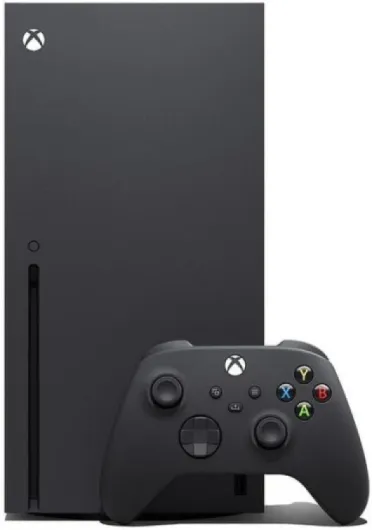
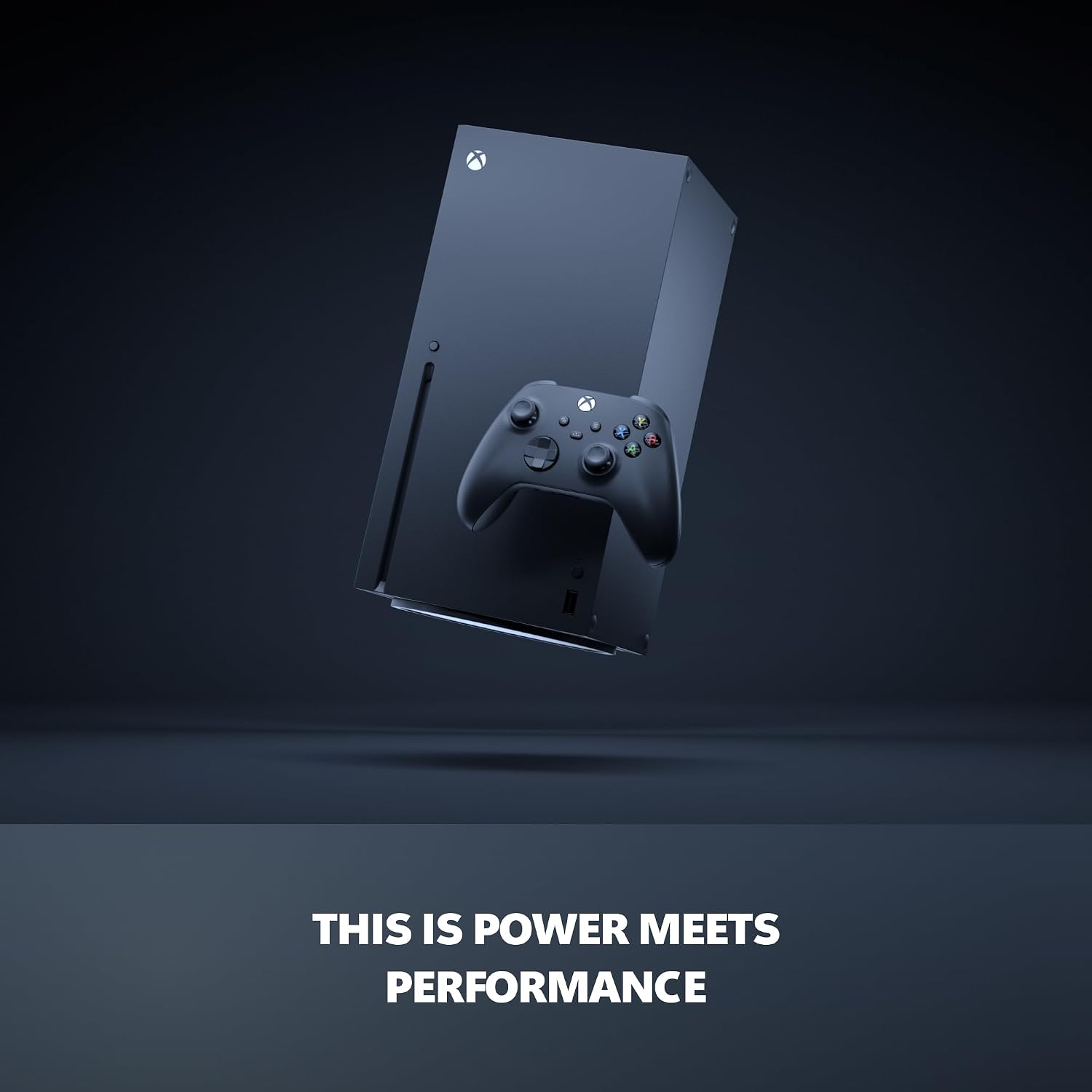
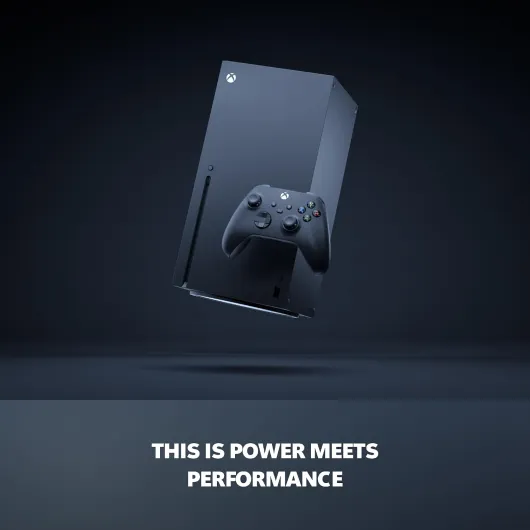
Design‑wise, the Series X is basically a black rectangular tower. Personally, I like that it just blends into my TV setup. I have a black TV cabinet so when it’s standing upright, it kind of disappears in the corner and doesn’t scream “gaming toy” like some other consoles. If you’re into flashy shapes, LEDs, or something that looks like a sci‑fi spaceship, this isn’t it. It’s just a big black box with a tiny logo, a disc slot, one front USB port, and the power button.
The catch is the size. It’s not small. If your TV unit has low shelves, measure the height before you buy. In my case, it was a couple of centimeters too tall to stand upright inside the cabinet, so I had to lay it on its side. That’s where the design gets a bit awkward: the round stand that’s attached to the bottom doesn’t come off, and it looks a bit silly when it’s on its side. It works, but it doesn’t look clean. Some people just put it on the floor next to the unit, which is fine but not very tidy.
Ventilation is all at the top when it’s upright, with that green accent inside the vent holes. It looks decent and at least gives it a tiny bit of character. More importantly, it needs room to breathe. When I had it too close to the back of the cabinet, it got noticeably warm. Not burning or dangerous, just warmer than I liked. Once I pulled it forward to give it some space, the temperature felt more normal. So whatever your setup is, leave the top clear and don’t wedge it into a tiny closed box.
In day‑to‑day use, I’d call the design functional and low‑key. It’s easy to clean because it’s mostly flat surfaces, no weird curves or glossy bits that scratch. But if you care a lot about how your living‑room looks, the size and that fixed round stand might force you to rethink your layout. For me it’s fine, but it’s not exactly pretty when it’s lying horizontally with the stand showing.
Controller and batteries: solid feel, but still stuck with AA cells
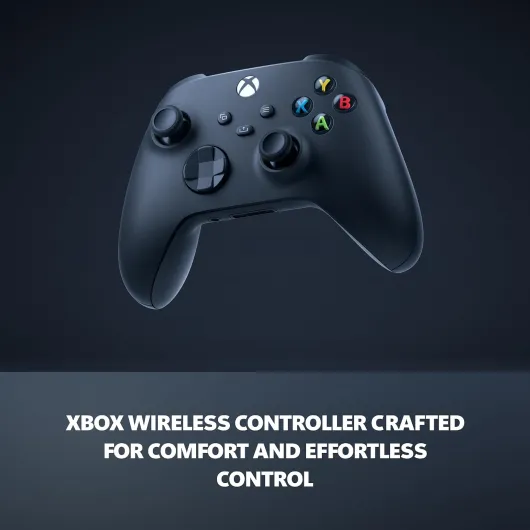
The controller that comes with the Series X is basically an evolution of the Xbox One pad, not a full redesign. Same general shape, same layout, so if you liked the old one you’ll feel at home in seconds. The main changes are the textured grips on the back and on the triggers, a slightly tweaked D‑pad, and the new share button in the middle. The texture felt a bit odd to me for the first hour, but then I stopped noticing it and now I actually prefer it because it’s less slippery during longer sessions.
The share button is simple but handy: press once for a screenshot, hold to record a clip. It’s not some life‑changing feature, but I’ve used it way more than I expected, especially when something funny happens online and I want to send it to friends. The good part is that all your old Xbox One controllers still work on the Series X, and the new controller also works on the older consoles and on PC. At home we mix and match without thinking about it, which is convenient and saves money if you already have a few pads lying around.
Where Microsoft is still behind for me is the battery situation. The controller still runs on two AA batteries by default. The box includes a pair, so you’re good to go, but after a while you either burn through AA packs or you buy a rechargeable kit or a third‑party dock. I went with a charging dock because I hate swapping batteries all the time. It works fine, but it’s an extra cost you need to factor in. I would have preferred an internal rechargeable battery like on the PS5 controller, even if it meant slightly higher price upfront.
In actual use, a fresh set of decent AA batteries lasts me quite a long time – we’re talking dozens of hours of play. But it’s still one more thing to manage. So, controller comfort and feel: very good. Compatibility: very good. Battery approach: functional but a bit old‑school. If you’re okay investing in rechargeables or a dock, it’s not a huge deal, but out of the box it’s not the most convenient solution on the market.
Packaging and what you actually get
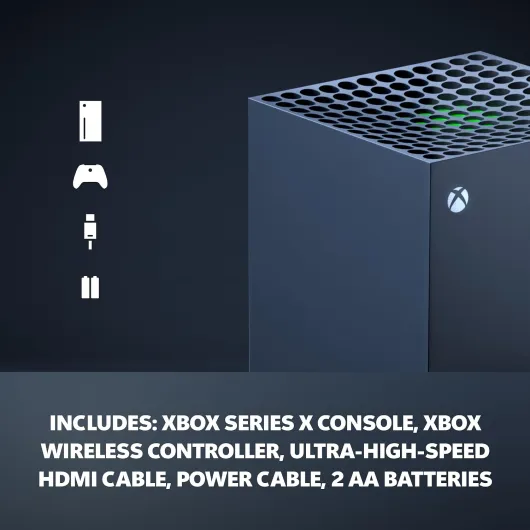
The “new packaging” label on this Series X doesn’t really change the core experience. In practice, the box is a bit more compact and feels well‑protected, but it’s not some big redesign that affects daily use. Inside you get the basics: console, controller, HDMI 2.1 cable, power cable, and a pair of AA batteries. There’s usually a quick start guide and a leaflet about Game Pass. No fancy extras like a headset or a charging dock, so don’t expect a bundle unless it’s clearly advertised as one.
The internal layout is simple: console in the center wrapped in foam, accessories in a side compartment. It’s easy to unbox without breaking anything or fighting with plastic ties. I opened it, plugged it in, and had it running in under half an hour including updates. As someone who hates over‑complicated packaging with tons of plastic, this one felt pretty straightforward and not too wasteful. Once it’s unboxed, though, the packaging is just recycling, so I wouldn’t base a buying decision on that alone.
One thing I did appreciate is that the HDMI cable included is actually the proper high‑speed one you need for 4K and higher frame rates. Some cheaper devices throw in a random cable that doesn’t support all the features, which forces you to buy another one. Here, you’re covered out of the box. Also, the fact that they still include AA batteries at least means you can start using the controller immediately, even if you plan to switch to rechargeables later.
Overall, I’d say the packaging and included accessories are functional and basic. You get exactly what you need to start playing and nothing else. If you’re expecting some premium unboxing moment, this isn’t that. But if you just want to plug it in and get going, it does the job without any nonsense.
Build quality and long‑term feel
In terms of how it’s built, the Series X gives off a solid, no‑nonsense vibe. The casing is a matte plastic that doesn’t flex or creak when you move it around. I’ve unplugged it and shifted it between rooms a few times, and it never felt fragile or like I was going to snap a panel off by mistake. The matte finish is also practical: it doesn’t show fingerprints as badly as glossy surfaces, and small dust marks wipe off easily with a cloth.
One thing I did notice is that dust tends to gather on the top vent over time, especially if you have pets or a dusty room. It’s not unique to this console; anything with a big top vent will have that issue. Every couple of weeks I just give it a quick pass with a soft brush or a can of compressed air. As long as you keep the top clear and don’t block it with random objects, the airflow seems fine. I haven’t had any shutdowns or thermal warnings, even after long weekend sessions with downloads going in the background.
The controller also holds up pretty well. The textured grips haven’t worn off yet, and the buttons still feel clicky. I haven’t had any stick drift on mine so far, but that might depend on how rough you are with your gear. If you’ve used Xbox One controllers, it’s basically the same story: usually okay for years, but if someone in the house is heavy‑handed, the sticks or bumpers can eventually go. The good news is that replacement controllers are easy to find and you might already have spares from an older system.
Overall, I’d rate durability as reassuring but not bulletproof. It’s not some premium metal tank, but for a plastic living‑room device it feels solid enough. Just don’t suffocate it in a closed cabinet and give the vents a bit of attention now and then. If you treat your electronics decently, there’s nothing here that screams “fragile” or “cheap”.
Performance: fast loads, smooth 4K, and almost no noise
This is where the Series X actually earns its place. Compared to my old Xbox One, the jump in speed and smoothness is very noticeable. Games that used to take ages to load now boot in well under a minute. Concrete example: Red Dead Redemption 2 went from roughly 2 minutes 45 seconds on my One to around 40 seconds on the Series X from dashboard to in‑game. That changes how often you pick up the controller. I’m not sitting there scrolling my phone waiting for a game to start anymore.
The SSD also makes the whole interface feel snappier. Moving around the dashboard, opening the store, swapping between games – there’s basically no lag. Quick Resume is one of those features you don’t think you need until you have it. I can jump from Forza to a shooter to an indie game in a few seconds, and they usually pick up right where I left them. It’s not perfect – sometimes after a system update the suspended games reset – but most of the time it works and it genuinely saves time.
On the graphics side, with a 4K TV that supports 60 Hz (mine doesn’t do 120 Hz), games look very sharp and clean. You often get a choice in settings: performance mode (usually lower resolution but higher frame rate) or quality mode (4K with 60 FPS in many cases). Even older games benefit from the hardware. Stuff like Xbox One titles often run at higher resolution and more stable frame rates, and a lot of backwards compatible games get auto HDR. I tried Cyberpunk 2077 and it ran way better than the messy launch version I saw on base last‑gen consoles.
The thing I appreciate most is how quiet it is. Under normal use, I basically don’t hear the console at all, even when downloading and playing at the same time. The only sound is the startup chime, which you can turn off in the settings if it annoys you. Heat is noticeable at the top vent when you put your hand over it, but that’s normal – the important part is that it’s pushing the hot air out. As long as you don’t block the top, it stays under control. Overall, for raw performance and day‑to‑day comfort, it feels like a very capable box that doesn’t make a fuss about it.
Unboxing and setup: simple, but nothing exciting
Out of the box, the Series X package is pretty straightforward: you get the console, one black wireless controller, the ultra‑high‑speed HDMI cable, the power cable, and a pair of AA batteries. No surprises, no extras. There’s usually a short Game Pass Ultimate trial inside, which is nice if you’re new to Xbox or haven’t tried the subscription yet. The new packaging is a bit cleaner and feels secure, but at the end of the day you open it once and shove it in a cupboard, so I wouldn’t overthink that part.
Setup is where it feels more modern. You can do the whole thing with the Xbox app on your phone: connect the console, scan a code, and it walks you through Wi‑Fi, account login, and preferences while the console does its first update. On my connection, the initial update took maybe 10–15 minutes, then I was on the dashboard. If you’re coming from an Xbox One, your settings and game library are just there. I had my old external USB drive, plugged it in, and most of my Xbox One / 360 games showed up ready to play without any drama.
One thing to be aware of: Series X|S optimized games (the ones with the X|S logo) really want to live on the internal SSD or the official expansion card. You can store them on a USB hard drive but you can’t actually play them from there. For me, that meant a lot of shuffling between internal storage and my external drive at the start, which is a bit annoying but still faster than re‑downloading 100+ GB every time. Moving a game from USB to internal drive is slower than instant, but still way better than starting from scratch.
Overall, the presentation and setup are pretty no‑nonsense: it’s easy, familiar, and focused on getting you playing quickly. There’s nothing flashy here, and it doesn’t feel like some fancy high‑end gadget unboxing, but in practice you’re done in under an hour including updates and a couple of game installs. For a living‑room box that the whole family might touch, that’s good enough for me.
Pros
- Very fast load times and smooth 4K performance with quiet operation
- Excellent backward compatibility with multiple Xbox generations and Game Pass support
- Controller is comfortable, familiar, and cross‑compatible with Xbox One and PC
Cons
- Internal 1 TB drive gives only about 802 GB usable and fills up quickly with big games
- Large, tower‑style design can be hard to fit into some TV units and looks awkward on its side
- Controller still relies on AA batteries unless you buy extra rechargeable options
Conclusion
Editor's rating
The Xbox Series X – 1TB Black is a practical upgrade if you care about fast load times, solid 4K performance, and backward compatibility. It’s not the kind of console that wows you every time you turn it on; it’s more like a quiet workhorse that just does what you ask without complaining. If you’re coming from an Xbox One, the jump in speed alone is worth it. Games load much quicker, Quick Resume is genuinely handy, and your old controllers and games (except Kinect stuff) mostly just work. Add Game Pass Ultimate on top and you suddenly have a huge library to explore without buying everything individually.
On the downside, it’s big, limited on storage, and still stuck with AA batteries in the controller. You really need to think about where it will physically live, especially if your TV unit is tight on space. The 802 GB of usable internal storage fills up fast with modern games, and the official expansion card isn’t cheap. If you’re a very casual player who sticks to one or two titles, a cheaper console or even the Series S might make more sense. But if you want a powerful box that’s quiet, runs current and old games well, and pairs nicely with a Game Pass subscription, the Series X is a pretty solid choice.