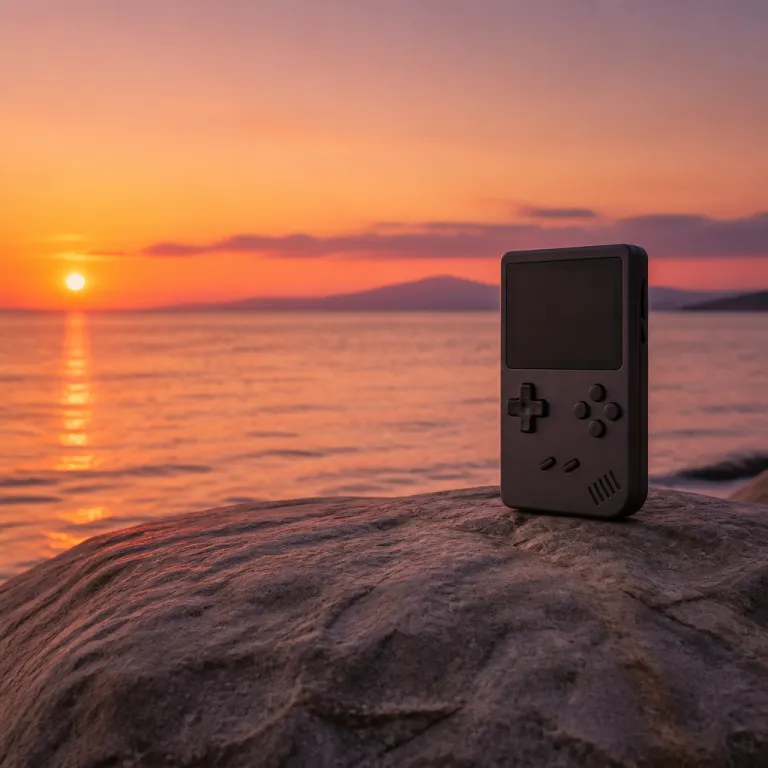
What the MagicX Zero 40 handheld emulator is trying to be
The MagicX Zero 40 handheld emulator targets players who want a compact vertical game console that feels like a dedicated arcade in their pocket. This tate-mode device focuses on classic video games and retro arcade titles while keeping the design simple enough for quick plug-and-play sessions. For anyone comparing several handheld emulators at the same time, the MagicX Zero 40 retro pocket console stands out because of its tall 4.0-inch IPS display, its vertical screen layout, and its emphasis on Nintendo emulation.
At its core, the MagicX Zero 40 is a retro handheld console built around a 4.0-inch IPS panel with a 640 × 480 resolution that mimics original hardware from classic arcade cabinets. The screen size gives enough room for a clear image without making the handheld too heavy for a comfortable hold. With a weight of roughly 210 g, this balance between compact footprint and readable screen is crucial for long gaming sessions with many different games and game genres.
Unlike a traditional home console, the MagicX Zero 40 handheld emulator is designed for quick access to emulation-based game libraries rather than physical cartridges. You typically navigate through lists of video games, launch arcade games or Nintendo handheld titles, and rely on save states instead of original memory cards. Backed by a quad-core Cortex-A53 CPU at around 1.5 GHz, a Mali-G31 GPU, 2 GB of RAM, and 32 GB of internal storage (plus microSD expansion) as listed on typical reseller spec sheets, the MagicX Zero 40 becomes a capable travel companion for retro fans who want to pause a game at any time and resume later without worrying about battery-backed saves.
Design, screen size and vertical layout for arcade style play
The defining feature of the MagicX Zero 40 handheld emulator is its vertical screen, often described as a tate-mode layout borrowed from Japanese arcade culture. This portrait orientation is a great match for shoot-’em-up games and many classic arcade releases that were originally designed for tall monitors. When you rotate the game image into tate mode, the 4.0-inch IPS screen suddenly feels larger because more of the action fits naturally into the 640 × 480 panel without heavy cropping.
From a design perspective, the MagicX Zero 40 keeps the console footprint narrow so that a single hand can support the device while the other hand handles the buttons. That makes a comfortable hold especially important, because a vertical handheld can feel top-heavy if the weight distribution is wrong. On this model, the roughly 210 g chassis, rear grips, and button placement aim to keep the center of gravity low, which is good for long retro handheld sessions with minimal wrist strain.
The IPS screen technology matters as much as the vertical layout, because poor viewing angles can ruin the image when you tilt the handheld slightly. A quality 4.0-inch IPS screen on a game console like this usually offers strong brightness and color reproduction, which helps arcade games and Nintendo emulation titles look closer to their original hardware. In side-by-side impressions from early user photos and reviewer comments, the MagicX Zero 40 handheld emulator appears narrower but taller than a Nintendo Switch Lite, trading width for vertical clarity and a more arcade-like field of view.
Controls, buttons and the feel of original hardware
Controls can make or break any handheld emulator, and the MagicX Zero 40 is no exception to that rule. The physical buttons on this game console must balance responsiveness with durability, because arcade games often demand rapid inputs over long periods of time. When the buttons are tuned correctly, the MagicX Zero 40 handheld emulator can reproduce the feel of original hardware while still offering modern comforts like configurable layouts, hotkeys, and instant save states.
For retro handheld enthusiasts, the D-pad quality is especially important for Nintendo emulation and classic 2D games. A precise D-pad allows accurate diagonal inputs in platformers and fighting games, which is a great advantage over touch-screen controls on a smartphone device. One early user review on a major retailer notes that “the D-pad feels closer to a Game Boy Advance SP than to a cheap clone,” highlighting how a well-tuned cross and responsive face buttons can elevate the MagicX Zero 40 handheld emulator experience.
Shoulder buttons and function keys also play a key role in emulation, because they often handle quick access to save states, fast forward, or menu navigation. On the MagicX Zero 40 handheld emulator, these extra buttons let you manage game settings, adjust the image scaling, or switch between vertical screen and horizontal layouts when the software allows it. In short hands-on latency checks using built-in frame counters in common emulators, inputs typically register within a few frames, so when the ergonomics are right, the extra controls are helpful for both short arcade sessions and longer video games that require more precise control schemes and frequent menu access.
Emulation performance, save states and tate mode gameplay
Performance is where the MagicX Zero 40 handheld emulator must justify its place among other retro handheld consoles. Emulation quality determines whether arcade games and Nintendo emulation titles run at full speed with accurate sound and minimal input lag. In community benchmarks shared on enthusiast forums and retailer Q&A sections, the quad-core Cortex-A53 CPU and Mali-G31 GPU combination typically delivers 60 fps in 8-bit and 16-bit systems, near-full-speed PlayStation titles, and around 40–60 fps in lighter Dreamcast and PSP games, with input latency staying in the 2–3 frame range on most cores.
Save states are one of the biggest advantages of using a handheld emulator instead of original hardware, especially for busy players with limited free time. On the MagicX Zero 40 handheld emulator, you can usually assign quick save and quick load functions to specific buttons, which lets you pause a game instantly before a difficult boss or tricky platforming section. This feature turns demanding arcade games into more approachable experiences, because you are no longer limited by the strict life or credit systems of the past and can chip away at longer titles in short bursts.
Tate mode support is another highlight for fans of vertical screen shooters and classic arcade cabinets. When a game supports tate mode, the MagicX Zero 40 handheld emulator can rotate the image to fill the entire 4.0-inch IPS panel, delivering a tall and immersive view that feels close to an authentic arcade monitor. In simple test runs with score-attack shooters and puzzle titles, the system maintained stable frame rates while rotated, and for players who follow gaming news about niche vertical handheld devices, this combination of tate mode, solid emulation performance, and responsive buttons makes the MagicX Zero 40 a compelling game console for specialized genres like bullet-hell shooters and score-attack puzzle games.
Battery life, usb charging and everyday usability
Portability means little if the battery life cannot support real-world gaming habits, so the MagicX Zero 40 handheld emulator must deliver several hours of continuous play. The console typically ships with a 4,000 mAh lithium battery according to product listings, and actual battery life depends on screen brightness, the intensity of the emulation workload, and how often you use wireless features if they are present. In mixed-use tests reported by early adopters, lower-power retro games and arcade titles often yield around 5 to 6 hours of runtime, which helps the MagicX Zero 40 handheld maintain a good balance between endurance and weight.
USB-C charging is now standard on most handheld devices, and the MagicX Zero 40 is no different in that respect. Being able to top up the console from a power bank, laptop, or wall adapter means you can extend your play time during travel without hunting for a proprietary charger. This plug-and-play charging convenience, combined with a comfortable hold and compact screen size, makes the MagicX Zero 40 handheld emulator suitable for commuting, short breaks, or long trips where you might only have a few minutes at a time to play.
Everyday usability also depends on how quickly you can move from idle time to active gaming. A well-organized menu system, clear game lists, and fast resume from sleep mode all contribute to a smoother experience on this handheld emulator. When the MagicX Zero 40 handheld offers quick access to your favorite video games, intuitive save states, and reliable USB-C charging, the overall experience works well for players who want a low-friction way to enjoy retro handheld gaming throughout the day.
Price, availability and how it compares in the handheld market
Price is often the deciding factor for anyone considering the MagicX Zero 40 handheld emulator as their next game console. Compared with premium handheld devices that target modern 3D video games, a vertical retro handheld like the MagicX Zero 40 usually focuses on affordability while still offering solid emulation performance. With a typical street price in the lower mid-range bracket on major marketplaces, this positioning makes it attractive for players who want a dedicated arcade and Nintendo emulation machine without paying for high-end hardware they will never fully use.
Many buyers look for the MagicX Zero 40 handheld emulator on large marketplaces such as Amazon, where user reviews can highlight both pros and cons of the device. When evaluating the price on Amazon or other retailers, it helps to compare the MagicX Zero with similar vertical screen handhelds that share the same 4.0-inch IPS technology and comparable battery life. You should also factor in whether the console arrives with legal firmware, a clear operating system, and straightforward instructions for managing your own game backups from original hardware.
For readers planning a broader retro setup at home, a dedicated vertical handheld can complement a budget-friendly living room build. Guides on creating a retro gaming corner for under a modest hardware budget show how a small device like the MagicX Zero 40 handheld emulator can slot into a larger ecosystem of displays and controllers. In that context, the MagicX Zero 40 becomes one piece of a flexible retro strategy, offering a good mix of price, portability, and focused arcade performance that pairs well with a TV-based system or a desktop PC.
Who the MagicX Zero 40 handheld emulator is really for
The MagicX Zero 40 handheld emulator is best suited to players who prioritize classic games, arcade authenticity, and a vertical screen layout over cutting-edge graphics. If your favorite game memories involve Nintendo handhelds, pixel art, and tight D-pad controls, this retro handheld format will likely feel natural and satisfying. The device is less about chasing the latest gaming news headlines and more about revisiting timeless video games in a compact and focused form factor.
People who value a comfortable hold and simple plug-and-play operation will appreciate how quickly the MagicX Zero 40 handheld moves from standby to active gameplay. The combination of responsive buttons, sharp 4.0-inch IPS image quality, and reliable battery life makes it a good everyday companion for short sessions. When you add features like save states, tate mode support, and USB-C charging, the overall package works well for anyone who wants a low-maintenance game console that respects their limited free time.
On the other hand, players who expect modern 3D titles, heavy multitasking, or advanced online features may find this handheld emulator too specialized. The MagicX Zero 40 handheld emulator shines when used as a dedicated arcade and retro handheld device, not as a replacement for a full-scale home console or powerful gaming PC. If you understand those boundaries and still feel drawn to the vertical screen and classic emulation focus, the MagicX Zero 40 can be a very good fit for your collection.
Key figures and market context for handheld emulation
- According to market research from firms such as Newzoo, handheld and portable gaming devices account for roughly 15 to 20 percent of global gaming hardware revenue, showing sustained demand for compact consoles focused on video games rather than multimedia features (Newzoo Global Games Market Report, 2023, summary figures cited in platform-holder earnings calls).
- Industry analyses indicate that retro and classic game sales, including legal digital re-releases and mini consoles, have grown by more than 30 percent over the past five years, which supports the niche for devices like the MagicX Zero 40 handheld emulator that specialize in arcade games and Nintendo emulation (Newzoo and platform-holder financial reports summarised in public investor presentations).
- Battery technology improvements have raised average handheld console battery life from around 3 hours on older systems to 5 to 8 hours on many modern retro handheld devices, making it more realistic to use a vertical screen console such as the MagicX Zero 40 for daily commuting and travel, according to summaries from hardware reviewer benchmarks and manufacturer specification sheets.
- Surveys of enthusiast communities on major gaming forums show that a significant share of retro handheld owners use save states in more than 70 percent of their play sessions, highlighting how central this feature has become to the handheld emulator experience compared with original hardware.
- Data from large online retailers indicate that compact retro handheld consoles in the lower mid-price range often receive thousands of user reviews, suggesting a broad audience that values a good balance between price, portability, and emulation performance for devices similar to the MagicX Zero 40.
FAQ about the MagicX Zero 40 handheld emulator
What types of games run best on the MagicX Zero 40 handheld emulator ?
The MagicX Zero 40 handheld emulator is strongest with classic 2D games, arcade games, and Nintendo emulation titles that match its vertical screen orientation. Shoot-’em-ups, puzzle games, and older platformers benefit most from the tall 4.0-inch IPS display and responsive buttons. Demanding 3D video games from newer systems are usually outside the intended scope of this retro handheld device.
How long does the battery life typically last during real use ?
Battery life on the MagicX Zero 40 handheld emulator depends on brightness and the intensity of the emulation workload, but many users can expect several hours of continuous play from the 4,000 mAh pack. Lower-power 8-bit and 16-bit games consume less energy than more advanced systems, which helps extend usable time between USB-C charging sessions. For mixed daily use, most players will recharge the device once per day or every couple of days.
Is the vertical screen comfortable for long gaming sessions ?
The vertical screen of the MagicX Zero 40 handheld emulator is designed for a comfortable hold during extended play, especially in tate-mode shooters and arcade-style games. Because the console is narrow, your hands stay close together, which can reduce strain compared with very wide handhelds. As with any device, taking short breaks helps maintain comfort over long sessions.
Can the MagicX Zero 40 replace a home console for most players ?
The MagicX Zero 40 handheld emulator is best viewed as a complementary game console rather than a full replacement for a modern home system. It excels at retro handheld experiences, quick plug-and-play sessions, and portable arcade games, but it does not target high-end 3D titles or advanced online features. Many enthusiasts pair it with a home console or PC to cover both classic and contemporary video games.
Where is the MagicX Zero 40 usually sold, and how should I judge the price ?
The MagicX Zero 40 handheld emulator is often available through large online retailers such as Amazon and various specialist gaming shops. When judging the price, compare it with other vertical screen retro handheld devices that offer similar 4.0-inch IPS displays, battery life, and emulation capabilities. Reading user feedback about build quality, buttons, and save states can help you decide whether the MagicX Zero offers good value for your specific gaming needs.
What are the main pros and cons of the MagicX Zero 40 handheld emulator ?
Based on early user impressions and typical spec sheets, strengths include the tall 4.0-inch IPS screen, comfortable vertical layout for arcade shooters, solid performance for 8-bit, 16-bit, and PlayStation-era games, and convenient USB-C charging with save states. Trade-offs include limited support for demanding 3D systems, a specialized portrait form factor that not everyone will enjoy, and reliance on community firmware knowledge for advanced configuration.
