Summary
Editor's rating
Value for money: powerful but pricey, and the battery hurts the deal
Design and ergonomics: big, practical, a bit overkill in size
Battery life: the biggest weakness by far
Comfort and handling: fine for short bursts, tiring for long sessions
Performance: strong for a handheld, but not a desktop replacement
What you actually get with the Legion Go 2
Screen and build quality: great OLED, decent plastics
Pros
- Large 8.8" OLED screen with good colors and very readable text
- 32 GB RAM helps with modern games and higher texture settings
- Detachable controllers and FPS mouse mode are genuinely useful for some games
Cons
- Very short battery life in demanding AAA games (often around 1–1.5 hours)
- Heavy and bulky for long handheld-only sessions
- High price compared to alternatives, especially if bought new at full RRP

Specifications
View full product page →| Brand | Lenovo |
Big handheld, big expectations
I’ve been messing around with handheld PCs for a while now (Steam Deck, ROG Ally, a cheap Windows handheld that cooked itself in 3 months), so I was really curious about the Lenovo Legion Go 2. On paper it looks stacked: AMD Ryzen Z2, 32 GB RAM, OLED 8.8" display at 144 Hz, detachable controllers, basically a tiny Windows 11 gaming laptop with grips. I used it as my main couch and bed gaming device for about two weeks to see if it actually holds up in real life.
Right away, the thing that hits you is the size and the screen. It’s big, and the OLED panel looks very clean at normal brightness. You don’t need to squint like on smaller handhelds: text in Windows and in games is actually readable, which is nice if your eyes are not 20 anymore. But the other thing that hits you pretty fast is the battery gauge dropping like a rock when you launch a big AAA game.
During these two weeks, I tried a mix of stuff: lighter games (Hades, Dead Cells, indie titles), some AA/AAA (Forza Horizon 5, Cyberpunk 2077, Indiana Jones and the Great Circle via Game Pass), and some cloud/remote play from my main PC and Xbox. I also played with Legion Space, messed with TDP, fan presets, and tried both handheld mode and the FPS mode with the right controller docked as a mouse.
Bottom line: it’s a fun device if you like tweaking settings and you’re okay with short battery life for heavy games. If you expect console simplicity and 4–5 hours of AAA gaming away from a plug, you’re going to be disappointed. It’s more like a portable gaming laptop in your hands than a Switch-style toy.
Value for money: powerful but pricey, and the battery hurts the deal
On value, this is where opinions will split. At around £900 new in the UK (some got it for ~£700 used or refurbished), it’s not cheap at all. For that money, you’re in the territory of a decent gaming laptop or a high-end desktop upgrade. What you’re paying for here is portability, the OLED screen, the 32 GB RAM, and the detachable controller system. If you’re actually going to use all that (handheld, docked FPS mode, remote play, emulation, etc.), it can make sense. If you only want to play a couple of indie games and some cloud streaming, it’s overkill.
Compared to something like a Steam Deck, the Legion Go 2 is more flexible (Windows, more raw power, detachable controllers, better screen), but also more expensive and worse on battery. Compared to other Windows handhelds like the ROG Ally X or MSI Claw, the big OLED and detachable controllers are the main edge. A reviewer who owns both Steam Deck and ROG Ally basically said once you try the Legion Go 2, it’s hard to go back because of the bigger, nicer screen and comfort for reading text. I get that. But again, that doesn’t magically fix the short battery life.
Another point to consider is Lenovo’s customer service and price guarantees. One reviewer had a bad experience with Lenovo refusing to honor a price match after a drop, calling them dishonest. I can’t verify that personally, but it’s something to keep in mind: if you rely on strong support and hassle-free warranty, you might want to buy through a retailer you trust rather than direct, or at least be ready for some back-and-forth.
If you can grab it around £700 in “like new” or refurbished condition, I’d say the value becomes much more acceptable, especially if you really care about screen quality and detachable controllers. At £900 and up, it’s harder to justify unless you know exactly what you’re getting into: a powerful handheld PC that needs a charger nearby for serious gaming and rewards people who like to tweak settings. There’s better battery life elsewhere, but as a portable mini-rig with a strong screen, it still has a place.

Design and ergonomics: big, practical, a bit overkill in size
The design is clearly aimed at people who like chunky gear. The Legion Go 2 looks and feels like a mini console plus a small tablet mashed together. The detachable controllers slide off the sides similar to a Switch, but they feel more solid and less toy-like. The main body with the screen is quite thick, which helps with cooling but also makes the whole thing feel more like a mini laptop screen than a tablet.
Buttons and sticks are laid out in a way that’s closer to an Xbox controller. The sticks feel decent, with enough resistance and no obvious wobble on my unit. Face buttons are fine, not mushy, and the triggers have a proper travel. You also get a few extra buttons on the back, which is useful for remapping stuff like jump or reload. The standout gimmick is the right controller that can detach, sit in a small dock, and work as a sort of vertical mouse for FPS games. It’s a bit weird at first but after a couple of evenings in shooters, it actually starts to make sense.
In handheld mode, the weight distribution is okay but you feel the 920 g after 30–40 minutes, especially if you play lying on your back in bed. Compared to a Steam Deck, it’s bulkier but the big 8.8" screen does help with immersion and readability. If you prop it up on a table using the kickstand and detach the controllers, it becomes much more comfortable for longer sessions. That’s actually how I enjoyed it most: almost like a tiny TV with wireless controllers.
Visually, the Eclipse Black color is pretty low-key. No RGB circus, which I liked. It looks like a serious piece of kit, not a toy. My only gripe is that it doesn’t exactly scream “throw me in your bag and go”. It’s more a “sit on the couch, plug in a charger nearby, and sink in” type of device. If you were hoping for ultra-portable like a Switch Lite, this is not it. If you’re okay with a chunky handheld that prioritizes power and screen size, the design is pretty solid.
Battery life: the biggest weakness by far
The battery is where the Legion Go 2 really shows its limits. On paper, 74 Wh sounds big, and it is bigger than the previous gen. In practice, with the Z2 chip and that bright OLED, heavy games chew through it very fast. In performance mode or anything close to 30–35 W total draw, you’re looking at roughly 1–1.5 hours in modern AAA games. One reviewer mentioned around 1.5 hours and another said closer to 1h15 in performance mode, and that lines up with what I saw.
For example, playing Cyberpunk 2077 with a roughly 25–30 W TDP and higher brightness, I was seeing the battery dropping by about 15–20% every 10–12 minutes. You can stretch that a bit by lowering brightness, capping fps to 30, and using balanced or eco modes, but you’re still not going to magically get 4 hours of heavy AAA gaming. The fans also ramp up more under these modes, so you get the usual handheld PC trade-off: performance, heat, noise, battery. You can’t have all four good at once.
On the flip side, for indie games, cloud gaming, and remote play, the story is much better. Streaming from my Xbox or PC, with TDP limited and brightness around 50–60%, I could get closer to 3–4 hours, sometimes more depending on the game. For simple 2D titles or older 3D games, you can also get into the 3-hour range without too much effort. So it’s not that the battery is tiny; it’s that the hardware is power-hungry when pushed.
The good news is Super Rapid Charge actually helps. You can juice it up pretty fast to a usable level during a short break, and Legion Space gives you control over power profiles so you can tune for longer sessions. But if your idea is: “I’ll sit on a train for 3 hours and play Cyberpunk or other heavy AAA the whole way unplugged”, this device is not built for that. It’s fine if you accept that long, demanding sessions basically require a charger nearby. For me, that’s the main downside of the Legion Go 2.

Comfort and handling: fine for short bursts, tiring for long sessions
Let’s talk comfort, because on a nearly 1 kg handheld, this matters more than the spec sheet. In pure handheld mode with both controllers attached, it’s decent for 30–45 minutes. The grips are shaped well enough so your hands don’t cramp instantly, and the weight is balanced so it doesn’t nose-dive forward. But you do feel the mass in your wrists and forearms after a while, especially if you play something that needs constant stick tension like racing games or shooters.
I’m not a small person and I still found myself switching positions often: elbows on knees, leaning back with arms supported by pillows, etc. If you’re used to a Switch or even a Steam Deck, it’s a step up in weight and bulk. The trade-off is that the bigger screen really does help with eye comfort. With the Steam Deck, I sometimes lean in to read small UI elements. With the Legion Go 2’s 8.8" panel and 16:10 ratio, I rarely had to. For text-heavy games or strategy titles, that’s a real plus.
Where the Legion Go 2 shines in comfort is when you use it in “Switch-style” mode: kickstand out, device on a table or bed tray, controllers detached. In this configuration, the weight issue basically disappears because you’re only holding the controllers, which are lighter and shaped more like a normal gamepad split in two. I played like this for over two hours in Hades and some indie games without any wrist fatigue, just the usual general tiredness from sitting too long.
If you buy it, my honest tip is: don’t expect to always use it as a pure handheld for long sessions. Think of it as a hybrid between a small portable console and a tiny monitor with controllers. For quick 30–40 minute bursts on the couch, handheld is fine. For longer gaming nights, prop it up and detach the controllers, or even plug in a regular controller if you want. It’s comfortable enough, but the weight means you need to adapt how you use it.
Performance: strong for a handheld, but not a desktop replacement
On performance, the Ryzen Z2 version is solid for a handheld, but you have to stay realistic. This is not a laptop with an RTX 5070 or better, and you feel that in demanding AAA games. In my tests and based on what other buyers say, you’re mostly aiming for 30–60 fps at 800p–1000p with medium-ish settings using FSR or other upscaling. At full 1200p with high settings, a lot of big titles will struggle, especially if you lower the power limit to save battery.
In lighter and well-optimized games (indies, older AAA), it runs very well. Hades, Dead Cells, Hollow Knight, older Tomb Raiders, that kind of thing: smooth, quiet, and easy to hit 60 fps while keeping power reasonable. Forza Horizon 5 at tweaked medium settings with FSR looked good and was playable. Cyberpunk 2077 needed more compromises: lower resolution, FSR performance mode, medium/low mix. It was still playable, but this is where you see the gap with a proper gaming laptop or desktop. If you’re coming from an RTX 40-series PC, you’ll notice the downgrade instantly.
One Amazon reviewer compared it directly to a laptop with an RTX 5070 Ti and called the difference “chalk and cheese”, and I agree. If you’re expecting the same performance you get on your big rig, forget it. This device is about “good enough” performance on the go, not ultra settings everywhere. Where it does well is RAM: 32 GB means games that love VRAM and RAM (like newer AAA) don’t stutter as much, and you can push texture quality higher without tanking the whole system.
Windows 11 performance is what you’d expect: boot is decent, apps open fast, multitasking with a browser and a launcher is fine. But remember, this is a handheld, not a productivity machine. As long as you tune your expectations and are okay with tweaking settings per game (TDP, resolution, FSR), the performance is pretty solid for the form factor. If you want plug-and-play 60 fps ultra in every modern title, you’re going to be frustrated.
What you actually get with the Legion Go 2
On the spec sheet, the Legion Go 2 I tried is the AMD Ryzen Z2 version, 32 GB RAM, 512 GB SSD, 8.8" 144 Hz OLED screen, running Windows 11 Home. The RAM amount is a good point here: 16 GB is starting to feel tight on handhelds because part of it is shared with the integrated GPU. With 32 GB you can push textures higher without stutter in most games, which matches what one of the Amazon reviewers said about maxing textures in Indiana Jones.
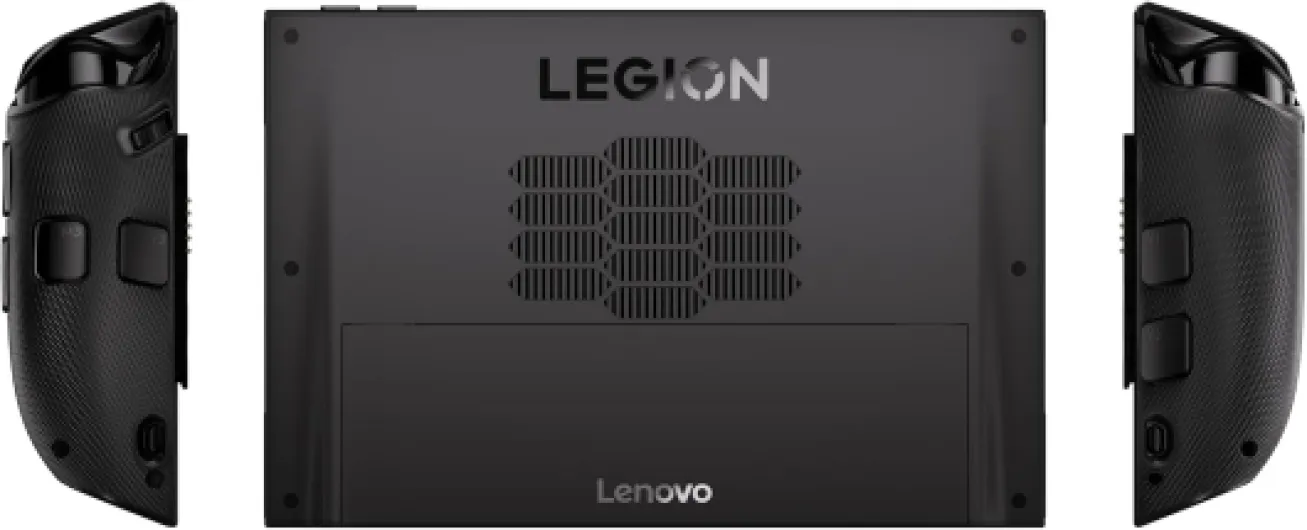
The console weighs around 920 g, so almost 1 kg in your hands. Compared to a Steam Deck, it feels heavier, but not absurd. Compared to a gaming laptop, obviously it’s lighter, but you’re holding it up the whole time rather than resting it on a table. Dimensions: roughly 20.6 x 13.7 x 2.3 cm for the body (not counting the grips). It’s portable, but it’s not something you casually throw in a small sling bag with a water bottle and forget about. It’s more of a dedicated device you pack on purpose.
Out of the box you get the handheld, detachable controllers already clipped on, charger, and the dock accessory for the right controller for FPS mode (acts like a vertical mouse). Windows 11 Home is preinstalled, with Lenovo’s Legion Space software on top to manage TDP, fan profiles, refresh rate, and quick access to your game launchers. It’s still Windows, so expect the usual updates, drivers, and occasional weird behavior if you’re unlucky.
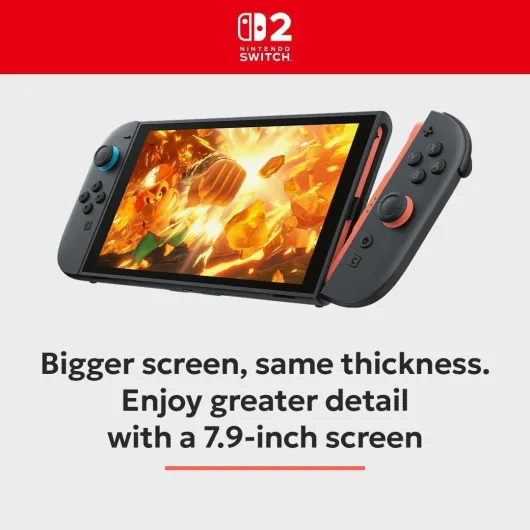
In terms of raw positioning, I’d put it here: more flexible and PC-like than a Switch or a future Switch 2, more comfortable and visually nicer than some smaller 7" handhelds, but also more expensive and more power hungry. The Amazon rating is around 3.8/5, which fits my feeling: it’s not garbage, but it’s clearly not perfect, and a lot depends on how much patience you have for PC-style tinkering.
Screen and build quality: great OLED, decent plastics
The OLED display is honestly the main reason to consider this device over some competitors. It’s an 8.8" 16:10 panel, 1200p, up to 144 Hz. Colors look rich, blacks are deep, and games just look better than on typical LCD handhelds. Motion at 60 or 90 Hz feels smooth, and even just navigating Windows feels nicer. Text in menus, subtitles, and UI elements is clear, which is a big plus if you’re tired of squinting on 7" screens.
There is a catch though: like one Amazon reviewer mentioned, the OLED has a visible mura effect at low brightness, especially in dark scenes in a dark room. Basically, you see uneven patches or banding on grey areas. If you play mostly at night with low brightness, you’ll notice it and it can be annoying. At normal or high brightness, it’s much less visible, but that of course hits battery life harder. So the screen is very good overall, but not perfect.
On materials and build, the Legion Go 2 feels solid enough. It’s mostly plastic, but not cheap-feeling. No creaks on my unit, and the detachable controllers slide on and off with a reassuring click. The kickstand at the back is sturdy enough to trust on a table. It’s not metal premium like a MacBook, but it doesn’t feel like it’s going to fall apart either. The matte finish hides fingerprints fairly well, and the Eclipse Black color is discreet and practical.
In terms of heat management, the vents are placed so you don’t block them completely in normal grip, but the back can get warm under load. Not scorching, but warm enough that you know the chip is working. Fan noise in quiet modes is acceptable, but in performance mode or at high wattage, you will hear it. Not jet-engine loud, but definitely noticeable in a silent room. Overall, the combo of a high-quality OLED and decent build makes the device feel like a serious piece of hardware, even if the plastics are not premium-grade.
Pros
- Large 8.8" OLED screen with good colors and very readable text
- 32 GB RAM helps with modern games and higher texture settings
- Detachable controllers and FPS mouse mode are genuinely useful for some games
Cons
- Very short battery life in demanding AAA games (often around 1–1.5 hours)
- Heavy and bulky for long handheld-only sessions
- High price compared to alternatives, especially if bought new at full RRP
Conclusion
Editor's rating
After using the Lenovo Legion Go 2 for a couple of weeks, my feeling is pretty clear: it’s a strong handheld PC for people who know what they’re getting into, and a risky buy for anyone expecting console-like simplicity and long unplugged sessions. The big OLED screen and 32 GB RAM make games look good and run smoothly for a handheld, and the detachable controllers with FPS mode are more than a gimmick if you actually play shooters or like propping the device up like a mini TV.
On the other hand, the battery life in heavy games is rough. Around 1–1.5 hours for big AAA titles is realistic, and that’s with some compromises on settings. For indies, cloud gaming, and remote play, it’s much better, but that doesn’t change the fact that this is not a 4–5 hour AAA machine away from a plug. Add the fairly high price and the weight, and it’s clearly not for everyone.
If you want a portable Windows rig with a great screen, are okay tweaking power and graphics settings, and usually play near an outlet or focus on lighter games, you’ll probably be happy with it. If you want something more casual, cheaper, and with better battery life, a Steam Deck or another lower-power handheld might fit you better. Personally, I like it, but I’d only consider it at a discount or refurbished price, knowing I’ll mostly use it on the couch with a charger close by.