Summary
Editor's rating
Is the Fire TV Stick 4K Plus good value for money?
Design and remote: basic, functional, a bit cheap-feeling
Build quality, heat and long‑term concerns
Speed, picture and Wi‑Fi: how it actually runs day to day
What the Fire TV Stick 4K Plus actually offers
Does it actually make your TV better?
Pros
- Fast and smooth performance for apps and 4K streaming
- Good image quality with HDR10+ and Dolby Vision support when used with a compatible TV
- Simple setup and useful Alexa voice control for content search and smart‑home tasks
Cons
- Remote feels basic and has no backlighting, especially for a “Plus” model
- Limited 8 GB storage fills up quickly if you install many apps and games
- Interface is heavily focused on Amazon content and recommendations

Specifications
View full product page →| Brand | Amazon |
A cheap way to upgrade an aging TV
I’ve been using the Amazon Fire TV Stick 4K Plus for a few weeks on an older 4K TV that has pretty slow built-in apps. I didn’t buy it for fancy specs at first; I just wanted Netflix and Prime Video to stop freezing and a remote that doesn’t lag. So this review is from someone who actually lives with the thing every day, not someone listing specs from the product page.
In day-to-day use, the basic idea is simple: you plug it into an HDMI port, connect it to Wi‑Fi, sign in with your Amazon account, and your TV suddenly behaves like a modern smart TV. You get all the usual apps (Netflix, Prime Video, Disney+, YouTube, etc.), plus a bunch of free, ad‑supported stuff like Pluto TV and Twitch. If you’re already in the Amazon ecosystem, it feels familiar pretty quickly.
What surprised me most wasn’t the image quality (which is good) but the speed. My TV’s own apps feel like they’re wading through mud; the Fire Stick just reacts instantly most of the time. Opening apps, jumping between streaming services, using voice search with Alexa – it’s all quicker than I expected for a small plastic stick powered by a USB cable.
It’s not perfect. The interface pushes Amazon content pretty hard, the remote feels a bit cheap, and 8 GB of storage fills up faster than you’d think if you install loads of apps and some games. But overall, if your TV is a few years old and starting to feel sluggish, this little stick is a pretty solid way to give it a second life without buying a new TV.
Is the Fire TV Stick 4K Plus good value for money?
In terms of value, I’d put the Fire TV Stick 4K Plus in the “good but not dirt cheap” category. You’re paying a bit extra compared to basic HD streaming sticks or older models, but you get faster performance, 4K with HDR, Wi‑Fi 6, and a device that should stay usable for a few years. If you already have a very recent smart TV with fast apps, it’s probably not worth it. But for older TVs or sluggish interfaces, the price feels justified.
Where it really makes sense is when you compare it to buying a new TV. If your current screen is fine but the software is slow, spending this smaller amount on a Fire Stick is much more reasonable than dropping hundreds on a new TV just for better apps. It also lets you move it around: living room, bedroom, even travel if you stay somewhere with Wi‑Fi and a TV with HDMI. That flexibility adds value over time.
There are, however, some trade‑offs. The 8 GB of storage is a bit tight, especially if you’re tempted by the Xbox cloud gaming stuff and want to try more apps. The remote is usable but a bit cheap‑feeling for the price, and if you want the nicer backlit remote, you have to pay extra. Also, the interface pushes Amazon content quite hard, which can be annoying if you mainly use other services like Netflix or Disney+.
Overall, I’d say the value is pretty solid if you catch it at a discount (which happens often on Amazon). At full price, it’s still reasonable, but you start noticing the small compromises more: basic remote, limited storage, and a UI that’s a bit too focused on Amazon. If you’re okay with those, it’s a sensible purchase that does what you need without costing a fortune.
Design and remote: basic, functional, a bit cheap-feeling
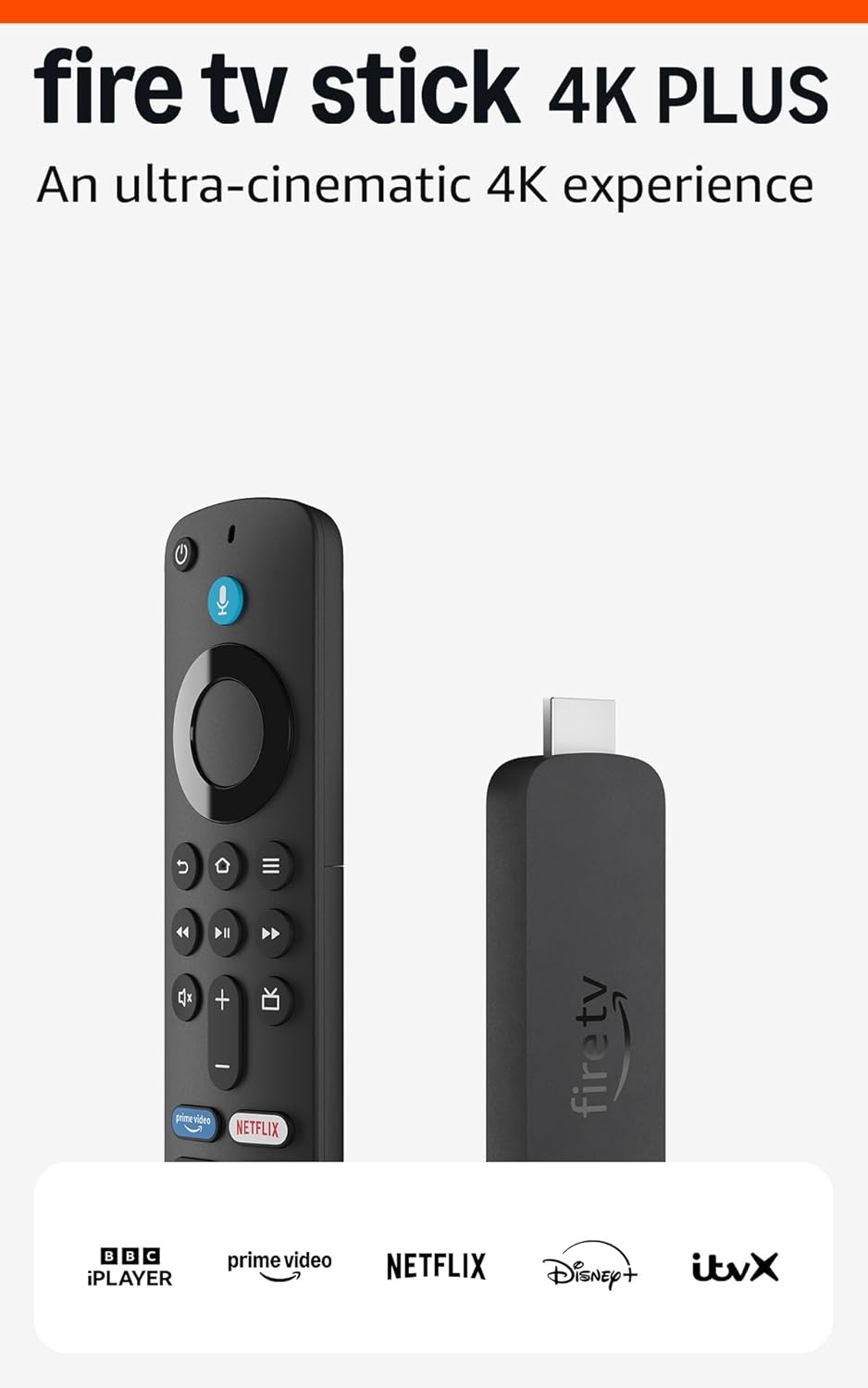
The stick itself is just a small black rectangle that hides behind the TV, so you don’t really care what it looks like once it’s installed. It’s light, doesn’t sag too much on the HDMI port, and the included HDMI extender helps if your ports are cramped or the stick blocks another cable. Build quality is fine: standard Amazon plastic, nothing fancy, nothing that feels like it will break with normal use.
The more important part is the remote, because that’s what you touch all the time. And here, I’d say it’s functional but not impressive. The shape is comfortable enough, buttons are clear, and you get volume control and a power button that can turn the TV on and off, which is genuinely useful. In my case, it also controlled my soundbar volume through IR without any drama after a quick setup.
On the downside, the remote feels a bit like something from a budget TV. The plastic is light, the buttons are slightly clicky but not very pleasant, and there’s no backlighting, which is annoying when you watch in the dark. Amazon does sell a fancier remote with backlit buttons, and honestly, they should have included that with this “Plus” model given the price. Several people in the user reviews say the same thing: the device is modern, the remote feels a bit old-school.
The layout of the buttons is at least logical: navigation ring, a few playback buttons, volume, mute, plus shortcut keys for popular apps. After a couple of evenings, you don’t think about it anymore, which is the main thing. It just works. But if you’re picky about remotes or you watch a lot of TV with the lights off, be prepared to either memorise the button positions or spend extra on the upgraded remote.
Build quality, heat and long‑term concerns
Durability with this kind of product is mostly about three things: does it overheat, does the remote survive daily use, and will the software still be supported in a few years. After several long evenings of streaming in 4K and some Xbox cloud gaming tests, the Fire TV Stick 4K Plus gets warm but not alarmingly hot. It’s about the same as my older Fire Stick, maybe slightly cooler. I haven’t had any shutdowns or performance drops due to heat so far.
The stick itself is just a solid plastic block. There are no moving parts, and once it’s behind the TV, you don’t touch it. So unless your HDMI port is loose or you keep yanking on the cable, it should hold up fine. The included HDMI extender can also reduce stress on the HDMI port, especially on wall‑mounted TVs where space is tight. That’s a small but practical detail for long‑term reliability.
The remote is usually the weak point in these setups. The plastic feels basic, but it doesn’t feel like it will fall apart in your hand. The buttons have a clear click, and after a few weeks of daily use (Netflix, YouTube, volume changes, Alexa queries), everything still works as on day one. AAA batteries are included and easy to replace, so you’re not stuck with some proprietary battery. If you have kids who tend to drop remotes, I’d still be a bit careful, but it’s no worse than a typical budget TV remote.
On the software side, Amazon says they’ll provide security updates for at least four years after the device stops being sold new. That’s decent, but not outstanding. My older Fire Stick lasted about four years before some apps stopped supporting it properly, which is roughly in line with what I’d expect here too. So if you buy this now, I’d expect it to be usable and supported for around 4–5 years, maybe more if you’re not chasing the latest apps and features. For the price, that’s acceptable, but don’t expect it to be future‑proof forever.
Speed, picture and Wi‑Fi: how it actually runs day to day
In terms of raw performance, the Fire TV Stick 4K Plus is a clear step up from older Fire Sticks or most built‑in TV apps from a few years ago. The quad‑core 1.7 GHz processor and Wi‑Fi 6 support are not just marketing lines; you do feel the difference. Menus scroll smoothly, apps launch quickly, and I’ve had almost no freezing or forced restarts so far. Compared to my four‑year‑old Fire Stick, it’s night and day.
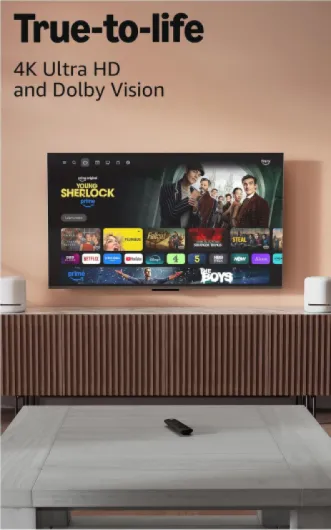
Streaming quality has been solid. 4K content on Netflix and Prime Video locks into high resolution after a few seconds and stays there. I tried a few HDR titles and they looked bright and punchy on my TV. Dolby Vision and HDR10+ support is there if your TV can handle it. I’m not the kind of person who sits one metre from the screen analysing pixels, but side‑by‑side with my TV’s native apps, the Fire Stick loads faster and often looks slightly cleaner, probably because the stream stabilises quicker.
The Wi‑Fi 6 part helps if you have a busy home network. I’ve got several phones, a laptop, and a console on the same router, and the Fire Stick still manages to keep a steady 4K stream without constant buffering. Of course, this depends on your internet speed, but if you already have a decent fibre or cable connection, the stick doesn’t seem to be the bottleneck. I only noticed short drops when someone in the house started a big download, which is normal.
One thing to watch is storage and app performance. There’s 8 GB of storage, and after the system uses its share, you don’t have that much left for apps and games. For normal use (a dozen streaming apps), it’s fine. But if you start installing lots of games or niche apps, you’ll hit the limit and have to uninstall things. Also, cloud gaming through the Xbox app works, but you need good internet and low latency; otherwise, input lag becomes noticeable. It’s good enough for casual use, but not a replacement for a console if you’re picky about responsiveness.
What the Fire TV Stick 4K Plus actually offers
On paper, the Fire TV Stick 4K Plus is basically a small HDMI dongle that turns any TV with an HDMI port and Wi‑Fi into a streaming box. It supports 4K Ultra HD, HDR10+, Dolby Vision and Dolby Atmos, and Wi‑Fi 6 if you have a compatible router. In practice, the main things you notice are: apps open quickly, streams start fast, and 4K content from Netflix/Prime Video looks sharp as long as your internet isn’t trash.
The device comes with the stick itself, an Alexa Voice Remote, a USB power adapter and cable, an HDMI extender (handy if your TV’s HDMI ports are in a tight spot), and two AAA batteries. Setup is straightforward: plug it into HDMI, connect power, choose Wi‑Fi, sign into your Amazon account, and you’re basically done. It even offers to copy apps and settings from an older Fire Stick, which saved me time and was nice to see actually working properly.
From there, you land in Amazon’s Fire TV interface. It’s very focused on Amazon content but you can install the usual suspects: Netflix, Disney+, YouTube, Apple TV, BBC iPlayer, etc., depending on where you live. There’s also a decent amount of free content through apps like Pluto TV, plus live TV sections if you use supported services. The remote has shortcut buttons to jump straight into some of these apps, which sounds like a small detail but you do end up using them a lot.
One of the specific selling points is the Xbox cloud gaming app. I tried it briefly with an Xbox controller over Bluetooth. It’s not the same as having a console, but if your internet is good, you can actually play titles like Forza or Starfield directly on the TV without buying an Xbox. It’s more of a bonus than the main reason to buy the stick, but it’s a cool extra for casual gaming evenings.
Does it actually make your TV better?
If I sum up the Fire TV Stick 4K Plus in simple terms: it does what it’s supposed to do and fixes a lot of everyday annoyances. My TV’s original apps were slow, sometimes crashed, and the remote was clunky. With the Fire Stick, I turn the TV on, press Home, and I’m in a clean, consistent interface every time, regardless of which HDMI input or TV brand it is. That alone makes the TV feel newer and less frustrating.
The Alexa integration is actually useful. I’m not a huge voice control fan, but here it saves time. Press the microphone button and say “Open Netflix” or “Play The Office” and it gets it right most of the time. You can also ask for the weather, control smart lights, or show compatible cameras on screen. I tried it with a cheap Wi‑Fi bulb and a simple camera, and it worked without me having to dig through too many menus. It’s not magic, but it cuts down on remote clicks.
Navigation between apps is quick, and the overall interface is easy enough to understand even for less tech‑savvy people. I had a relative in their 60s using it within 10 minutes, including voice search. The home screen is a bit cluttered with Amazon suggestions and ads for their own content and services, which I find slightly annoying, but you learn to ignore it. Once inside the actual app (Netflix, Disney+, etc.), the experience is as you’d expect.
For people with older or non‑smart TVs, the effect is even stronger. I tested it on a basic 1080p TV in the bedroom that had no smart features at all. Suddenly, that TV can do Netflix, YouTube, Prime, and even some basic gaming, all with a single HDMI and one small remote. In that scenario, the Fire Stick basically turns a “dumb” screen into a modern streaming TV for relatively little money. So, in terms of effectiveness, it clearly gets the job done.
Pros
- Fast and smooth performance for apps and 4K streaming
- Good image quality with HDR10+ and Dolby Vision support when used with a compatible TV
- Simple setup and useful Alexa voice control for content search and smart‑home tasks
Cons
- Remote feels basic and has no backlighting, especially for a “Plus” model
- Limited 8 GB storage fills up quickly if you install many apps and games
- Interface is heavily focused on Amazon content and recommendations
Conclusion
Editor's rating
After using the Amazon Fire TV Stick 4K Plus regularly, my view is simple: it’s a solid way to refresh an older or slow TV without spending big money. The device is quick, 4K and HDR content looks good, Wi‑Fi 6 keeps streams stable in a busy household, and Alexa voice control actually saves time for searches and basic smart‑home stuff. Setup is straightforward, and even less tech‑savvy people can handle it after a short explanation.
It’s not perfect though. The remote feels a bit cheap and lacks backlighting, storage is limited to 8 GB, and the interface pushes Amazon content a bit too aggressively. If you already own a recent smart TV with smooth apps, the upgrade is less obvious. But if your TV is a few years old, or it isn’t smart at all, this stick makes a real difference in everyday use. I’d recommend it mainly to people who stream a lot, have at least a decent internet connection, and don’t want to replace their TV yet. If you’re picky about remotes or hate ad‑like recommendations in menus, you might want to look at alternatives or budget for the better remote.