Summary
Editor's rating
Good value if you accept the trade-offs and add a few accessories
Compact, nice color, but small buttons for big hands
Battery: decent but not impressive, expect 3–6 hours
Good for short sessions, but long play can be rough without a grip
Solid one-piece build, but protect the screen and sticks
Same performance as a normal Switch, with handheld limitations
What you actually get with this Japanese Switch Lite
Pros
- Region-free Japanese unit works fine with EU/US games and multiple menu languages
- Lighter, more compact, and more solid-feeling than a regular Switch with detachable Joy-Con
- Good fit for handheld-focused players and as a second console in a household
Cons
- Handheld-only: no TV output and less practical for party/motion games
- Comfort issues for long sessions without a grip case, especially for larger hands
- Screen and sticks benefit from extra accessories (protector, covers), which adds to the total cost

Specifications
View full product page →| Brand | Nintendo |
A cheaper Switch that actually stays in your hands
I’ve been using this turquoise Japanese Switch Lite as my “sofa and commute” console for a few weeks, alongside a regular dockable Switch at home. I bought it mainly because I was tired of sharing the main Switch and wanted something smaller to throw in my bag. In short: it does exactly what it says on the tin – handheld-only, cheaper, lighter – but there are a few details you really need to know before buying.
First, yes, the Japanese version is region free. I’ve played European and US cartridges, downloaded games from a non‑Japanese eShop account, and the menu language is set to English with no problem. So if you were worried about being stuck with Japanese menus or games, don’t be. It behaves like any other Switch Lite once you’ve done the initial setup.
Where it changes things compared to a normal Switch is how you use it day to day. No dock, no TV output, no detachable Joy‑Con. It’s basically a dedicated handheld. For me that’s actually a plus: I don’t overthink it, I just pick it up and play. But if this is going to be your only Switch, you really need to accept that you’ll never plug it into a TV and that some games are less comfortable without separate controllers.
Overall, my feeling is: it’s a pretty solid little machine if your main goal is solo handheld play for games like Pokémon, Zelda, JRPGs, or indie titles. If you picture couch multiplayer, Just Dance, Ring Fit, or big-screen Mario Kart nights, this isn’t the right version. Keep that in mind before you click buy just because the price looks attractive and the color looks nice.
Good value if you accept the trade-offs and add a few accessories
On price, the Switch Lite usually comes in cheaper than the standard Switch, and that’s where it makes sense. You’re paying less because you lose TV output and detachable Joy‑Con, but you gain a lighter, more portable device. If you already have a main Switch at home and just want a personal handheld, the Lite is a pretty solid deal. It does exactly what you need for solo gaming without the extra cost of the dock and Joy‑Con.
However, you have to factor in the “hidden” costs. Based on my experience and what some Amazon reviewers said, a few accessories are close to mandatory if you actually use it a lot: at minimum a glass screen protector and some kind of case. If you play for long sessions, a grip case is strongly recommended for comfort. If you’re worried about stick wear, thumbstick covers are cheap and help a bit. None of these are very expensive, but they add up and should be part of your mental budget.
Compared to buying a regular Switch, the question is mostly about how you play. If you never use a TV and only care about handheld, it feels like paying extra for the dock is a waste. In that scenario, the Lite is good value, especially as a second console in the house. But if this is your only Switch and you think there’s even a small chance you’ll want to play on the TV or do party games, I’d personally save up for the standard model instead of regretting it later.
In the end, I’d say the value is solid for specific users: commuters, kids, people who already have a home console or another Switch, and anyone who mainly plays single-player titles in handheld mode. For those people, the cheaper price and compact size make sense. For everyone else, the savings might not be worth the limitations, especially once you start buying accessories to fix comfort and protection issues.
Compact, nice color, but small buttons for big hands
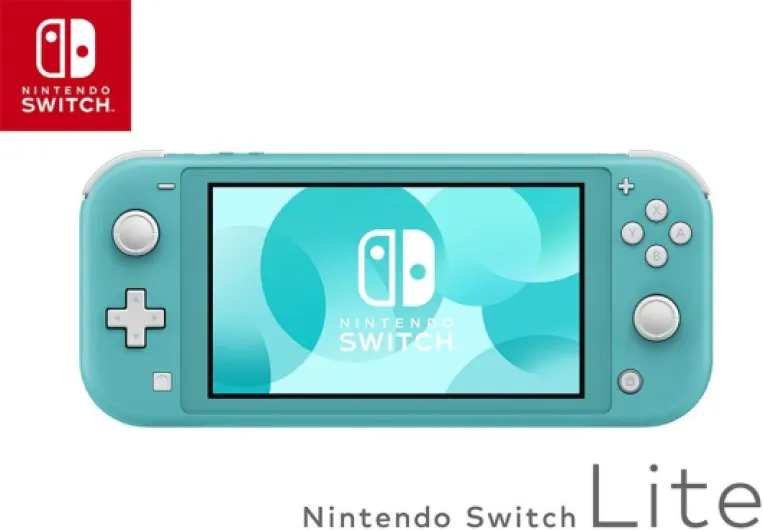
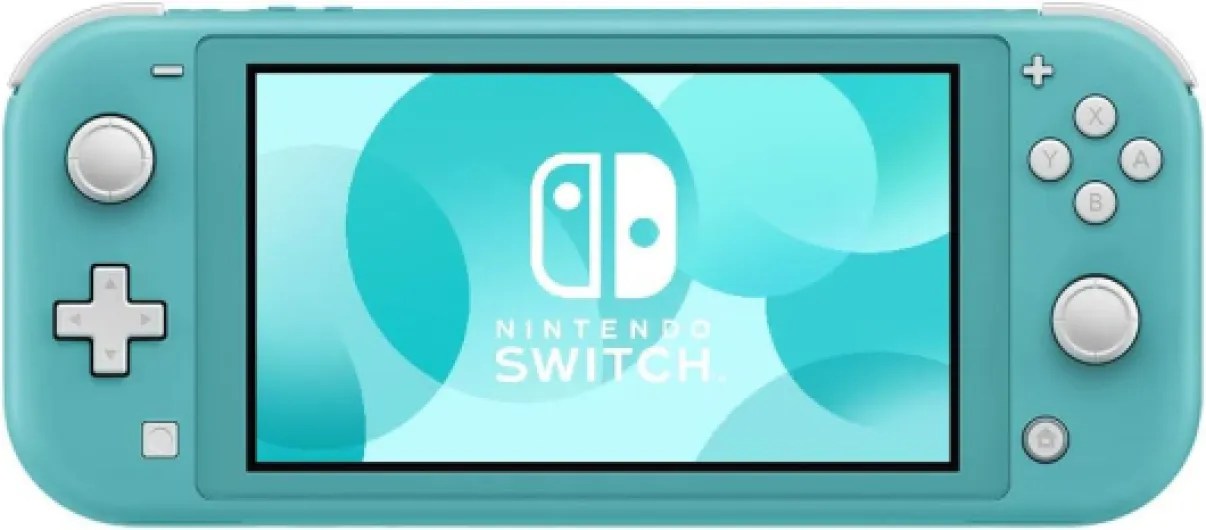
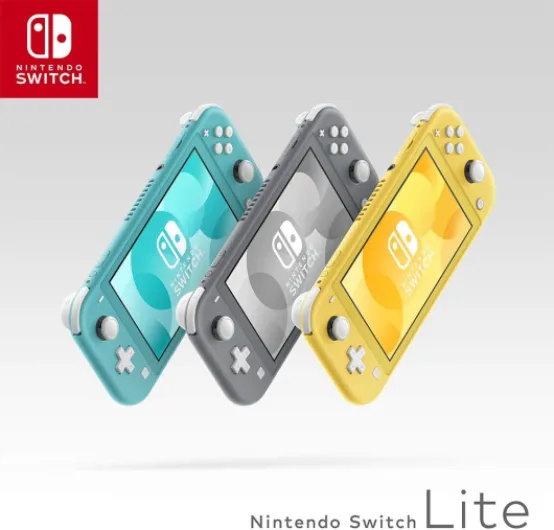
Design-wise, the Switch Lite is pretty straightforward: a single solid shell with the screen in the middle and controls built in. Compared to the regular Switch, it’s smaller, lighter, and feels more like a classic handheld (think PSP or 3DS, just flatter). The turquoise color actually looks good in person – not neon, more of a soft blue-green. One of the Japanese reviewers mentioned the color looking cool, and I agree. If you care about aesthetics, this one looks a bit more playful than the grey version without being too loud.
The layout is familiar if you’ve used any Nintendo gear: sticks on the left and right, ABXY buttons, D‑pad (proper cross, not separate buttons like on Joy‑Con), and the usual + and – buttons. The big difference is that everything is fixed. There’s less creaking and no play in the sides like on some old Switch units with loose Joy‑Con rails. The console feels like a single piece, which is reassuring when you toss it in a bag. I haven’t heard any strange noises or felt any flex when holding it tightly.
On the flip side, one Amazon reviewer is right: the buttons feel small if you’ve got large hands or thick fingers. I’m not huge, and even I sometimes feel the ABXY area is a bit cramped in action-heavy games. The sticks are also shorter than a regular controller, which is normal for a handheld but worth mentioning. For kids or people with smaller hands, it’s fine and probably more comfortable than a big, heavy console.
In terms of heat, a Japanese reviewer mentioned the console getting warm. I’ve noticed it too: after about an hour of something heavier like Zelda, the back gets warm near the top, but not burning. It’s not scary, just noticeable. Fans do kick in, but the noise level is low enough that with game audio on you barely pay attention. Overall, the design is practical: not flashy, not premium, just a compact handheld that fits easily in a small bag or even a big jacket pocket.
Battery: decent but not impressive, expect 3–6 hours
Battery life on the Switch Lite is okay, not great. Nintendo’s own numbers say roughly 3–7 hours depending on the game. In real life, playing something heavier like Zelda or Mario Kart at around 70–80% brightness, I usually get about 3.5 to 4 hours before I need to plug in. With lighter games or indie titles like Stardew Valley, I can push it closer to 5–6 hours if I keep the brightness down a bit.
For commuting, it’s fine: you can easily get through a couple of days of short train or bus rides without charging if you’re playing 30–40 minutes at a time. For long trips, like a flight or a lazy Sunday gaming marathon, you’ll either need a charger nearby or a power bank. The good news is it uses USB‑C, so you can use a regular USB‑C power bank or charger as long as it delivers enough power. I’ve charged it off my phone power bank with no issue.
Heat and battery go together. As one Amazon buyer mentioned, the console does get warm during longer sessions, especially near the top where the vent is. When it gets warm, you can feel the battery draining faster on demanding games. It’s not alarming, but if you’re used to something like a basic 2D handheld, you’ll notice this is closer to a small tablet in terms of power use. Leaving Wi‑Fi on also eats a bit more battery when playing online.
Overall, I’d call the battery life decent but nothing special. It’s enough for normal use, but if you’re planning to use it as your main travel entertainment, I’d strongly recommend a small power bank in your bag. It’s not a dealbreaker, just something to be realistic about. Compared to the original launch Switch, it’s slightly better, but don’t expect any miracles – it’s still the same general hardware family.
Good for short sessions, but long play can be rough without a grip
Comfort is where the Switch Lite is a bit mixed. For quick 30–45 minute sessions on the sofa or in bed, it’s totally fine. It’s lighter than the regular Switch, so your wrists don’t get tired as fast, and the fact that everything is in one piece makes it easier to hold. For kids, I think the size is actually ideal. The problem shows up when you start doing 2–3 hour sessions of something like Animal Crossing or Monster Hunter.
One Amazon user even said they got tendonitis in their right hand from playing Animal Crossing on the Lite, and honestly, I can see how. The grips are basically flat, and there’s not much for your hands to wrap around. After a few evenings of long play, I noticed discomfort at the base of my right thumb and a bit in my wrists. Nothing dramatic, but enough that I started changing hand positions or taking more breaks. The sticks and buttons are also placed fairly close to the edge, which doesn’t help if you have bigger hands.
There’s a simple fix though: a grip case. I tried a cheap plastic grip off Amazon (similar to the MEQI grip that was mentioned in the review) and it changed things a lot. With the grip attached, the console feels more like a small controller with a screen. My hands sit in a more natural position and the pressure on the thumb joints is reduced. The downside is you lose some of the portability and the console becomes bulkier in your bag. But if you plan to play for hours, it’s honestly worth the trade-off.
For me, the conclusion is clear: out of the box, comfort is decent but not great for long sessions, especially if you have medium to large hands. If you’re buying this for a child or for quick casual play, it’s okay. If you’re the type to grind JRPGs or farm in Animal Crossing for entire evenings, I’d budget for a grip case and maybe a screen protector right away. It’s not unplayable, but the difference with and without accessories is pretty big in daily use.
Solid one-piece build, but protect the screen and sticks
After a few weeks of daily use, the Switch Lite feels pretty solid overall. The unibody design helps: no detachable Joy‑Con means fewer moving parts and less wobble. I’ve tossed it in a backpack (sometimes just in a soft pouch, sometimes stupidly without) and it’s held up fine so far. No cracks, no weird flex, no loose buttons. The plastic shell doesn’t feel premium, but it doesn’t feel cheap either – it’s that slightly matte Nintendo plastic we’re used to.
The weak points are the usual suspects: screen and sticks. The screen is plastic (not glass), so it’s more prone to micro-scratches than a smartphone. Even being careful, I could see a couple of tiny marks starting to appear under strong light. One of the Amazon reviewers strongly recommended a glass screen protector, and I agree. It’s a cheap add-on that saves you from that annoying haze of tiny scratches after a year. I slapped on a tempered glass protector and didn’t notice any change in touch response.
On the sticks, a review mentioned the L stick’s edge wearing down and the black underneath showing, making it harder to use. That hasn’t happened to me yet, but I haven’t abused it. Based on how Joy‑Con sticks behave, I wouldn’t be shocked if heavy use caused drift or wear over time. Thumbstick covers or even replacement kits are easy to find, but it’s still annoying on a relatively pricey console. If you’re buying this for a kid who plays a lot of Fortnite or similar, just expect at some point you might need to deal with stick issues.
I haven’t dropped mine from any big height yet, only a couple of short falls from couch height onto a rug, which it survived without any marks. Still, I’d say this is the kind of device that deserves a basic case and maybe a grip. With those, I’d rate durability as pretty solid for everyday use. Bare, in a school bag with keys and other junk, you’ll probably see cosmetic damage pretty fast, especially on the turquoise color which will show scratches and dirt more than darker shades.
Same performance as a normal Switch, with handheld limitations
Under the hood, performance is basically the same as a regular Nintendo Switch in handheld mode. I tested a mix of games: Mario Kart 8, Zelda: Breath of the Wild, Animal Crossing, some indie titles like Hades and Dead Cells. Everything runs how you’d expect on a Switch: no surprise boosts or cuts just because it’s the Lite. Load times and frame rates feel identical to my old launch Switch when it’s undocked.
The screen is a 5.5-inch LCD with 720p resolution, slightly smaller than the standard Switch’s 6.2-inch display. In practice, this smaller size actually helps image quality a bit: games look a bit sharper because the same resolution is squeezed into a smaller panel. Text in some games can be small though, especially if the UI wasn’t designed with handheld in mind. In most titles it’s fine, but a few RPGs with tiny fonts can be tiring if your eyesight isn’t perfect.
Controls are responsive, but you’re still dealing with Nintendo’s usual joystick durability concerns. One Amazon review mentioned the left stick’s edge wearing down and needing a stick cover. Mine hasn’t worn yet, but given all the stories about drift and wear on Switch sticks, I’d say it’s smart to treat them gently and maybe get thumbstick caps if you’re a heavy player. Motion controls work, but they’re less comfortable without detachable Joy‑Con, especially for stuff like aiming with gyro.
The main limitation is that you’re locked into handheld performance and handheld-only play. Games that rely a lot on motion or require Joy‑Con separation (like Ring Fit or some party titles) are either awkward or not really meant for this model without buying extra controllers and a stand. For single-player games and most mainstream titles, though, the Switch Lite gets the job done. You’re not getting a powerhouse, but for Nintendo games and most indie stuff, it’s perfectly fine.
What you actually get with this Japanese Switch Lite
Out of the box, the package is pretty barebones. You get the console itself, the official Nintendo charger, and the usual bits of paper. No case, no screen protector, no headphones. The Japanese unit looks basically identical to the EU one: same turquoise color, same button layout, same ports. The only thing that looks different is the box text and the small Japanese manuals. Once you power it on and pick your language, it’s just a regular Switch Lite.
In terms of compatibility, I’ve tried a mix of physical and digital games: Mario Kart 8 (EU cart), Zelda: Breath of the Wild (EU cart), and some digital stuff like Hades and Stardew Valley from a European account. Everything runs fine. This confirms what Nintendo says: the hardware is region free, and the menu supports multiple languages. So you’re not stuck with Japanese unless you want it. If you already have a Switch account, you just log in and re-download your games, no tricks needed.
Functionally, think of it as a stripped-down Switch: no TV output, no Joy‑Con detaching, no HD rumble, no IR camera. It’s all about handheld play. The upside is that the device feels more solid, with no wobbly Joy‑Con rails. The downside is you lose flexibility for party games or motion-heavy titles unless you buy extra controllers and a stand. I personally don’t bother; I use this console as a personal handheld and keep TV play for my main Switch.
If you’re buying it as a second console for the family or as a personal machine for a kid/teen, it makes sense. If it’s your first and only Switch, you really need to ask yourself how much you care about playing on a TV or sharing controllers. The product page makes it clear it’s handheld-focused, and in real life that’s true – you’re getting a portable gaming device, not an all-purpose living-room console.
Pros
- Region-free Japanese unit works fine with EU/US games and multiple menu languages
- Lighter, more compact, and more solid-feeling than a regular Switch with detachable Joy-Con
- Good fit for handheld-focused players and as a second console in a household
Cons
- Handheld-only: no TV output and less practical for party/motion games
- Comfort issues for long sessions without a grip case, especially for larger hands
- Screen and sticks benefit from extra accessories (protector, covers), which adds to the total cost
Conclusion
Editor's rating
The Japanese Nintendo Switch Lite in turquoise is basically a straightforward, handheld-only Switch that does its job without any big surprises. The region-free aspect works as advertised: menus in your language, EU/US games run fine, and once it’s set up you forget it’s a Japanese unit. The compact size, lighter weight, and one-piece build make it nice to carry around and more solid in the hands than a regular Switch with wobbly Joy‑Con.
On the downside, it’s not the most comfortable thing for long sessions, especially if you have bigger hands. Flat grips and small buttons can lead to wrist or thumb pain over time, just like one Amazon user mentioned with Animal Crossing. A grip case and screen protector almost feel mandatory if you plan to use it a lot, and you need to be realistic about battery life – it’s fine for everyday use, but not marathon-level without a charger nearby. You also permanently lose TV output and built-in multiplayer flexibility unless you start adding extra controllers and a stand, which eats into the price difference.
I’d recommend this model to people who want a personal handheld: commuters, kids, or folks who already have a main Switch or other console at home. It’s also good if you mainly play single-player RPGs, platformers, and indie games in bed or on the sofa. If you’re looking for a family console for living-room play, local multiplayer, or you care about the big-screen experience, I’d skip the Lite and go for a standard Switch instead. It’s a good little machine, but only if its limitations match the way you actually play.

![Switch Lite (Turquoise) Japanese Version Region Free Menu Multi Language [video game]](https://www.gaming-console-guru.com/storage/934095/51K2cLIBQqL._AC_SL1000_.jpg)