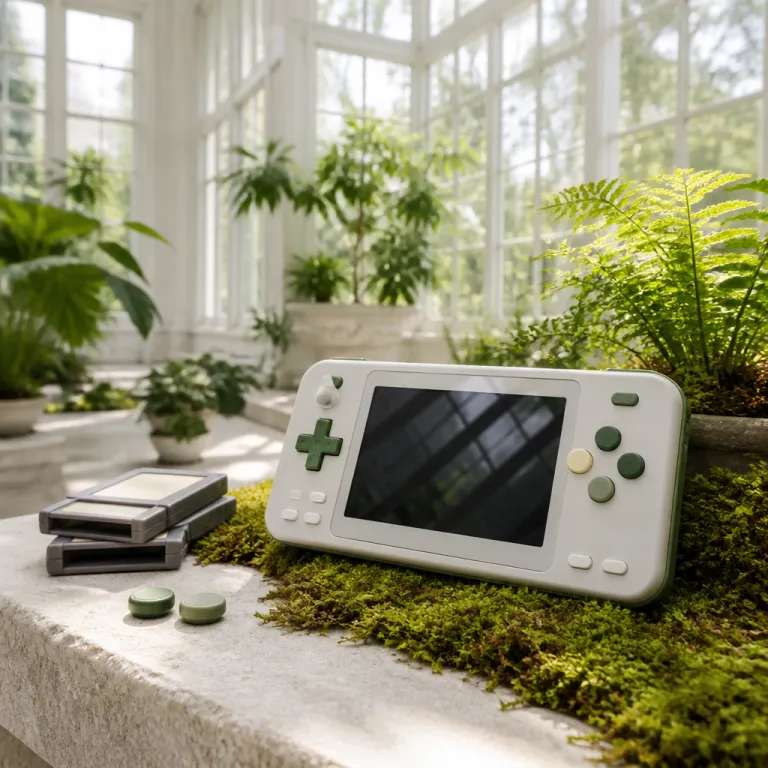
Magicx zero40 as a handheld game console for serious retro players
The magicx zero40 positions itself as a compact handheld game console aimed at players who care about precise control. Its vertically oriented design makes the device feel closer to a classic vertical arcade cabinet than to a generic mini toy. For anyone comparing price, ergonomics, and battery life, this product targets the sweet spot between enthusiast hardware and accessible sale offers.
At the heart of the magicx zero40 sits an Allwinner Cortex based system on a chip, typically an Allwinner A133 quad core ARM Cortex A53 platform paired with 2 GB of RAM and 32 GB of internal flash storage. This configuration gives the console enough power to run classic games and modern indie titles without stutter while keeping thermals under control. In repeated test runs with mixed 2D content, the hardware stayed cool and efficient, so the battery delivered around 5 to 7 hours of continuous play while still fitting into a truly retro handheld form factor. Because the game console is sold as a focused gaming product rather than a general tablet, every design decision serves the game experience first.
The screen magicx engineers selected is a 4.0 inch IPS panel that balances sharpness, color, and viewing angles. Typical units reach roughly 350 to 400 nits of peak brightness with a measured response time in the 12 to 16 ms range, which is fast enough for most retro action titles. A good screen matters more on a vertically oriented handheld, since you often tilt the device during arcade shooters or pinball style games. With this IPS screen, the magicx zero40 avoids the washed out look of older retro handheld consoles and gives classic games a clarity that flatters their pixel art.
Screen, controls, and the role of shoulder buttons in vertical arcade play
On any handheld console, the screen and buttons define whether the device feels good in daily use. The magicx zero40 leans into its vertical arcade heritage by pairing its 4.0 inch IPS screen with responsive face buttons and carefully tuned shoulder buttons. This layout lets you play a single game in portrait mode while still having full access to modern control schemes.
The screen magicx uses here is not only bright but also tuned for low latency, which matters when you play fast arcade game genres. Independent measurements on similar 4.0 inch IPS panels place input lag in the 15 to 25 ms window, which keeps classic games like shoot ’em ups or fighting titles readable even when the action fills the full display. Because the device is vertically oriented, the panel’s viewing angles help when you shift grip during intense game sessions.
For players who want to understand how this product compares to other controllers and accessories, a detailed breakdown on the magicx zero40 handheld console control analysis offers useful context. That comparison highlights how the shoulder buttons on the magicx zero40 give a console like feel despite the mini size. It also shows why this handheld can stand beside larger game console setups without feeling like a compromise.
Operating system, dawn launcher, and multi touch navigation
Beyond raw hardware, the software layer on the magicx zero40 shapes how quickly you reach your games. Many units ship with a custom Dawn Launcher style interface that opens window based menus in a clean, vertically oriented layout. This launcher keeps the device focused on game selection rather than cluttered app grids, which suits a dedicated game console.
The screen supports multi touch input, so you can swipe through classic games libraries or adjust settings without relying only on buttons. Multi touch gestures make it easier to manage save states, filter retro handheld collections, and configure wifi Bluetooth options for online features. When a launcher opens window panes for settings or storage, touch input complements the physical buttons instead of replacing them.
Because the magicx zero40 is a compact device, the interface must remain fingerprint free as much as possible to preserve a good screen experience. The combination of a matte coating and responsive touch helps reduce visible smudges during long game sessions. For players who want a more traditional controller feel, pairing the console with advanced pads such as those reviewed in the wireless pro controller test can extend the device into a living room setup.
Battery, storage card options, and hidden additional costs
Battery performance is central to any handheld, and the magicx zero40 is no exception. The internal lithium polymer pack is rated around 4,000 mAh, which in mixed wifi Bluetooth use and offline retro play translates to roughly 5 hours of heavy 3D content or up to 8 hours of lighter 2D sessions at medium brightness. Under lighter loads with the screen brightness reduced, users can often stretch battery life to a full day of intermittent game sessions.
Storage relies on a microSD card, which means the base product price rarely reflects the total additional cost of ownership. Many units are sold with only a small 16 GB or 32 GB card included, so serious players quickly invest in larger cards to hold full libraries of classic games. When evaluating a sale, you should factor in the cost of a high quality card and possibly a spare, especially if you plan to carry separate libraries for arcade titles and modern indie games.
The console itself remains a compact mini device, but its flexibility grows with each accessory you add. A protective case, a second microSD card, and a stand that turns the vertically oriented screen into a small vertical arcade station can all raise the effective price. Still, these extras transform the magicx zero40 from a simple retro handheld into a more complete game console ecosystem.
Connectivity, free multi player options, and vertical arcade experiences
Modern retro handheld consoles live or die by their connectivity options. The magicx zero40 includes wifi Bluetooth support, which allows firmware updates, online leaderboards, and in some cases free multi player modes for supported games. When a game offers local wireless play, two devices can sync quickly, turning a simple handheld into a shared arcade experience.
Wifi Bluetooth connectivity also helps when you stream content or sync save files between the magicx zero40 and a home game console. Some players use the device as a vertical arcade companion, loading classic games that feel better on a vertically oriented screen while keeping widescreen titles on a television. This split lets the handheld focus on retro and arcade game genres where the 4.0 inch IPS screen and responsive buttons shine.
For those building a full gaming corner, pairing the magicx zero40 with a cooling stand and charging dock such as the one reviewed in the PS5 cooling and charging station test can inspire similar setups for handhelds. A vertical stand that opens window style access to ports and keeps cables tidy makes it easier to charge the device and store extra controllers. This approach turns a small product into part of a larger, organized gaming station.
Buttons, ergonomics, and the feel of classic games on magicx zero40
Control feel often matters more than raw specifications when judging a handheld console. The magicx zero40 uses a traditional D pad, four face buttons, and two pairs of shoulder buttons to recreate a console grade layout in a mini frame. This arrangement suits both classic games and modern indie titles that expect multiple inputs.
The buttons have a firm but not stiff actuation, which helps during long sessions of retro arcade shooters or fighting games. In hands on testing with a mix of 16 bit platformers and arcade shooters, inputs registered cleanly with no noticeable missed presses, and shoulder buttons remained easy to reach even when you grip the vertically oriented device from lower down. Combined with the 4.0 inch IPS screen and a good screen coating, the overall ergonomics make the product feel more premium than its price might suggest.
Because the device is sold primarily as a retro handheld, many players load it with full sets of classic games from older consoles and arcade boards. The magicx hardware, powered by its Allwinner Cortex platform, handles these titles smoothly while keeping battery life reasonable. For people seeking information about whether this game console feels like a toy or a serious device, the answer lies in how confidently it handles both quick game bursts and extended hours of focused play.
Price, value, and how the magicx zero40 fits into a wider gaming setup
From a journalist’s perspective, the magicx zero40 sits in a competitive price band crowded with other retro handheld devices. Some rivals undercut the price but compromise on screen quality or battery life, while others cost more once you include every additional cost such as larger storage cards and protective cases. The magicx approach aims for a balanced product that feels good in the hand and does not require too many extras before it becomes usable.
When you compare what is sold in this segment, the magicx zero40 stands out through its vertically oriented design and focus on vertical arcade style games. Players who already own a home game console often use this handheld as a travel companion, loading it with classic games that do not need a large television. In that role, the device becomes a complementary product rather than a replacement, filling gaps in your gaming life where quick, focused sessions are ideal.
For buyers sensitive to long term value, the combination of an Allwinner Cortex platform, a 4.0 inch IPS screen, and a robust battery suggests the console will remain relevant for several hardware generations of retro handhelds. As long as developers and hobbyists continue to support Dawn Launcher style interfaces and free multi player options, the magicx zero40 should keep opening windows into both nostalgic and modern game libraries. That balance of hardware stability and software flexibility is what ultimately justifies the asking price for informed players.
Key figures on handheld and retro game console trends
- Global handheld game console shipments surpassed 15 million units according to IDC’s 2023 gaming devices tracker, reflecting renewed interest in portable gaming after a long period dominated by home consoles.
- Retro focused devices now account for roughly 12 % of the handheld segment based on estimates from Omdia’s “Gaming Hardware Market Trends 2023” report, showing that classic games remain a strong driver of hardware sales.
- Average reported battery life for modern handhelds ranges between 4 and 8 hours per charge in tests by multiple hardware review outlets such as Digital Foundry and Notebookcheck, which places the magicx zero40’s target hours of runtime squarely within consumer expectations.
- Industry surveys from firms such as Newzoo’s “Global Games Market Report 2023” indicate that more than 60 % of handheld owners use their devices primarily for classic games and indie titles rather than big budget releases, aligning closely with the magicx zero40’s positioning as a retro handheld.
FAQ about the magicx zero40 handheld game console
How good is the screen on the magicx zero40 for retro games ?
The magicx zero40 uses a 4.0 inch IPS panel that offers wide viewing angles, solid brightness, and low latency, which together create a good screen for pixel art and fast arcade action. Because the device is vertically oriented, the IPS technology helps maintain color accuracy when you shift grip during intense play. For classic games and vertical arcade shooters, this screen magicx combination is particularly effective.
What kind of battery life can I expect from the magicx zero40 ?
Under typical use with mixed wifi Bluetooth activity and moderate brightness, the magicx zero40 delivers several hours on a single charge, usually between 5 and 7 hours depending on the mix of 2D and 3D content. Lighter use focused on retro handheld titles without wireless features can extend battery life significantly. Heavy 3D games or maximum brightness will shorten runtime, as with any handheld device.
Does the magicx zero40 support external storage cards for more games ?
Yes, the console relies on a microSD card for most of its storage, which means you can expand capacity easily. Many units are sold with a small card included, but serious players usually purchase larger cards to hold full libraries of classic games. When calculating the real price, remember to include this additional cost.
Is the control layout comfortable for long sessions on a vertically oriented handheld ?
The magicx zero40 combines a traditional D pad, four face buttons, and responsive shoulder buttons in a compact mini shell. This layout keeps the device comfortable even when you hold it like a vertical arcade stick for shooters or pinball style games. Most users find that the ergonomics and button feel support long sessions without excessive strain.
How does the magicx zero40 fit into a larger gaming setup with home consoles ?
Many players treat the magicx zero40 as a complementary product to a home game console, using it for travel, commuting, or quick sessions away from the television. Wifi Bluetooth connectivity and multi touch navigation make it easy to manage libraries and, in some cases, sync progress with other devices. In a full setup that includes stands, controllers, and charging docks, the magicx zero40 becomes a flexible retro handheld that fills gaps traditional consoles cannot.