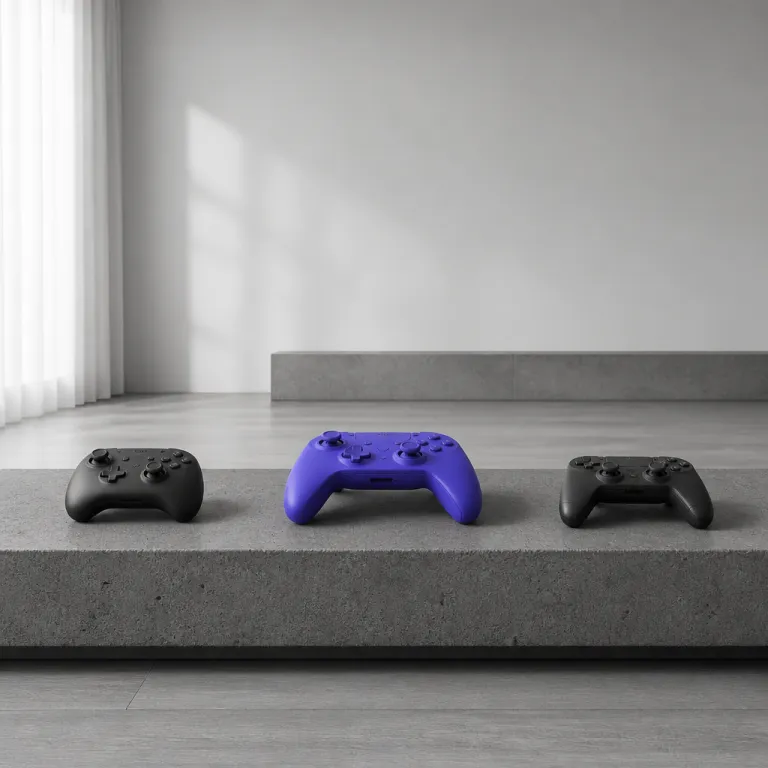
Controller ergonomics: why hand pain is a design problem
Hand pain is a design failure, not a personal weakness
Hand fatigue during gaming rarely comes from a lack of willpower. It usually comes from a controller design that ignores basic ergonomics and forces your joints into awkward angles. When you feel pain after one ranked game, that is a controller ergonomics gaming problem, not a character flaw.
Three pain points show up again and again in competitive gaming sessions. Thumb joint strain comes from analog stick height and tension, trigger finger fatigue comes from long trigger travel, and palm pressure comes from grip shape that does not match your hand size. Any gaming controller that fails on these three fronts will turn a two hour game into a test of pain tolerance.
Look closely at any modern game controller and you will see the same industrial design compromises. Designers chase a striking image for marketing shots, then bolt on more buttons and features until the shell feels like a brick. True ergonomic gaming design starts with neutral wrist posture, relaxed thumb arcs and even weight distribution, not with RGB rings or extra macro buttons.

Weight is the first spec that quietly shapes comfort in gaming controllers. A standard DualSense sits around 280 g, the Xbox wireless controller is roughly 287 g, and the Nintendo Switch Pro controller drops closer to 246 g. These are manufacturer-listed figures rounded to the nearest gram. Once you move to a pro wireless pad like the DualSense Edge at about 325 g (Sony spec sheet, rounded), that extra mass amplifies every flaw in controller ergonomic choices.
For smaller hands, a lighter wireless controller or compact switch controller often feels like the best gaming option. Larger hands may prefer heavier controllers if the grip flares support the palm and spread the load. The gap between these needs is where many "one size fits all" controllers quietly fail.
Hand size also changes how you experience face buttons and stick placement. On some controllers, the face buttons sit so high that your thumb must overextend, while on others the buttons are low but crowded, forcing sideways pressure. When controller design ignores these differences, even a five star product with glowing review stars can still hurt real players.
How first party controllers treat your hands differently
Each first party controller handles ergonomics in a distinct way. The standard Xbox controller leans on a chunky grip and offset sticks, while the PlayStation DualSense focuses on adaptive triggers and haptic feedback. Joy Con controllers and the Nintendo Switch Pro controller sit at the opposite end, prioritising portability and lighter weight over deep palm support.
For medium to large hands, the current Xbox controller usually offers the best balance of grip angle and trigger reach. Its controller design keeps the triggers shallow enough for rapid fire in a competitive game, and the handles fill the palm without sharp pressure points. During long wireless gaming sessions, that shape often delays fatigue even when the weight is similar to rivals.
The DualSense takes a different path with its more aggressive handles and taller triggers. Those adaptive triggers feel fantastic in a single player game, but the longer travel can tire your index fingers during repeated aim down sight actions. Typical trigger travel is in the 7–9 mm range on many modern pads, and even a 1–2 mm increase can feel significant over thousands of pulls. If you play a lot of pro level shooters, you may find that a lighter wired controller with shorter triggers feels more sustainable.
Joy Con controllers are the outliers in this ergonomics story. Used separately, each tiny controller forces the wrist into ulnar deviation and makes the thumb stretch across flat face buttons. Over time, that posture can aggravate thumb joint strain, especially when you play a fast paced game that demands constant inputs.
The Nintendo Switch Pro controller fixes many of those issues with a fuller grip and better weight distribution. Its lighter mass and rounded handles reduce palm pressure, making it a strong candidate for players who want ergonomic gaming without the heft of a pro wireless pad. For travel, pairing the console with a more sculpted switch controller shell can be the best compromise.
Competitive players often ask whether a premium pro controller is automatically better for their hands. The answer is nuanced, because some pro designs like the Razer Wolverine tournament edition prioritise extra buttons and high polling rate over gentle curves. Before you buy any high end game controller, read a detailed precision controller review such as this analysis of a Devil controller upgrade, which translates specs into real comfort trade offs for serious gaming.
Thumbs, triggers and palms: the three real pain zones
Thumb joint strain usually starts with stick height and resistance. Tall sticks on a gaming controller give you more fine control, but they also increase leverage on the thumb joint and can inflame tendons during long gaming sessions. Many stock analog sticks sit roughly 15–18 mm above the shell; taller “precision” caps can add several millimetres. When controller ergonomics gaming discussions ignore this, they miss the main reason many players feel pain after a single tournament edition match.
Trigger finger fatigue comes from a mix of travel distance, spring tension and grip angle. Long, heavy triggers feel satisfying in a story driven game, yet they punish you in a competitive shooter where you hold aim or fire for minutes at a time. A well tuned pro wireless or wired controller keeps travel short and resistance moderate, so your index fingers work less for the same in game actions. Typical actuation forces are in the 0.6–0.9 N range for triggers and 0.4–0.7 N for face buttons, based on manufacturer and teardown measurements.
Palm pressure is the sleeper issue that many product pages never mention. If the controller design leaves a ridge or corner pressing into your palm, that pressure builds over hours and can cause numbness or tingling. Black plastic shells often hide these flaws in marketing image shots, but your hands will notice them quickly.
Third party controllers like the Razer Wolverine series try to solve some of these problems with extra paddles and remappable buttons. The Razer Wolverine Pro and other tournament edition models shift key actions to back buttons, reducing thumb travel across face buttons and sticks. That change alone can cut thumb strain significantly in high intensity gaming.
However, not every pro controller ergonomic choice is positive. Some Razer designs use very stiff face buttons that feel crisp but demand more force, which can tire your thumb in rapid fire games. When you compare gaming controllers, pay attention to how easily each button actuates, not just how loud or "clicky" it sounds.
Stick technology also matters for long term comfort and reliability. Traditional potentiometer sticks can develop drift, forcing constant micro corrections that overwork your thumbs. To understand why hall effect sticks in some modern controllers reduce both drift and strain, a technical breakdown of hall effect controllers shows how magnetic sensing stabilises input and cuts down on those tiny, exhausting corrections.
When pro controllers help, and when stock pads are safer
Pro controllers promise better performance, but they are not always kinder to your hands. Many pro wireless and wired controller models add weight, extra buttons and textured grips that feel premium at first touch. After a few hours of gaming, those same features can become pressure points if the underlying ergonomics are weak.
Back buttons are the clearest win for most players. Moving jump or crouch from the face buttons to paddles on a Razer Wolverine or similar pro controller keeps your thumbs on the sticks, reducing extreme stretches. In fast shooters or action games, that change can turn a painful claw grip into a relaxed, neutral posture.
Adjustable trigger stops are another genuine ergonomic gaming upgrade. By shortening trigger travel, they reduce the distance your fingers must move for each shot or ability. Over a long ranked session, that smaller motion can prevent the burning sensation many players feel along the top of the hand.
Where pro designs often stumble is overall mass and grip bulk. A heavy black shell with metal parts may look like the best gaming hardware in a product image, yet it demands more constant muscle engagement from your forearms. If you already feel fatigue with a standard Xbox controller, doubling down on weight is rarely the right move.
Stock controllers from Sony, Microsoft and Nintendo benefit from massive user testing and conservative industrial design. Their shapes aim for broad comfort rather than niche preferences, which sometimes makes them safer for long term health. For many players, a standard wireless controller with a few grip accessories beats an aggressive tournament edition pad for daily gaming.

Quick hand-size and controller fit guide (approximate)
Small hands (under ~17 cm from wrist crease to fingertip) often pair best with lighter pads like Joy Con in a grip shell or the Nintendo Switch Pro controller. Medium hands (~17–19 cm) tend to work well with the standard DualSense or Xbox wireless controller. Large hands (over ~19 cm) usually benefit from fuller grips such as the Xbox controller or bulkier pro pads, as long as weight stays manageable.
Accessories, breaks and accessibility: protecting your hands long term
Ergonomic accessories can quietly transform a painful controller into a tolerable one. Clip on grip shells for a switch controller or Joy Con add bulk where your palm needs it, spreading pressure over a wider area. Silicone covers for an Xbox controller or DualSense soften hard edges and improve traction without changing button feel.
Charging stands and cooling docks also influence comfort indirectly. A vertical stand with integrated dual controller chargers keeps your gaming controllers at a consistent height and angle, so you are not constantly twisting your wrist to pick them up. When you combine that with a cooling base for the console, such as a multifunctional PS5 stand with adjustable cooling and RGB lighting, you stabilise both the hardware and your posture during long gaming sessions.
Session management matters as much as hardware. For every 45 to 60 minutes of intense gaming, take a five minute break to stretch your fingers, wrists and forearms. Simple moves like wrist circles, finger spreads and gentle thumb pulls can offset the repetitive strain that builds up from constant button presses.
Accessibility focused controllers highlight what truly ergonomic design can achieve. Devices like the Xbox Adaptive Controller and the Hori Flex for Nintendo Switch break away from the traditional game controller shape entirely, offering large programmable buttons and modular layouts. These products show that when industrial design starts from human capability instead of legacy shapes, controller ergonomics gaming improves for everyone.
For players with limited mobility, custom layouts reduce harmful repetition and awkward angles. Even for able bodied competitive gamers, borrowing ideas from accessibility hardware — such as larger face buttons or alternative input positions — can relieve strain. The goal is not to chase the flashiest wireless gaming gear, but to build a setup that your hands can survive for years.
In-store controller comfort checklist
When you finally decide to buy a new controller or accessory, ignore the marketing stars and focus on shape, weight and button effort. In the store, check that your wrists stay neutral, your thumbs reach every stick and face button without pain, and the triggers can be fully pressed without your fingers locking out. Look for clear photos of the grip from multiple angles, and if possible, test the pad in person before committing. In the end, the best controller design is the one that lets you finish a long game night without thinking once about pain.
FAQ
Why do my thumbs hurt after using a controller for an hour ?
Thumb pain usually comes from a mix of stick height, resistance and button placement. Tall, stiff sticks force your thumb to work harder, especially in games that demand constant micro adjustments. If the face buttons sit too far from the stick, repeated stretches can aggravate the joint and surrounding tendons.
Are heavier pro controllers better or worse for hand fatigue ?
Heavier pro controllers can feel more stable, but they demand more muscle effort over time. If the grip shape and weight balance are excellent, the extra mass may not bother you in short sessions. For long play, lighter pads with good ergonomics usually cause less fatigue, especially for smaller hands.
Can back buttons really reduce strain during competitive gaming ?
Back buttons move key actions from the face buttons to paddles under your fingers. That change keeps your thumbs on the sticks and cuts down extreme reaches or claw grips. Over many matches, this reduced motion can significantly lower strain on your thumbs and wrist.
How often should I take breaks to protect my hands ?
A practical rule is a short break every 45 to 60 minutes of intense play. Use those breaks for quick stretches of the fingers, thumbs and wrists rather than checking another screen. Regular pauses help your tissues recover before small aches turn into persistent injuries.
Do accessibility controllers help players without disabilities ?
Accessibility controllers can benefit any player who struggles with standard pads. Their larger buttons, flexible layouts and alternative input options reduce awkward angles and repetitive motions. Borrowing even part of that setup, such as a large auxiliary button for frequent actions, can make long sessions more comfortable.
Methodology and quick comparison table
Controller weights cited above are taken from official manufacturer specifications and rounded to the nearest gram. Trigger travel ranges and button actuation forces come from a mix of published specs, independent teardown measurements and simple home tests using digital calipers and a basic force gauge. Hand-size categories in the fit guide are based on common anthropometric tables for adult hand length, then adjusted using informal testing with players across different hand sizes.
Approximate comfort comparison (summary)
| Controller | Approx. weight | Best for hand size | Notable ergonomic traits |
|---|---|---|---|
| Xbox Wireless Controller | ~287 g | Medium–large | Chunky grips, short triggers, broad comfort |
| DualSense | ~280 g | Medium | Adaptive triggers, taller travel, fuller handles |
| Nintendo Switch Pro | ~246 g | Small–medium | Lighter shell, rounded grips, reduced palm pressure |
| DualSense Edge / pro pads | ~325 g+ | Medium–large | Extra buttons, higher mass, adjustable features |