Summary

Editor's rating

☆☆☆☆☆ ★★★★★

Value for money: strong features, but the price and software make it a niche buy

☆☆☆☆☆ ★★★★★

Design and layout: finally sensible back buttons and a good D‑pad

☆☆☆☆☆ ★★★★★

Battery and connectivity: good enough, but very dongle‑dependent

☆☆☆☆☆ ★★★★★

Comfort and ergonomics: long sessions are not a problem

☆☆☆☆☆ ★★★★★

Build quality and durability: better than older Razer pads, but software still a concern

☆☆☆☆☆ ★★★★★

Performance: fast, precise, and clearly tuned for competitive play

☆☆☆☆☆ ★★★★★

What you actually get in the box and how it’s supposed to work

☆☆☆☆☆ ★★★★★

Pros

  • Hall Effect thumbsticks with smooth feel and strong potential against stick drift
  • Very comfortable ergonomics with back buttons placed where fingers naturally rest
  • Responsive clicky buttons and triggers with short-throw mode plus high polling rates for low input latency

Cons

  • High price around $200, not great value if you won’t use the advanced features
  • Razer Synapse and firmware updates are required and can be buggy or annoying, especially on PC
  • No Bluetooth and full dependence on the HyperSpeed dongle for wireless use
Brand Razer
ASIN B0DB6S6R89
Release date August 28, 2024
Customer Reviews 3.8 3.8 out of 5 stars 909 ratings 3.8 out of 5 stars
Best Sellers Rank #698 in Video Games (See Top 100 in Video Games) #16 in Xbox Series X & S Controllers #19 in Xbox One Controllers
Package Dimensions 9.76 x 8.7 x 3.31 inches; 2.12 Pounds
Type of item Video Game
Language English

A Razer controller that finally feels ready for daily abuse

I’ve been burned by Razer controllers before, so I went into the Wolverine V3 Pro pretty skeptical. I’ve used the older Wolverines, messed with the Raiju, and I always ended up back on an Xbox Elite or a cheaper pad because something on the Razer side was either unreliable or just annoying in daily use. With this one, I decided to actually game on it as my main controller for a couple of weeks on Xbox Series X and PC before forming an opinion.

In that time, I played a mix of shooters (Halo Infinite, Warzone), a couple of fighters, and some slower stuff like Diablo and Forza. So it got a bit of everything: fast aiming, lots of spammy button presses, and long sessions where comfort really matters. I used it both wired and wireless, and I spent some time in the Razer app to mess with the remaps and sensitivity curves.

The short version: it’s a pretty solid pro-style controller with clear strengths in responsiveness and layout, but it’s not perfect. The hardware feels much more mature than older Razer pads, especially the back buttons and the thumbsticks. The software, on the other hand, is still the weak point, and you need to be ready to deal with Synapse and firmware updates if you want to get the full benefit from it.

If you’re expecting a plug-and-play experience like a standard Xbox controller, you’ll be slightly annoyed at first. But if you’re the kind of person who likes tweaking profiles and you care about low latency, clicky buttons, and no stick drift, this thing actually gets the job done pretty well. It’s just a question of whether that’s worth the price and the software headaches for you.

Value for money: strong features, but the price and software make it a niche buy

☆☆☆☆☆ ★★★★★

This controller sits around the $200 price point, which puts it directly against things like the Xbox Elite Series 2 and other high-end third-party pads. For that money, you’re clearly paying for features: Hall Effect sticks, 6 remappable buttons, Pro HyperTriggers, HyperSpeed wireless, higher polling rates, and a carrying case with a long cable. On paper, you do get a lot. In practice, the question is whether you’ll actually use all that or if you just want “a nicer Xbox controller.”

If you’re a competitive player or someone who lives in shooters and fast action games, the combination of clicky inputs + Hall sticks + extra buttons starts to justify the price. I honestly felt the difference going back to a regular Xbox pad afterwards. Aiming felt a bit looser, and not having back buttons for jump/reload was annoying once I got used to them. So from a pure performance and comfort standpoint, the Wolverine V3 Pro does deliver something extra.

On the downside, there’s the software and the brand’s reputation. Synapse is still clunky, and some users have reported dongle/connection issues that needed a factory reset to fix. Also, there are cheaper pads with Hall Effect sticks now, and some wired-only options that cost a lot less. If you don’t care about wireless, high polling rates, or Razer’s mecha-tactile feel, you can save good money with other controllers and still get reliable performance.

So in terms of value, I’d say: it’s worth it for players who actually push the extra features and care about responsiveness, especially on Xbox and PC shooters. For more casual gaming or if you hate dealing with extra software, the price feels steep and you’re probably better off with a simpler, cheaper controller or even an Elite on sale. It’s not overpriced for what it offers, but it’s definitely a targeted product, not a general upgrade for everyone.

71klIefGnTL._SL1500_

Design and layout: finally sensible back buttons and a good D‑pad

☆☆☆☆☆ ★★★★★

Design-wise, Razer played it pretty safe: it looks like a beefed-up Xbox controller with Razer DNA rather than some weird experimental shape. The first thing that stood out to me was the back button layout. Instead of the big paddles that feel awkward or get in the way, you get 4 mouse-click style buttons built into the handles and 2 extra claw-style bumpers on top. The angle and placement are actually well thought out: my ring fingers naturally land on the lower back buttons and my middle fingers sit on the upper ones, so I didn’t have to claw-grip the pad in a weird way.

The main face buttons (A/B/X/Y) are Razer’s mecha-tactile style, so they feel like a mix between regular membrane and mouse switches. They’re clicky but not overly loud, and they don’t require much force. After a few hours of spamming jumps and reloads in shooters, my thumb didn’t feel tired, which was sometimes an issue with older Razer pads that were too stiff or too noisy. The D-pad is an 8-way floating design and, for once, it’s actually decent for fighters and diagonal inputs. It doesn’t feel mushy, and I had no problem doing quarter circles consistently.

On top, you’ve got the usual bumpers and triggers, plus the two extra claw bumpers, and small toggles for the Pro HyperTriggers. You can switch from full analog travel to a super short “mouse click” style pull. The switches are easy to flick without looking once you get used to it. The overall shell has rubberized grips on the handles. They’re grippy without being sandpaper-like, so even after a long sweaty session, it didn’t feel like it was sliding out of my hands.

In terms of looks, it’s pretty plain: black, a few Razer accents, nothing too flashy. No RGB circus here, which I honestly prefer on a controller. If you like loud designs, this will feel a bit boring, but for a device you’re holding for hours, I’d rather have something that just blends in and feels comfortable. So from a design standpoint: functional, focused on competitive use, not a showpiece for your shelf.

Battery and connectivity: good enough, but very dongle‑dependent

☆☆☆☆☆ ★★★★★

Battery life is decent, not mind-blowing. Razer doesn’t shout big numbers here, and in real use, I was getting around 12–15 hours of mixed gaming on Xbox with HyperSpeed wireless before I felt like I should plug it in. That’s with the haptics on and no crazy power saving tweaks. It’s not on the same level as some ultra-efficient controllers that go on for days, but for a high-polling, clicky, pro-style pad, it’s acceptable. If you game a couple of hours a night, you’ll probably charge it once or twice a week.

The good thing is that the 10 ft cable included is actually usable for charging while playing. It’s long enough to reach a couch setup without feeling like you’re tethered to the console. When plugged into a PC, you can also enable that 1000 Hz Tournament Mode, so wired isn’t just “charging mode”, it’s also the most responsive option. Personally, I used it wireless on Xbox almost all the time and wired on PC when I was playing something more competitive.

Connectivity-wise, the big catch is that there’s no Bluetooth. It’s HyperSpeed dongle or wired, that’s it. On Xbox, that’s fine because you’re going to have the dongle in a front USB port and just forget about it. On PC, you need to keep track of the dongle and make sure it doesn’t get buried behind your setup. If you like quickly swapping a controller between a laptop, Steam Deck, and console via Bluetooth, this is not that kind of controller.

Overall, battery and connectivity are in the “good but not standout” category. It gets the job done, doesn’t die too fast, and the wireless feels stable and low latency. Just be aware: you’re committing to the dongle life, and if you lose it, you’re basically left with a wired controller.

81iVWhsKRPL._SL1500_

Comfort and ergonomics: long sessions are not a problem

☆☆☆☆☆ ★★★★★

Comfort is where this controller surprised me the most. I have medium-sized hands and usually after 3–4 hours with some pro controllers, my fingers start cramping, especially with weird paddle layouts. With the Wolverine V3 Pro, I had a couple of 4–5 hour sessions in Warzone and Diablo where my hands felt fine afterwards. The shape is very close to a standard Xbox pad, which already helps, but the big difference is how the extra buttons are integrated.

The 4 back buttons are like small mouse buttons along the back curve of the handles. My ring and middle fingers rest on them naturally, so hitting them doesn’t require bending my fingers in strange ways. I bound jump and reload to the lower ones and melee/ability to the upper ones. After maybe 30 minutes, it felt natural enough that I stopped pressing A/B on the front for those actions. Also, because they’re clicky, you always know if you activated them or not. No mushy half-presses.

The rubberized grips are another small but important point. They’re not overly aggressive like some textured plastics that start to feel rough after a while. Here it’s more like a firm, slightly soft rubber. During longer sessions, especially in summer heat, I didn’t feel like the controller was getting slippery. The weight is on the heavier side compared to a basic Xbox pad, but still lighter than some very bulky pro controllers. I didn’t feel weighed down, even using it wirelessly with the battery inside.

The only comfort downside I noticed is that if you death-grip your controllers, you might occasionally click a back button by accident the first day or two. That happened to me in a couple of fights early on. Once I adjusted my grip slightly and got used to where the buttons were, it stopped being an issue. So overall, for long gaming sessions, it’s one of the more comfortable pro-style controllers I’ve used, especially if you actually plan to use all the extra inputs.

Build quality and durability: better than older Razer pads, but software still a concern

☆☆☆☆☆ ★★★★★

From a pure build quality standpoint, the Wolverine V3 Pro feels solid and well-assembled. No creaking when you squeeze it, no loose seams, and the buttons all feel consistent. The Hall Effect sticks give me more confidence long-term than regular sticks because they’re less prone to drift by design. The anti-friction rings around the sticks are a nice touch too; they make circular motions feel smooth instead of scratchy. After my testing period, there was no visible wear on the grips or the face buttons.

The clicky buttons and back switches also feel sturdy. I’ve had some controllers where the paddles loosened or started double-clicking after a short time. Here, at least so far, the travel and feel of each back button is identical. The triggers don’t wobble, and the Pro HyperTrigger switches feel firm, not like something that’s going to snap after a month. The included carrying case should also help keep it from getting beaten up if you travel to LANs or just move between rooms a lot.

Where things get a bit more shaky is software-related durability. A few Amazon reviews mention the controller suddenly refusing to connect wirelessly on PC until they do a factory reset through Synapse. I had a mini version of that where it acted flaky once, then was fine after a restart. It didn’t kill the experience for me, but it’s something to keep in mind: the hardware feels long-lasting; the software layer can be annoying and might require the occasional reset or firmware update.

If you’re comparing it to cheaper third-party controllers, this does feel like a step up in materials and assembly. Compared to something like an Xbox Elite, it’s in the same ballpark, maybe even better on the stick side because of Hall Effect. But if you’ve had bad history with Razer gear dying early, I’d say: the hardware here seems improved, but I wouldn’t say all their long-term issues magically vanished. Time will tell, but the design choices (Hall sticks, solid back buttons, sturdy case) at least go in the right direction.

81GY9y7f7IL._SL1500_

Performance: fast, precise, and clearly tuned for competitive play

☆☆☆☆☆ ★★★★★

On the performance side, this is where the Wolverine V3 Pro actually feels worth the “pro” label. The Hall Effect thumbsticks are the big selling point for me. They use a magnetic sensor instead of traditional potentiometers, which means no physical contact for tracking the movement. In practice, that should reduce stick drift over time. Obviously I can’t test years of use in a couple of weeks, but what I can say is the sticks feel smooth, slightly tighter than a stock Xbox controller, and aim adjustments in shooters felt very controlled. No deadzone weirdness out of the box, and fine micro-adjustments felt easier, especially when sniping or tracking moving targets.

The triggers with Pro HyperTriggers are also very practical. In shooters, I flipped them to the short travel mode and they basically felt like mouse clicks: instant activation with almost no pull distance. For racing games, I switched them back to full analog to have proper throttle and brake control. The switch is physical and takes a second, so you can change modes between games easily. Add to that the high polling rates: 250 Hz over wireless and up to 1000 Hz wired on PC. You don’t “see” that number in a magical way, but combined with the clicky buttons, the whole controller just feels very responsive.

The 6 remappable buttons (4 back + 2 claw bumpers) are fully customizable through the Razer app. I set up two profiles: one for shooters with jump/reload/melee/ability on the back, and one for Diablo with potions, dodge, and skills mapped for less thumb movement. Swapping profiles is quick once you remember the shortcuts. This is where the controller actually gives a real advantage in terms of not having to move your thumbs off the sticks constantly.

Wireless performance on Xbox was rock solid for me. No noticeable lag, no random disconnects. On PC, I had one hiccup where the controller connected to Synapse then briefly dropped, but after a restart and a quick firmware check, it was fine again. So I’d say: performance is strong, but you have to be willing to babysit the software a bit, especially on PC.

What you actually get in the box and how it’s supposed to work

☆☆☆☆☆ ★★★★★

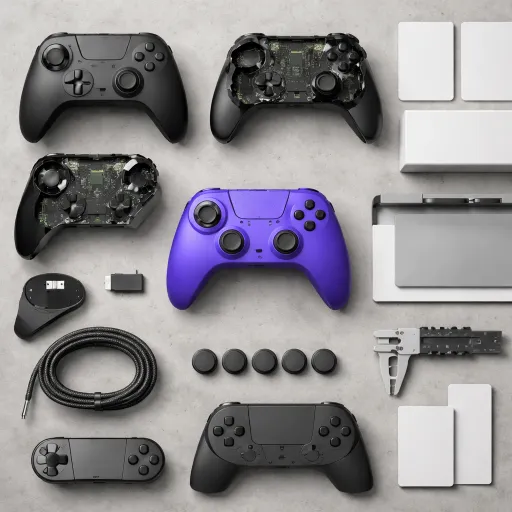
Out of the box, you get the controller, a USB-A wireless dongle, a hard-ish carrying case, a 10 ft cable, and a couple of extra thumbstick caps. So it’s basically the usual “pro controller bundle” and, for once, Razer didn’t cheap out on the case or the cable length. The case is rigid enough to throw in a backpack without worrying, and there’s room for the dongle and spare sticks, which is practical if you move between Xbox and PC often.

The controller itself is licensed for Xbox Series X|S and Xbox One, and it also works on Windows PC. Wireless is through Razer HyperSpeed (2.4 GHz via the dongle), not Bluetooth. That’s good for latency, but it means you always need the dongle handy. On PC, when you plug it in with the cable, you get access to a special Tournament Mode with 1000 Hz polling through the Razer app or a shortcut, which basically means inputs are checked very frequently. In practice, it feels snappy, but you won’t suddenly turn into a pro because of it.

Setup is straightforward on Xbox: plug the dongle in, power on the controller, and it pairs quickly. On PC, things are a bit more annoying. You really need Razer Synapse 4 installed to update the firmware and unlock all the remapping and sensitivity options. Without that, the paddles and extra buttons are underused. I had one moment where the controller acted weird with the dongle on PC and I had to unplug, restart Synapse, and reconnect. It worked again, but I can see why some reviews complain about software issues.

Overall, the package is coherent: you’re clearly paying for a “competitive” kit with remappable buttons, fast triggers, and high polling rates, not some casual couch controller. Just keep in mind: if you hate installing extra software and dealing with firmware updates, you’re not the target user here. This thing is built around that ecosystem, for better or worse.

Pros

  • Hall Effect thumbsticks with smooth feel and strong potential against stick drift
  • Very comfortable ergonomics with back buttons placed where fingers naturally rest
  • Responsive clicky buttons and triggers with short-throw mode plus high polling rates for low input latency

Cons

  • High price around $200, not great value if you won’t use the advanced features
  • Razer Synapse and firmware updates are required and can be buggy or annoying, especially on PC
  • No Bluetooth and full dependence on the HyperSpeed dongle for wireless use

Conclusion

Editor's rating

☆☆☆☆☆ ★★★★★

After using the Razer Wolverine V3 Pro as my main controller for a while, my take is pretty clear: hardware-wise, Razer finally put together a controller that feels serious and well thought-out. The Hall Effect sticks feel precise and should help avoid drift, the back buttons are placed in a way that actually makes sense, and the triggers with short/long modes are genuinely useful when swapping between shooters and racing or other analog-heavy games. Comfort is strong, even in long sessions, and the wireless performance on Xbox feels solid.

Where it stumbles is mostly on the software side and the price. You really need to install and deal with Synapse to unlock everything, and there’s a small but real chance you run into connection or firmware quirks, especially on PC. For a $200 controller, that’s annoying. So I’d recommend this mainly to players who are pretty serious about competitive play on Xbox/PC, want Hall sticks, and like the idea of clicky, mouse-like buttons and lots of remapping. If you’re more casual, hate extra software, or mostly care about comfort and basic reliability, you can get cheaper controllers that will satisfy you just as much.

See offer Amazon

Sub-ratings

Value for money: strong features, but the price and software make it a niche buy

☆☆☆☆☆ ★★★★★

Design and layout: finally sensible back buttons and a good D‑pad

☆☆☆☆☆ ★★★★★

Battery and connectivity: good enough, but very dongle‑dependent

☆☆☆☆☆ ★★★★★

Comfort and ergonomics: long sessions are not a problem

☆☆☆☆☆ ★★★★★

Build quality and durability: better than older Razer pads, but software still a concern

☆☆☆☆☆ ★★★★★

Performance: fast, precise, and clearly tuned for competitive play

☆☆☆☆☆ ★★★★★

What you actually get in the box and how it’s supposed to work

☆☆☆☆☆ ★★★★★
Share this page
Published on
Share this page

Summarize with

Most popular


Also read


Wolverine V3 Pro Wireless Gaming Controller: Licensed for Xbox Series X-S, Xbox One, Windows PC - 6 Remappable Buttons - Fast Triggers - Customizable Thumbsticks - Wired Tournament Mode - Black
Razer
Wolverine V3 Pro Wireless Gaming Controller: Licensed for Xbox Series X-S, Xbox One, Windows PC - 6 Remappable Buttons - Fast Triggers - Customizable Thumbsticks - Wired Tournament Mode - Black
🔥
See offer Amazon
Les articles par date