Summary
Editor's rating
Value for money: cheap entry ticket, hidden cost in storage
Compact box that doesn’t scream for attention
Controller power: AA batteries in 2024, for better or worse
Build quality and how it holds up day to day
Performance: fast enough for most people, with some clear limits
What you actually get with the Xbox Series S 512GB
Pros
- Compact, quiet console with fast load times and useful Quick Resume
- Great match with Game Pass Ultimate for cheap access to lots of games
- Good performance at 1080p/1440p for the price
Cons
- 512GB storage fills up quickly with modern game sizes
- Digital-only: no disc drive, no used games or physical collection
- Graphics and resolution clearly behind Series X on big 4K TVs

A budget Xbox that actually feels current-gen
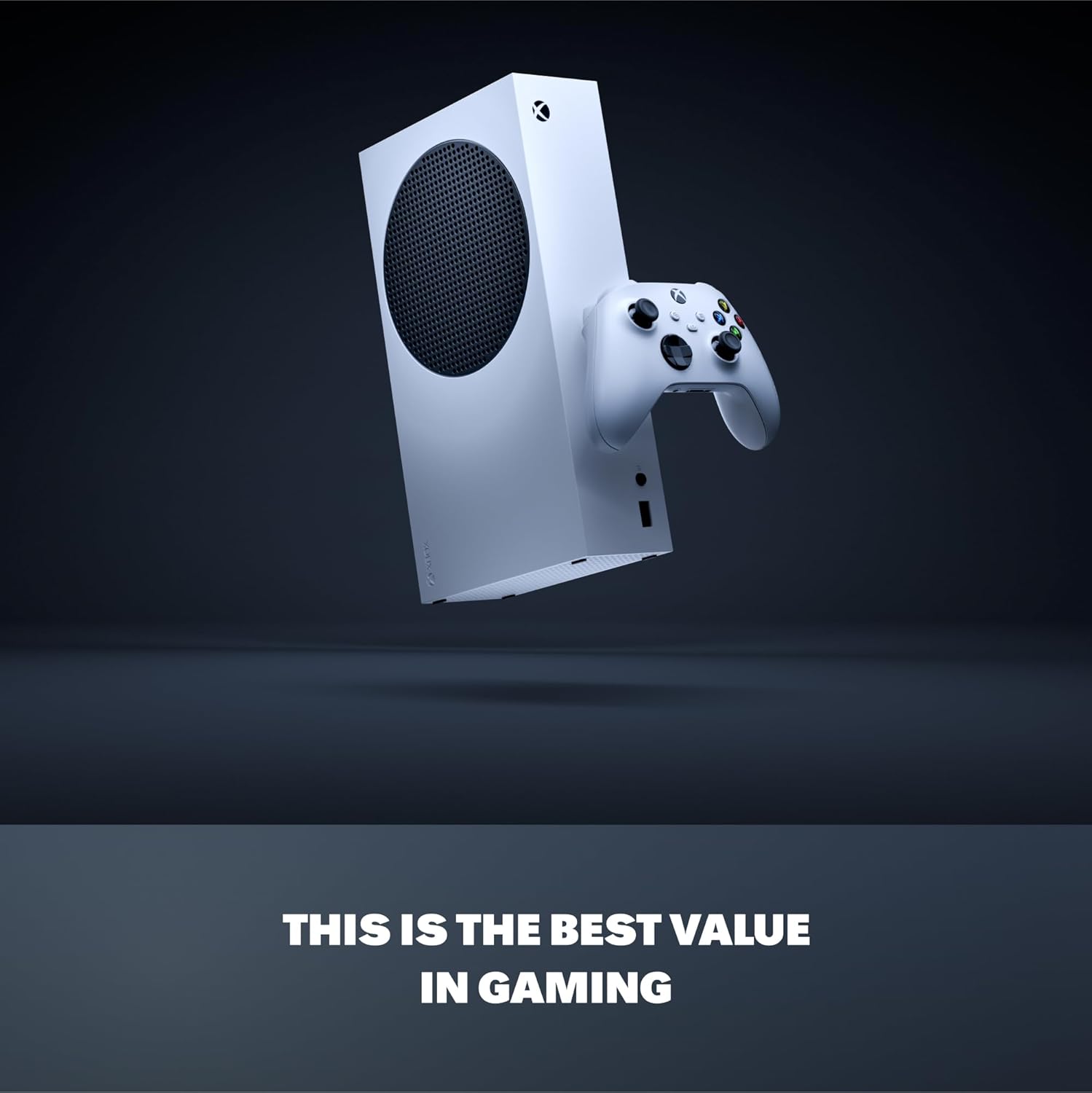
I’ve been using the Xbox Series S 512GB as my main console for a while now, and to be blunt: it’s better than I expected for the price, but it has one very clear weak spot. If you’re coming from an Xbox One or even a 360, the jump in speed is obvious from day one. Games launch fast, menus don’t feel sluggish, and you’re in a match or a world way quicker than on older machines. You can tell it’s a cheaper version of the Series X, but it still feels like a proper current-gen console, not a side toy.
The big thing you notice early on is how small and quiet it is. I’ve had bulky consoles before that sounded like a hoover once you launched a heavy game. This one just sits there, barely takes any space, and doesn’t scream at you. Setup was simple: plug in HDMI and power, sign in, let it update, and you’re done. Nothing fancy, nothing complicated, it just works like you’d expect in 2024.
Where you start to see the limits is on two points: graphics if you have a 4K TV, and storage. If you’re used to the absolute top visuals from a high-end PC or a Series X, you’ll spot that this one cuts corners. Resolution is often lower, and some details are toned down. It’s not ugly, far from it, but it’s clearly tuned for 1080p or 1440p, not for people who obsess over every pixel on a big 4K screen. For most casual players, it’s fine. For graphics nerds, it’s going to feel like a compromise.
Overall, my first impression is pretty simple: for the money, it’s a solid little machine that handles modern games well and plays nicely with Game Pass. But if you’re the type who installs Call of Duty, a few big RPGs, some sports games, and wants them all there all the time, the 512GB will push your patience. You either accept juggling installs, or you factor in the cost of extra storage from the start.
Value for money: cheap entry ticket, hidden cost in storage
From a value point of view, the Series S 512GB is pretty strong as a budget way into current-gen gaming, especially if you lean heavily on Game Pass. The upfront price is usually much lower than the Series X or a decent gaming PC, and yet you still get fast load times, modern features, and access to the same game library. If you’re buying this for kids, for a second console, or for casual gaming on a 1080p TV, it hits a nice sweet spot between cost and performance.
Where the value takes a hit is with storage and the digital-only setup. 512GB on paper sounds okay, but in reality, after the system software, you’re left with less. Big games can be 80–120GB each, so once you install a few heavy hitters plus some smaller titles, you’re quickly juggling what to delete. You can add storage, but the official expansion card is not cheap. At that point, you start to creep closer to the price of a Series X, which makes the whole value argument weaker if you’re a heavy user.
On the other hand, if you’re the type who only rotates a handful of games at a time and doesn’t care about having everything installed, the storage problem is more of an annoyance than a deal-breaker. You delete what you’re not playing, re-download when needed, and lean on fast internet. Paired with Game Pass Ultimate, you can try loads of games without buying them, which saves money in the long run, especially if you have kids or you like testing lots of titles without committing to full price.
So for me, the value is good but not perfect. It’s a smart buy if you accept the digital ecosystem, are okay with managing your game installs, and don’t obsess over 4K visuals. If you want maximum storage, physical discs, and the best graphics, this starts to look more like a compromise than a bargain, and you might be better off saving a bit longer for the higher-end model.
Compact box that doesn’t scream for attention
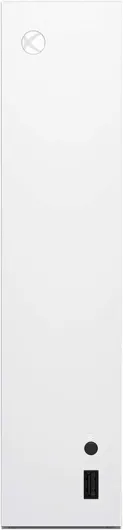
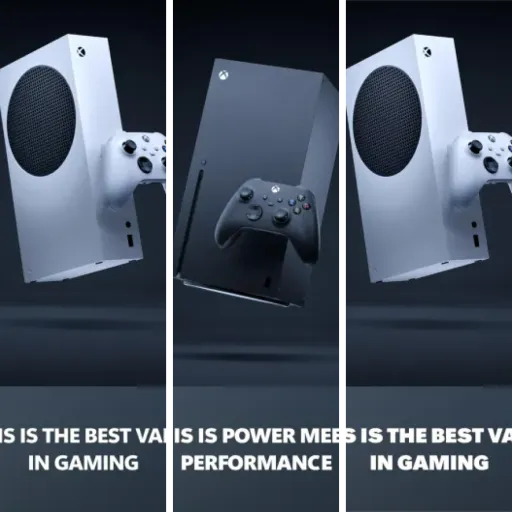
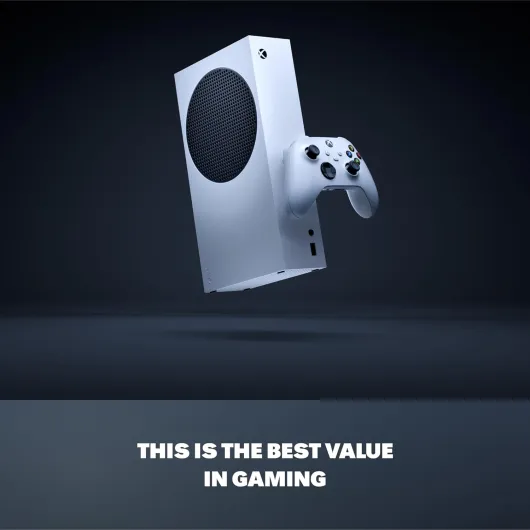
Design-wise, the Series S is very straightforward. It’s small, white, and pretty discreet, with that big black circular vent on the side/top depending on how you place it. Compared to older chunky consoles, it’s honestly refreshing to have something you can slide into a TV unit without rearranging your whole living room. I’ve tucked it in a pretty tight shelf and it still has enough space to breathe, which is nice if you don’t want a massive black brick next to your TV.
The footprint is a big selling point if you live in a flat or a shared space and don’t want your console to dominate the room. I’ve moved it between a desk monitor and the living room TV a few times, and it’s light enough to just grab with one hand and go. No awkward heavy lifting, no big stand, no weird shapes. The vents seem well placed; even during longer sessions it gets warm but not crazy hot, and I haven’t noticed any thermal throttling or weird fan behavior.
In terms of ports and layout, it’s pretty simple: power, HDMI, a couple of USB ports, Ethernet, and the slot for the proprietary storage expansion. Nothing fancy, but everything is easy to access. I like that there’s a front USB port for quickly plugging in a drive or charging cable. The power button is a standard Xbox logo, responsive, and not some annoying touch-sensitive nonsense like older generations tried. It feels like they went for practical rather than showing off, which I personally prefer.
If I had to nitpick, the white plastic will probably show dirt and marks more than a black console. If you have kids with sticky hands or you eat near your setup, you’ll notice smudges over time. Also, the big black circle on the side is a bit of a love-it-or-hate-it thing. I don’t care much, but if you’re very picky about aesthetics, it might bug you. Overall though, the design is compact, practical, and quiet. It doesn’t try to be a centerpiece, and for a living room device, that’s honestly a good thing.
Controller power: AA batteries in 2024, for better or worse
The console itself obviously plugs into the wall, so the only real “battery” topic here is the Xbox wireless controller that comes in the box. It still uses AA batteries by default, which in 2024 feels a bit old-school. You do get two AA batteries included, so you can start playing right away, but if you play often, you’ll burn through those pretty quickly. In my case, with a few hours of gaming most evenings, a pair of decent AAs lasted me a couple of weeks.
There are two ways to handle this. Either you keep buying disposable batteries, which ends up costing more over time and is just annoying, or you invest in rechargeable AAs or Microsoft’s rechargeable battery pack. I went with rechargeable AAs, and that’s been fine: when the controller warns me it’s low, I just swap in a charged pair and keep going. It’s actually more convenient than built-in batteries in some ways, because you don’t have to stop playing to charge the pad; you just rotate batteries.
Still, if you’re used to controllers with built-in USB-C rechargeable batteries, the Series S approach can feel a bit dated. There’s no battery level indicator on the controller itself, you just get a low battery warning on the screen. The controller does support wired play via USB, so if you’re really stuck, you can plug it into the console or a PC and keep playing without worrying about battery life. But that kind of defeats the point of a wireless pad.
So battery situation is decent but not ideal. It works, it’s flexible, but it’s not the slickest solution out of the box. My advice: if you buy this console, plan to grab either a rechargeable battery kit or a pack of good rechargeable AAs. Otherwise you’ll end up resenting how often you need to buy new batteries, especially if multiple people in the house are using the controller regularly.
Build quality and how it holds up day to day
In terms of durability, the Series S feels solid but clearly built with cost in mind. The plastic shell doesn’t feel premium, but it doesn’t feel cheap to the point of worrying either. It’s light, there’s no weird creaking when you pick it up, and the vents seem sturdy enough. I’ve moved it between rooms a few times, tossed it in a backpack once for a weekend at a friend’s place, and it handled that without any obvious marks or damage. As long as you’re not literally throwing it around, it should hold up fine.
The console has stayed quiet and stable during longer sessions. No strange fan noises, no overheating warnings, nothing like that. The ventilation design seems to do its job, but you still need to give it some space around the vents. If you cram it into a closed cabinet with no airflow, you’re asking for trouble with any console, not just this one. The power and HDMI ports feel firm; I don’t get the sense that they’ll loosen easily from regular plugging and unplugging.
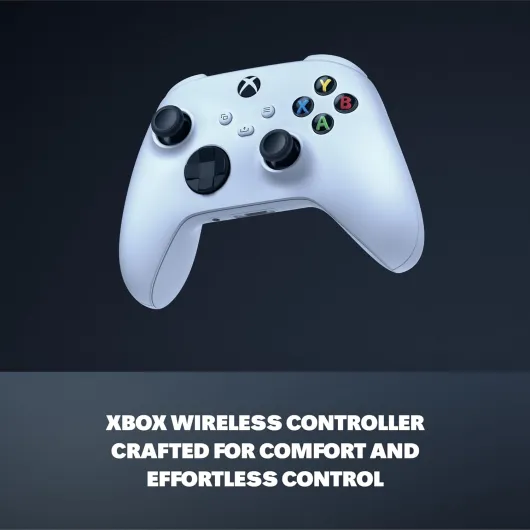
The controller is the usual Xbox standard: comfortably shaped, decent weight, and fairly resistant to normal wear. The textured grips help, and the buttons still feel clicky and responsive after plenty of use. The only weak point long-term, like with most controllers, will probably be the analog sticks if you’re rough with them or play a lot of shooters. Stick drift is always a possibility on any modern pad, so I wouldn’t say this one is better or worse than others yet, but it’s something to keep in mind over a couple of years.
Since this model is still fairly new in terms of release date, there isn’t a decade of failure data to go on, but based on my use and the general design, I’d say durability is good enough for regular home use. It doesn’t feel like a tank, but it also doesn’t feel fragile. Treat it like normal electronics, give it some air, don’t yank cables out sideways, and it should last you a good while without drama.
Performance: fast enough for most people, with some clear limits
On the performance side, the Series S is surprisingly capable for its size and price, as long as your expectations are in the right place. Load times are the first big win. Going from an older Xbox to this feels like someone removed a permanent delay from your life. Games like Fortnite, Minecraft, or bigger titles load in noticeably faster. The Quick Resume feature is also genuinely useful: I’ve bounced between a single-player game and a multiplayer title without having to fully restart each one every time, and it saves a good chunk of waiting.
In terms of frame rate, a lot of games run at 60 FPS or close to it, sometimes with options for performance modes. Some titles even push up to 120 FPS if your TV or monitor supports it. On my 1080p screen, most games feel smooth and responsive. The console is clearly tuned for 1080p or 1440p gaming, not native 4K with all the bells and whistles. If you’re okay with that, the overall experience is pretty solid. Competitive games feel responsive, and casual stuff looks clean enough.
Where you see the compromise is when you plug this into a big 4K TV and sit close. You’ll notice softer images, lower resolution textures here and there, and sometimes more aggressive upscaling. It’s not ugly, but side by side with a Series X or a high-end PC, you can tell which one is the budget machine. If you’re someone who really cares about visual fidelity, ray tracing everywhere, and premium image quality, this is going to feel like a step down, even though the gameplay itself runs fine.
For most players who just want to jump into games quickly and don’t obsess over every graphic detail, the performance is good enough and often better than expected. I didn’t run into major stutters or crashes beyond the usual game-specific bugs that happen on every platform. So yeah, not the powerhouse of the generation, but as a compact, cheaper console, it handles modern titles well enough that you don’t feel like you’re playing on outdated hardware.
What you actually get with the Xbox Series S 512GB
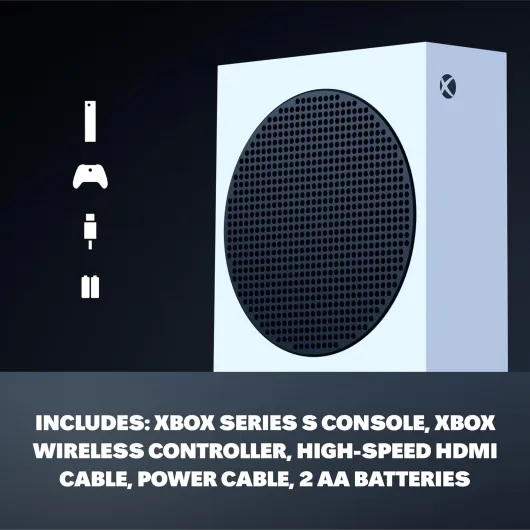
Out of the box, you get the basics: the Xbox Series S console, one Xbox wireless controller, a high-speed HDMI cable, the power cable, and a couple of AA batteries for the pad. No surprises, no extras. There’s no physical games, no Game Pass trial card mentioned here, so don’t expect any bonus goodies. If you’re used to older bundles that threw in a game code, you’ll probably shrug and move on. It’s very bare-bones, but it covers what you need to start playing as long as you already have internet and a TV or monitor.
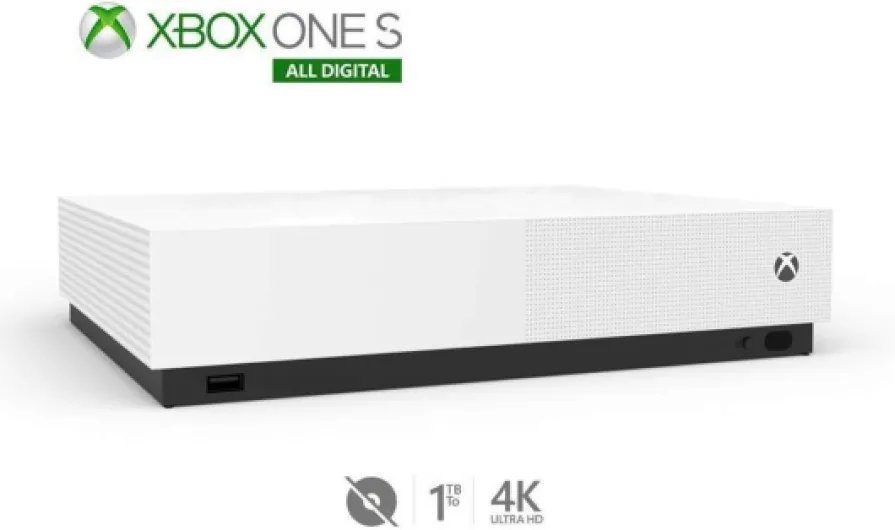
The console is digital-only, which is worth repeating because some people still miss that detail: there is no disc drive. So if you have a stack of old Xbox 360 or Xbox One discs, they’re just decoration with this machine. Backward compatibility is there, but only for digital versions. On the flip side, if you’ve been buying games digitally for years, your library carries over nicely. I re-downloaded stuff like older Forza titles and some Xbox One games without any drama, and a lot of them run better than before.
One of the real strengths is how it ties into Game Pass Ultimate. The description hypes all the day-one releases, and that part is legit: if you pay for Game Pass, you get a big list of games to rotate through, from big shooters to indie stuff. In practice, this console makes the most sense if you’re planning to use Game Pass heavily. It’s almost like a Netflix box for games. Without Game Pass, you’ll still enjoy it, but you lose a big chunk of the appeal, especially if you’re trying to keep costs down on buying full-price titles.
So in short, the presentation is simple: small digital console, one controller, and a heavy push toward subscriptions and downloads. If that matches how you already play, it fits nicely into your setup. If you like owning discs and swapping them around or buying used games, this isn’t the machine for you, and you’re going to be annoyed very quickly.
Pros
- Compact, quiet console with fast load times and useful Quick Resume
- Great match with Game Pass Ultimate for cheap access to lots of games
- Good performance at 1080p/1440p for the price
Cons
- 512GB storage fills up quickly with modern game sizes
- Digital-only: no disc drive, no used games or physical collection
- Graphics and resolution clearly behind Series X on big 4K TVs
Conclusion
Editor's rating
The Xbox Series S 512GB is basically the “no-nonsense” way to get into modern Xbox gaming. It’s small, quiet, and fast enough that you feel the jump from older consoles right away. Load times are shorter, Quick Resume is genuinely handy, and it works very well with Game Pass if you like hopping between different games. On a 1080p or 1440p screen, performance is solid, and most people won’t feel like they’re missing out on much in day-to-day play.
The trade-offs are clear though. You only get 512GB of storage, and with digital-only games, that fills up fast. You’ll either be constantly uninstalling things or eventually paying extra for an expansion card or an external drive (with the limits that come with that). Also, if you’ve got a big 4K TV and you care a lot about top graphics, the Series S is a compromise. It plays the same games, but with lower resolution and some visual cuts compared to the Series X. The AA-battery controller setup is also a bit dated, though manageable with rechargeables.
In short, this console suits people who want a cheap, compact, and modern Xbox for casual or mid-core gaming, especially if they plan to use Game Pass and don’t mind managing their library. It’s good for kids, small flats, or as a second console in another room. If you want physical discs, loads of storage, and the best graphics the platform can offer, you should skip this and look at the Series X instead.