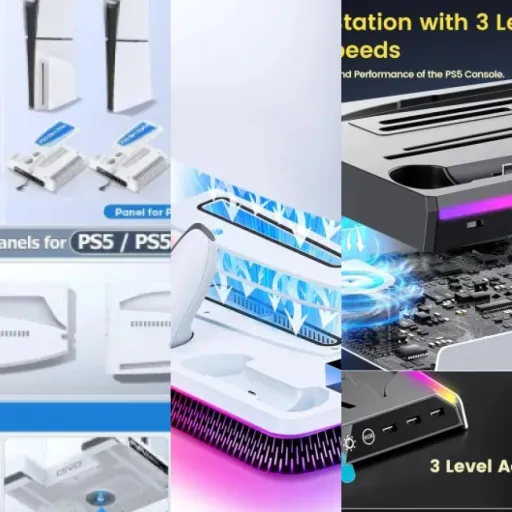
Summary
Editor's rating
Value for money: good bundle if you accept the compromises
Design: clever layout, rough around the edges
Charging behavior and real‑world quirks
Build quality and durability: feels cheap, but not fragile
Cooling and charging: does it actually help?
What this stand actually does (and doesn’t do)
Pros
- All‑in‑one design: stand, dual charger, cooling fan, game storage and headset holder in one base
- Charges two DualSense controllers in about 2–3 hours with clear LED indicators
- Helps organize PS5 Slim setup and adds some extra cooling with 3 adjustable fan speeds
Cons
- Cheap plastic feel with some sharp edges that can scratch surfaces if you drag the stand
- Game slots are not very stable; cases can lean or wobble if the stand is bumped
- Overall finish and build quality are inconsistent compared to more expensive or official accessories

Specifications
View full product page →| Brand | Gamrombo |
All‑in‑one PS5 Slim dock… worth it or just clutter?
I’ve been using this Gamrombo stand and cooling station with a PS5 Slim (disc version) for a bit now, and I’ll be blunt: it’s not trash, but it’s also not as polished as the product page makes it sound. It’s one of those accessories that looks very clever on paper – fans, controller charging, game storage, headset holder – but in day‑to‑day use you notice the shortcuts. If you’re expecting something on the same quality level as Sony’s official stand, you’re going to see the difference right away.
The idea is simple: instead of having the console flat with cables and controllers all over the place, you drop everything onto this base and it becomes a vertical hub. In theory, you get less mess, better cooling and a proper spot for your controllers and headset. That’s what made me buy it – I was tired of the PS5 Slim taking half a shelf and the DualSense always being half‑charged somewhere under the TV.
In practice, it does help organize the setup, but you have to accept a few compromises: plastic that feels a bit cheap, game slots that aren’t super stable, and a fan that’s fine but not silent. I also paid attention to the Amazon reviews (3.6/5 at the time I’m writing this), and honestly that score matches my feeling: some people are happy, some people are annoyed, and the product sits somewhere in the middle.
So if you’re looking for a magic fix for overheating or a premium dock, this isn’t it. If you just want an all‑in‑one base that gets the job done most of the time and you’re not too picky about finish, it can work. The rest of the review goes into what’s good, what’s annoying, and whether it’s worth the money compared to just buying a separate charger or using the console as is.
Value for money: good bundle if you accept the compromises
Looking at the price bracket this sits in, you’re clearly in the "budget all‑in‑one" zone, not in premium accessory land. For roughly the cost of a standalone DualSense charging dock, you’re getting a vertical stand, a dual charger, a cooling fan, a headset holder and storage for nine games. On paper, that’s solid value. If you were to buy all those separately, you’d easily pay more. That’s the main argument in favor of this thing: a lot of functions in one cheap package.
However, the 3.6/5 rating on Amazon sums it up: it’s a mixed bag. Some buyers say "works great" and "very good device," others say "utter crap" and complain about sharp edges and the fact that games don’t stand properly. Both sides are kind of right. It does work if you set it up correctly and don’t expect top‑tier materials. But it also has those rough details that a more expensive brand would probably fix, like better finishing on the plastic and more stable game slots. You’re paying less, and you can feel it.
Compared to just buying Sony’s official vertical stand plus a separate third‑party charger, you probably save money here but lose a bit of quality and polish. If you’re the type who notices every little flaw in build quality, I’d say spend more and get a better‑finished dock or separate accessories. If you mainly care about function over form and you’re fine with "it’s not perfect, but it works," then the value is actually pretty good.
So in terms of value, I’d call it good but not unbeatable. You get a lot of features for the price, but you also take on the risk of inconsistent finishing and some design annoyances. If you can live with that, it’s money reasonably well spent. If you want something that feels premium every time you touch it, this isn’t the one.
Design: clever layout, rough around the edges
Design‑wise, it matches the PS5 Slim pretty well in terms of color: white plastic with black accents, so it doesn’t look totally out of place next to the console. When the PS5 is mounted vertically on it, the whole setup looks more intentional than just having the Slim lying flat. I liked that part: the stand gives a sort of base to the console, and visually it looks cleaner on a desk. The footprint is a bit larger than the console itself, but at least everything is stacked vertically instead of spread out.
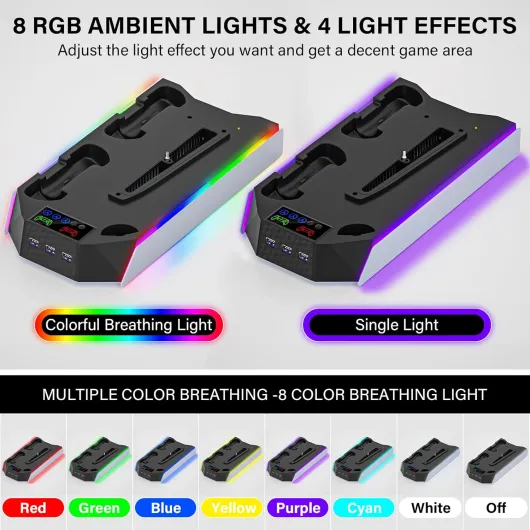
The layout is fairly logical. Controllers slide into the front charging cradles, the game slots run along one side, and the headset holder sticks out so the headset doesn’t hit the console. The touch button for the fan is on the side, which is easy enough to reach. The LED indicators for charging are visible but not blinding, so at night it doesn’t turn the room into a disco. I had no trouble figuring out where everything goes; you can basically set it up without reading the manual, which I appreciate.
Now, the downsides. The biggest complaint I’ve seen in reviews, and I get it, is that some edges are quite sharp. One user mentioned it scratched their desk, and I can see how that happens if you drag the base around instead of lifting it. The plastic edges on the bottom are not nicely rounded, they’re kind of hard and angular. On my side, I put a mat under it, so no damage, but if you care about your furniture, don’t slide this thing around like a cutting board. Also, the game slots don’t hold cases super tightly. They stand, but if you bump the stand hard, they can lean or tilt.
In short, the design idea is good – everything in one vertical tower, easy access to controllers and games – but the execution is a bit rough. It looks decent from a distance, but up close you can see it’s budget plastic with some corners cut. If you’re picky about build quality and finish, that will probably bother you. If you just want a functional dock and don’t baby your gear, you’ll probably live with it.
Charging behavior and real‑world quirks
Even though the stand itself doesn’t have a battery, the way it charges the DualSense controllers is important, so it’s worth a separate look. In daily use, I just dropped the controller on the dock after each session. From almost empty to full, it takes around 2–3 hours, which is in line with what Gamrombo claims. I never had a situation where the controller was still low after a full night on the dock, so in that sense it’s reliable enough. The LED indicators are clear: red means "still charging", green or blue means "you’re good." That helps a lot more than just guessing from the console menu.
One thing that can throw people off is the battery protection behavior around 80%. They mention it in the description, and I did run into it: if your controller is already roughly at 80% and you dock it, it might not keep charging visibly. So if you unplug it, play 10 minutes, then re‑dock it, don’t be surprised if it doesn’t start a full charge cycle. That’s more of a controller safety feature to avoid overcharging than a bug with the stand, but if you’re used to dumb chargers that just pump power nonstop, it feels weird at first.
Another thing: the stand powers off with the console if you’re using the PS5’s USB port and your console is set to cut power when off. If you want the controllers to charge while the PS5 is completely shut down, you need to go into the PS5 settings and allow power to the USB ports in rest mode, or plug the stand into a separate USB power adapter. Once I set the console to power USB in rest mode, everything worked as expected: I’d leave the console in rest, dock the controllers, and they’d be full by the next session.
So overall, charging performance is decent and predictable once you understand those two points: the 80% protection and the PS5’s USB power settings. It’s not faster than other docks I’ve tried, but it’s stable. If you’re the type who always wants two controllers ready to go, this stand does make that easier, as long as you remember to actually drop them on the dock instead of leaving them on the couch.

Build quality and durability: feels cheap, but not fragile
Let’s be honest: this is not premium hardware. The plastic feels light and a bit hollow, and when you take it out of the box you immediately notice it’s more "budget accessory" than "high‑end gear." That said, after handling it, plugging and unplugging controllers, and moving the stand around a few times, it doesn’t feel like it’s about to fall apart either. The main base has a bit of flex if you twist it, but nothing crazy. As long as you’re not dropping it off a desk, it should hold up.
The spots I worry about long term are the charging contacts and the headset holder. The controller docks use small contact points that you align by dropping the controller in. If you’re rough or constantly miss the alignment, you could bend something over time. So far, docking feels straightforward, but I did have to adjust the controller once or twice to make sure it was seated properly. The headset hook is just a piece of plastic sticking out; it works, but if you hit it hard or snag your chair cable on it, I wouldn’t be shocked if it snapped. It’s not reinforced metal or anything.
The sharp edges on the bottom are another durability‑related issue, but more for your furniture than for the stand itself. One Amazon reviewer complained it scratched their desk, and I get that. If you drag this thing across a wooden surface with some weight on it (console + games), those edges can leave marks. My workaround was simple: I put a thin mat or mouse pad under it and stopped dragging it around. If you’re careful and just lift it when you move it, you’ll avoid that problem.
Electronics‑wise, I didn’t notice any weird overheating from the stand itself, no burning smells, nothing like that. The fan and LEDs still work fine after repeated use. Obviously I can’t speak for years of use, but nothing in my short‑term test screams "this will die in a month." It’s more like: cheap feel, decent function. If you’re ok with that trade‑off and don’t abuse it, it should last long enough to justify the price, but it’s not something I’d expect to outlive the console by a decade.
Cooling and charging: does it actually help?
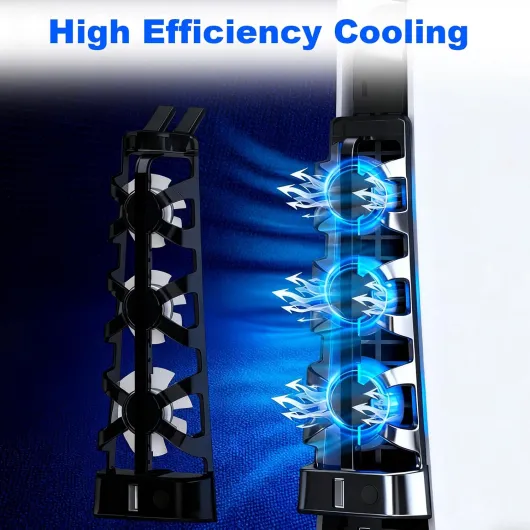
On the performance side, I focused on two things: cooling and controller charging. For cooling, I ran the PS5 Slim on a few long sessions of Spider‑Man 2 and some PS5 downloads overnight. Without the stand, the Slim already doesn’t run insanely hot, but it does get warm. With the Gamrombo stand and the fan on medium, the console felt a bit cooler to the touch around the base, and the air coming out of the back was slightly less hot. It’s not a night‑and‑day difference, but it does help air move away from the bottom vents instead of just sitting there.
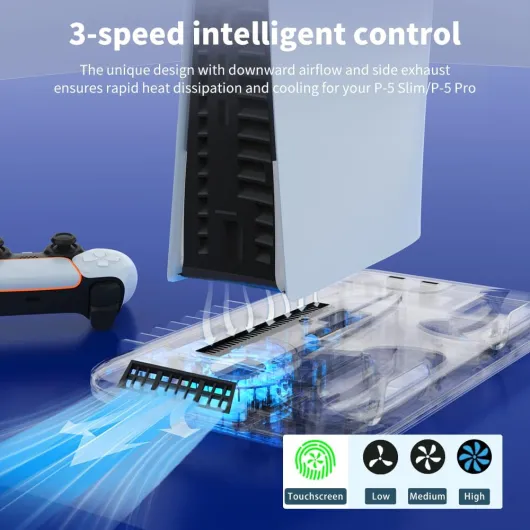
Noise‑wise, the fan is acceptable. On low speed, it’s barely audible over normal room noise. On medium, you can hear a soft whir, but it’s not annoying during gameplay. On high (around 3500 RPM), it’s clearly audible in a quiet room. I only used max speed when downloading big games in the summer heat; for normal gaming, low or medium is enough. If you’re super sensitive to fan noise, you’ll probably keep it on low or even off most of the time. The good thing is you can just tap the touch switch and kill it if it annoys you.
For charging, the stand does what it says: two DualSense controllers go from low battery to full in about 2–3 hours. I tested it a few times by running a controller to the low‑battery warning, then docking it. The LED system is simple: red or breathing light while charging, green/blue when done. I didn’t notice any overheating of the controllers while charging. The only odd behavior is that battery protection thing around 80%, which can confuse you if you keep checking the LEDs. But that’s more how the controllers are designed than the dock itself.
Overall, performance is pretty solid but not mind‑blowing. The fan helps, but it won’t magically fix a console that’s already choking on dust. The charger is reliable enough, but not faster than other decent third‑party docks. And that single extra USB port is nice, but don’t expect to power a ton of stuff from it. For the price, it gets the job done, as long as you’re not expecting pro‑grade cooling or some fancy smart features.
What this stand actually does (and doesn’t do)
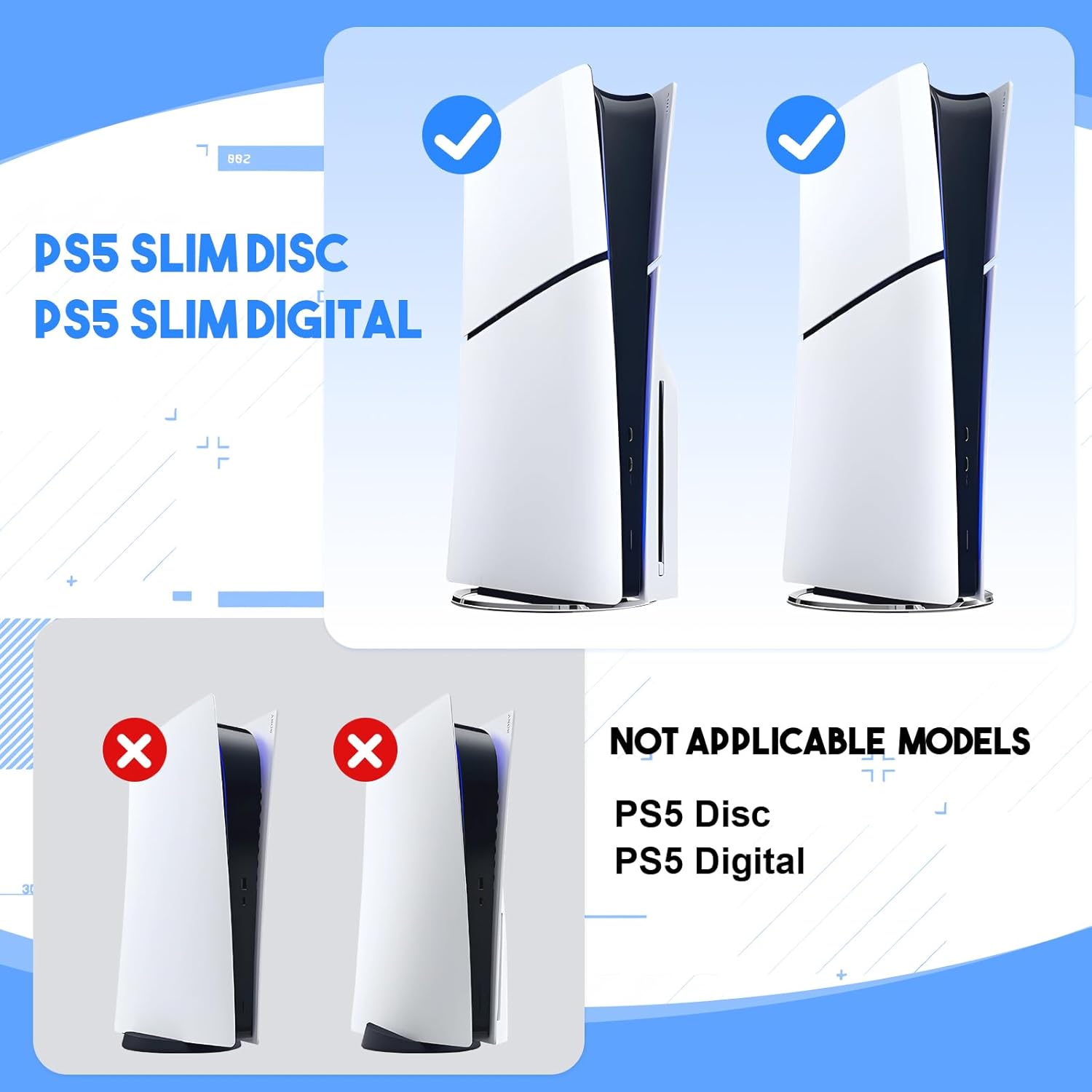
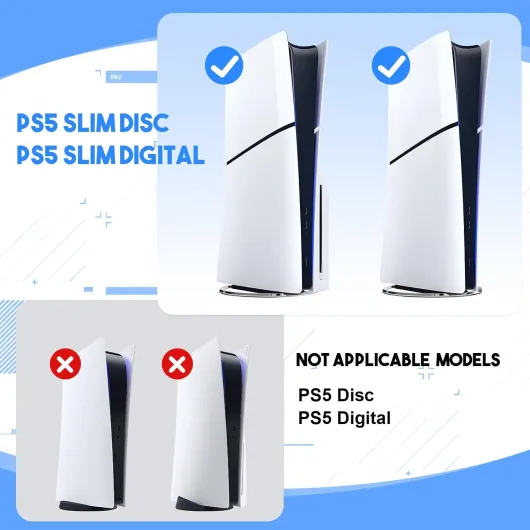
This thing is basically a Swiss‑army base for the PS5 Slim Digital/Disc. You plug it into the console via USB, drop the PS5 into the slot so it stands vertically, and then you’ve got: a dual controller charging dock, a 3‑speed cooling fan, nine game slots, a little headset hook, and one extra USB port. On paper, that ticks a lot of boxes if you’re trying to minimize clutter around your TV or desk. It’s clearly designed only for the Slim model, so if you’ve got the original fat PS5, forget it – it won’t fit.
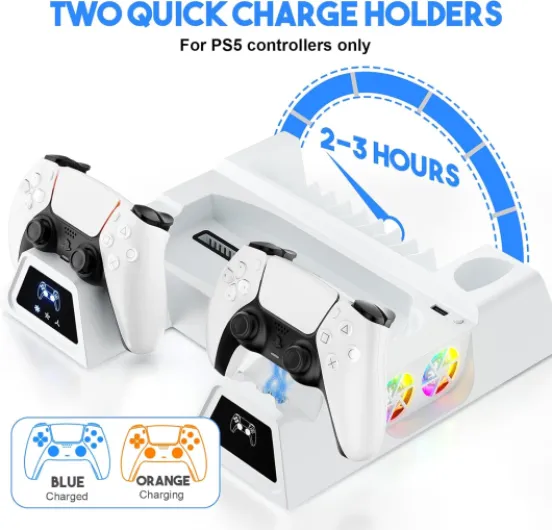
The controller charging is the feature I used the most. You just place the DualSense controllers onto the charging contacts at the front. There are status lights: breathing light or red LED when charging, blue or green when they’re full or on standby. It charges two controllers in around 2–3 hours, which is about what I see with other third‑party docks. One thing to know (and they say it in the description): if your controller battery is around 80%, the protection kicks in and it might stop charging if you unplug and replug too quickly. In real life that just means: don’t obsessively re‑dock it every five minutes and expect it to top up 2% each time.
The cooling fan sits under the console, sucking air from the PS5’s base vents. You get three speeds (roughly 3100–3500 RPM) controlled by a touch switch on the side. It’s not rocket science: you tap it to cycle through speeds or turn it off. There’s also a simple plastic rack for 9 game cases and a small hook to hang a headset. Finally, you get one extra USB port on the base, which is handy for a USB dongle or a cable, but don’t expect a full hub with multiple ports.
Overall, the presentation is: one product that tries to replace three or four separate accessories. It does work, but it’s not premium gear, and it’s clear Gamrombo cut some corners to pack all these functions in at this price. If you go in with realistic expectations – it’s a budget all‑in‑one, not an official Sony dock – you’ll be less annoyed by its flaws.
Pros
- All‑in‑one design: stand, dual charger, cooling fan, game storage and headset holder in one base
- Charges two DualSense controllers in about 2–3 hours with clear LED indicators
- Helps organize PS5 Slim setup and adds some extra cooling with 3 adjustable fan speeds
Cons
- Cheap plastic feel with some sharp edges that can scratch surfaces if you drag the stand
- Game slots are not very stable; cases can lean or wobble if the stand is bumped
- Overall finish and build quality are inconsistent compared to more expensive or official accessories
Conclusion
Editor's rating
Overall, the Gamrombo PS5 Slim Stand and Cooling Station is a functional, budget‑friendly all‑in‑one dock that does what it promises, but with clear compromises. It holds the PS5 Slim vertically, charges two controllers in a reasonable time, adds a bit of extra cooling, and gives you a place to dump your games and headset. In day‑to‑day use, it helped tidy up my setup and kept both DualSense controllers ready to go. The fan isn’t silent but manageable, and the LEDs make it easy to see charging status at a glance.
On the downside, the build quality is clearly on the cheap side. The plastic edges are sharper than they should be, which can scratch a desk if you drag it, and the game slots don’t hold cases super securely. The whole thing doesn’t feel fragile, but it definitely doesn’t feel premium either. The 3.6/5 rating on Amazon makes sense: if you get a unit without defects and you’re not too picky, you’ll probably be satisfied; if you expect flawless finish, you’ll be annoyed quite fast.
Who is it for? People with a PS5 Slim (digital or disc) who want to save space, keep everything in one place, and don’t want to spend too much on separate accessories. Who should skip it? Anyone obsessed with build quality, anyone with a fancy desk they don’t want to risk scratching, and those who prefer official Sony accessories even if they cost more. In short: decent but not more than that – it gets the job done if your expectations are in line with the price.