Why Switch 2 storage shapes how your family actually plays
The Switch 2 storage situation is not a minor spec detail. When a Nintendo console ships with 256 gigabytes of internal storage, you are really getting closer to 200 gigabytes once the system software and patches occupy their share. On the original Switch and OLED models, for example, Nintendo’s own support pages list about 25.9 gigabytes usable out of 32 gigabytes after the operating system, and similar overhead is expected on newer hardware. That gap between the number on the box and the usable memory quietly decides how many games your family can play at the same time.
Think about a typical mix of Switch games on a shared system. First party titles from Nintendo such as a new Super Mario platformer or the latest Legend of Zelda adventure usually sit around 10 to 18 gigabytes per game, which is efficient compared with many other platforms. Third party games Nintendo approves for the eShop, especially big cinematic ports, can easily reach 30 to 50 gigabytes and will eat through the remaining storage much faster.
On a Switch 2 used by children and adults, that adds up quickly. A single household might want Mario Kart, one Legend of Zelda title, two or three Super Mario games, a couple of smaller indie games and one large third party game. By the time those games require updates and extra downloadable content, the internal storage and system memory are already under pressure and the console starts nagging you about space every time you try to play something new.
Families often underestimate how much data is silently generated over time. Save data for each profile, screenshots, short video clips and patches for online play all live inside the same pool of storage. When online services push updates or when games receive performance fixes, the data stored grows again and the remaining free memory shrinks without anyone installing a new game.
This is where a clear plan for extra storage stops being optional. If you buy mostly physical and digital hybrids, meaning boxed cartridges but also frequent eShop deals, you still need room because many physical game cards now require large downloads to run properly. Some games require a permanent download even when you own the card, and that reality makes a robust Switch 2 storage strategy as important as choosing the right Joy-Con color for your kids.
Parents also need to factor in how the console will be used over time. A Nintendo Switch that starts as a Mario Kart and Super Mario machine for younger children often becomes a Legend of Zelda and online multiplayer system as they grow. That shift from local play to online sessions with friends increases the number of games installed and the amount of save data and patches the system must juggle.
Compared with a PlayStation 5 or an Xbox Series X, the Switch 2 storage ceiling feels tight. Sony and Microsoft ship their consoles with solid state drives around 825 gigabytes to 1 terabyte, and while those systems also fill up, they give families more breathing room before hard choices about which game to delete. Nintendo instead leans on the expectation that buyers will add a microSD card or other express cards later, turning storage into a hidden accessory cost rather than a solved problem.
That trade off keeps the console price lower on paper but shifts complexity onto the buyer. You are not just choosing a console; you are choosing a storage system, a way to manage data stored across internal storage and removable cards and a routine for what stays installed. For a busy parent who wants the console to simply work every time a child presses play, those decisions matter more than any marketing slogan about hybrid mode or portable play.
MicroSD, MicroSD Express and express cards: what actually makes Switch 2 faster
Once you accept that Switch 2 storage will need help, the next question is which memory cards to trust. The console supports standard microSD cards, and Nintendo recommends specific speed classes, but not all cards deliver the same real world speeds when you load games. For a family that hates waiting, the difference between a cheap card and a good one is measured in both seconds and arguments.
Traditional microSD cards rated as UHS I with a U3 or V30 label are the current sensible baseline. These cards can sustain at least 30 megabytes per second for video, which translates into reasonably fast loading for most Switch games and keeps stutter under control. In independent tests on the current Switch, cards such as the SanDisk Extreme UHS I 512 gigabyte and 1 terabyte models typically shave several seconds off loading screens compared with budget cards that dip below their rated speeds.
The newer MicroSD Express standard, sometimes branded as microSD Express, promises much higher theoretical speeds. In practice, the Switch 2 hardware and system memory controller will decide how much of that bandwidth you actually see when you play. If Nintendo has limited the interface to something close to UHS I, then a premium microSD Express card might not feel dramatically faster than a well chosen UHS I card in day to day use.
For now, treat microSD Express cards as a future leaning option rather than a must buy. They cost more per gigabyte, and until Nintendo confirms that the Switch 2 system can exploit their full express speeds, most families are better served by a high quality 512 gigabyte or 1 terabyte UHS I card. That kind of extra storage roughly triples or quadruples the space available for games and save data without overpaying for unused performance.
It is also worth understanding how the console splits work between internal storage and removable cards. Many games will load slightly faster from the built in memory because it avoids the overhead of the removable interface. However, the difference is usually a handful of seconds, and for most players the ability to keep more games installed outweighs the marginally faster loads from the internal storage.
Parents sometimes ask whether they should keep their biggest Switch games on the internal memory and move smaller titles to the card. That strategy can help a little with games that stream a lot of data, such as a large Legend of Zelda world or a visually dense Super Mario platformer. In reality, though, the main benefit of a good express card or standard microSD card is capacity, not turning the Switch 2 into a high end PC with instant loads.
There is another subtle benefit to investing in reliable cards rather than the cheapest option. A well made express card or microSD card from a reputable brand is less likely to corrupt save data or fail after repeated writes, which protects the hours your children pour into Mario Kart tournaments or long Legend of Zelda quests. When you think about storage as safeguarding memories rather than just holding data, the few extra euros for quality make sense.
Physical and digital habits also influence which card size you should choose. If your household prefers physical game cards and keeps only a rotating set of two or three digital titles installed, a 256 gigabyte or 400 gigabyte card may be enough. If you lean heavily on online deals, download many indie games and want a library of Switch games always ready to play, then a 1 terabyte card becomes a smarter long term investment and reduces the need to constantly delete and redownload.
To make buying decisions easier, look at concrete comparisons from reputable benchmarks. For example, tests on the original Switch have shown that a 256 gigabyte SanDisk Extreme UHS I card can cut a typical 30 second load in a large game to around 24 to 26 seconds, while slower entry level cards may stretch the same scene to 32 seconds or more. Cards like the Samsung Evo Select and Lexar Play in similar capacities usually land in the middle of that range, offering solid performance without the highest price.
Managing physical and digital games so your kids never hit a full screen
Storage is not just about hardware; it is about habits. The way your family buys and rotates games on a Nintendo Switch console will decide whether 256 gigabytes feels tight or manageable. A clear plan for physical and digital purchases can stretch both internal storage and microSD capacity much further.
Start by mapping who plays what and how often. If one child lives in Mario Kart and another spends every spare minute in a Legend of Zelda world, those games should stay permanently installed, ideally on the fastest available storage. Less frequently used titles, such as a finished Super Mario campaign or a seasonal sports game, can be archived to free up space while keeping save data intact.
The Switch system offers a useful archive function that many parents overlook. When you archive a game, the console removes the main data but keeps the save data and icon on the home screen, which means you can redownload the game later without losing progress. This is especially helpful for large Switch games that your children revisit occasionally but do not need every week.
Physical and digital balance matters more than it did on older consoles. Many boxed games now ship with only part of the data on the cartridge, forcing you to download the rest to internal storage or a card before you can play. Some third party games require a constant online connection or large day one patches, which makes a robust Switch 2 storage setup essential even for families who prefer physical game cards.
Online memberships also change the storage equation. Members gain access to classic game libraries and occasional trials, and while these older titles are small, they still occupy space when installed in bulk. If your household enjoys sampling many retro games, consider dedicating part of your microSD or express card capacity to that library and periodically pruning titles nobody touches.
Joy-Con sharing and local multiplayer introduce another wrinkle. A single console might host four or five user profiles, each with their own save data for Mario Kart, Super Mario and various indie games, and that duplication multiplies the data stored. When you plan storage, think in terms of profiles and play styles, not just the raw number of games installed.
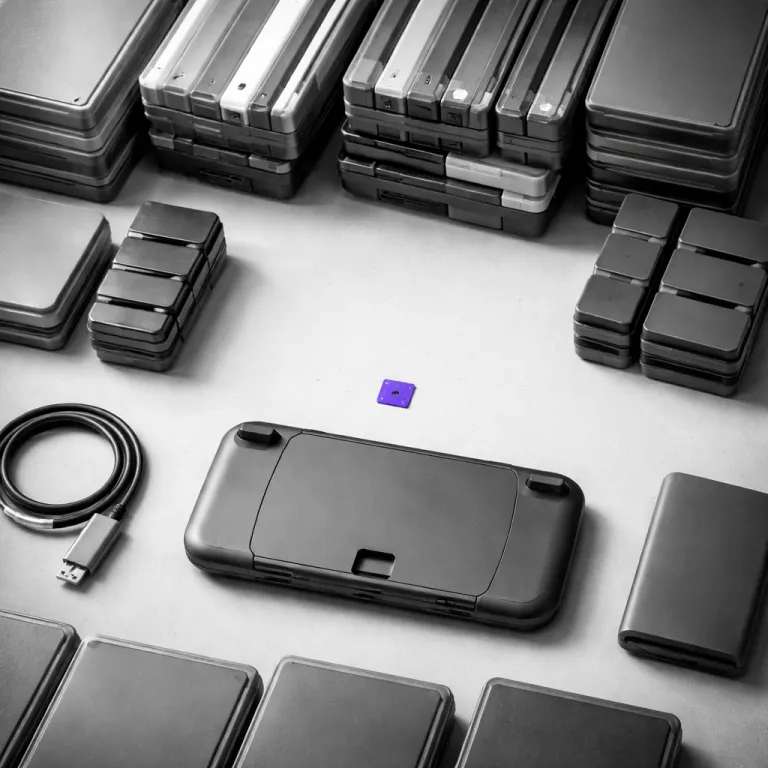
For technically inclined parents, expansion modules and modular accessories can offer more flexibility. Some advanced handheld style systems use expansion modules to add storage, ports or extra features, and while the Switch 2 sticks to microSD, the broader trend shows where console design is heading. A detailed look at versatile expansion modules illustrates how future consoles might treat storage as one of several swappable components rather than a fixed spec.
When deciding how much extra storage to buy, think in three year cycles. Ask how many big games Nintendo is likely to release that your family will want to keep installed, how many third party games require large downloads and how heavily you expect to use online services. A 512 gigabyte card often hits the sweet spot for mixed physical and digital use, while a 1 terabyte card suits households that treat the Nintendo Switch as their main gaming system.
Whatever you choose, set a simple household rule about managing space and expectations. Once the microSD or express cards reach around 80 percent full, sit down with your children, review which games they still play and archive the rest, turning storage maintenance into a shared ritual instead of a last minute crisis on a birthday morning when a new game refuses to start. That small routine keeps the console ready for new adventures without surprise errors when it is finally time to play.
Hidden costs, real trade offs and how Switch 2 compares with rivals
When you budget for a Switch 2, you are not just buying a console. You are buying into a storage strategy that quietly adds 40 to 100 euros for a quality 512 gigabyte or 1 terabyte microSD card, and that cost rarely appears in glossy marketing. Compared with rivals, Nintendo has chosen to keep the entry price lower while pushing serious users toward accessories.
PlayStation 5 and Xbox Series X both ship with much larger internal solid state drives. Sony offers around 825 gigabytes and allows users to add standard M.2 drives, while Microsoft includes 1 terabyte and sells proprietary expansion cards that slot into the back of the system. In both cases, the base storage dwarfs the Switch 2 storage capacity and delays the moment when families must think about extra cards or external drives.
Nintendo instead leans on the flexibility of microSD and express cards. On paper, this looks consumer friendly because you can choose any compatible card size and brand, but in practice it shifts the burden of research and risk onto parents who may not know the difference between UHS I and microSD Express. The result is a market full of cheap cards with unreliable speeds and a smaller set of well built options that actually deliver faster loading and safer data storage.
There is also a philosophical difference in how these companies treat data. Sony and Microsoft design their systems around fast internal drives and treat external storage mainly as a cold archive for less frequently played games, while Nintendo treats removable cards as an integral part of the system memory from day one. That approach keeps the console compact and portable but makes the quality of your chosen card as important as the quality of your Joy-Con controllers.
For families, the key question is whether this trade off feels fair. If your household mainly plays a rotating set of games Nintendo publishes, such as Mario Kart, Super Mario and one Legend of Zelda title, a single 512 gigabyte card may cover the entire lifespan of the console with minimal hassle. If you expect to buy many large third party games that require huge downloads and constant online patches, the total cost of ownership starts to creep closer to that of rival systems with more generous built in storage.
It is also worth considering how long you plan to keep the console in active use. A Nintendo Switch that lives in handheld mode for quick play sessions on commutes or holidays might never need more than a modest card, while a docked console that serves as the main family gaming hub will accumulate far more games and save data. In that scenario, investing early in a large, reliable express card or high capacity microSD card saves you from juggling multiple smaller cards later.
Hidden costs are not just financial; they are emotional. Few things deflate a birthday morning faster than a child unwrapping a new game, inserting the card and seeing a message that there is not enough storage to play, followed by a long download while someone decides which old game to delete. Planning your Switch 2 storage with realistic expectations about game sizes, online updates and family habits turns that potential frustration into a non issue.
In the end, the Switch 2 remains a uniquely flexible console, but its storage design demands more from the buyer than its competitors do. Treat storage as a core part of the purchase, not an afterthought, and you will avoid the most common pitfalls that trip up new owners who underestimate how quickly data stored on a modern console can grow. That mindset keeps the focus where it belongs, on shared play time and the small rituals around games that make a console part of family life.
Key figures on Switch 2 storage and game sizes
- Typical usable space on a 256 gigabyte Switch 2 is around 200 gigabytes after the operating system and preinstalled data, based on similar overhead on earlier models. If you assume an average modern game size of about 12 gigabytes, that leaves room for roughly 16 large titles, or a mix such as one 40 gigabyte blockbuster, five 15 gigabyte adventures and ten smaller 4 gigabyte downloads.
- Many major first party Nintendo titles fall in the 10 to 18 gigabyte range, while large third party games can reach 30 to 50 gigabytes, so a single blockbuster can occupy as much space as three or four smaller games.
- A quality 512 gigabyte microSD card usually costs between 40 and 60 euros, and a 1 terabyte card often ranges from 80 to 100 euros, turning storage into roughly 10 to 20 percent of the total system cost for many families.
- UHS I microSD cards with U3 or V30 ratings can sustain at least 30 megabytes per second, which is enough to keep loading times reasonable for most Switch games without paying a premium for faster standards that the console may not fully exploit.
- Compared with the Switch 2, a PlayStation 5 with an 825 gigabyte solid state drive and an Xbox Series X with a 1 terabyte drive both offer roughly three to four times more base storage, delaying the need for expansion for households that install many large games.