

Understanding knuckle grips for quest 2
What Are Knuckle Grips and Why Do They Matter for VR?
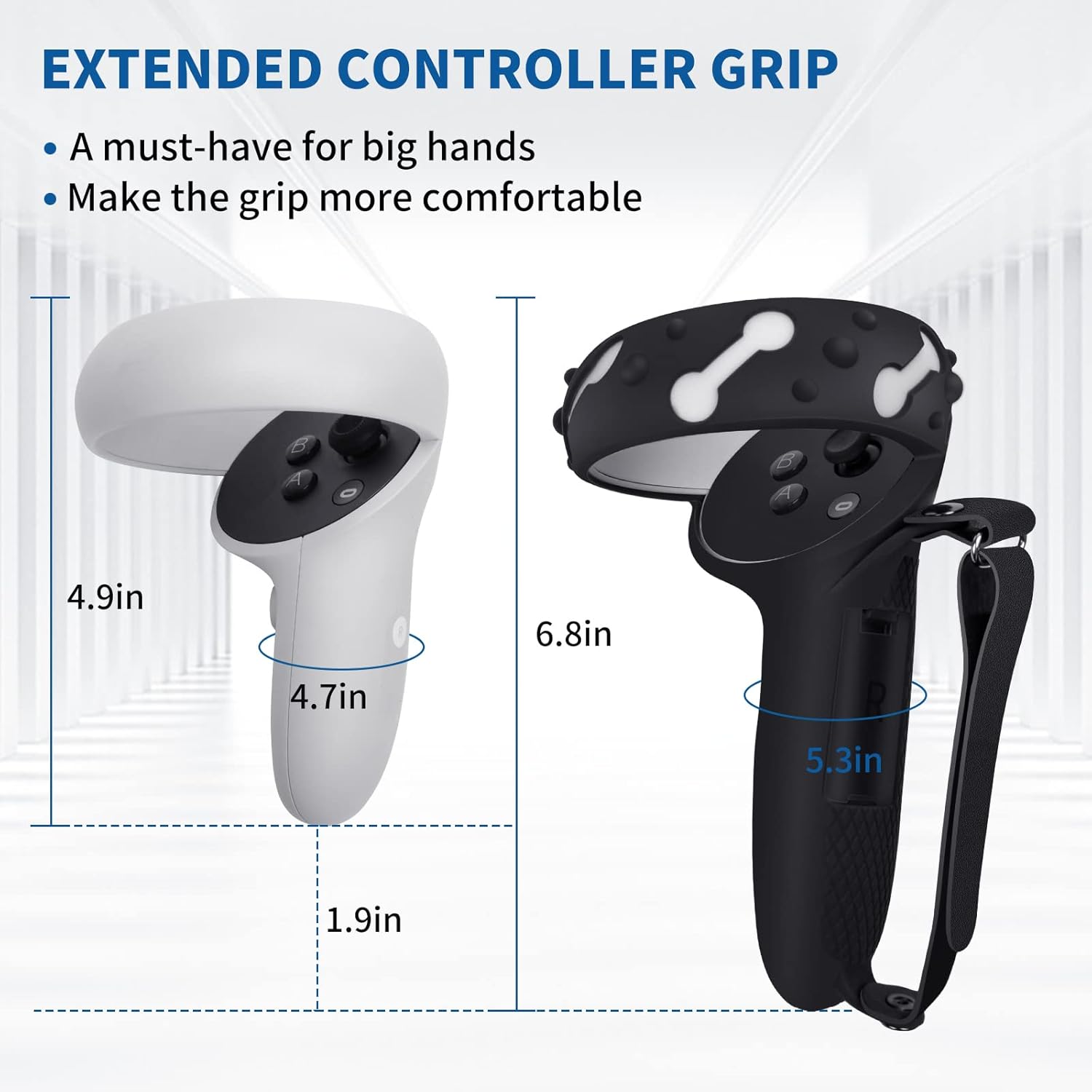
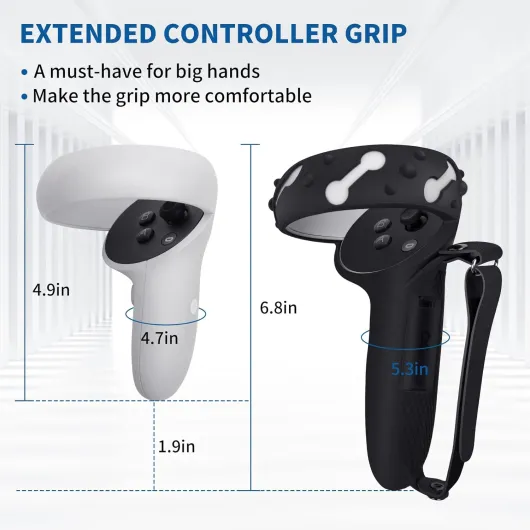
Knuckle grips are specialized accessories designed to enhance your interaction with Meta Quest controllers. Unlike the original controller grips, knuckle grips wrap around your hand and secure the controller with an adjustable strap, often made from materials like leather or durable synthetic fabrics. This design allows you to release your grip without dropping the controller, giving you a more natural and immersive VR experience.
For Quest 2 users, these grips are more than just a comfort upgrade. They help maintain a firm hold during intense gameplay, reducing the risk of accidental drops. Many products, such as the popular Kiwi grips, offer extra features like grip covers and knuckle straps for added security and comfort. Some even come with free shipping or bundle deals, making them a cost-effective addition to your cart.
- Controller security: Knuckle straps keep the controller attached to your hand, even if you let go.
- Enhanced comfort: Ergonomic grip covers reduce fatigue during long sessions.
- Custom fit: Adjustable straps accommodate different hand sizes and preferences.
When browsing for knuckle grips, you’ll notice a range of prices and designs. Some products offer unique features like strap leather finishes or extra padding. Others focus on lightweight construction or compatibility with both Meta Quest and Oculus Quest controllers. It’s important to consider how these options fit your play style and the overall quest experience you want to achieve.
For those interested in the technical side of gaming accessories, exploring the intricacies of gaming console gear rims can provide further insight into how thoughtful design impacts performance and comfort.

Benefits of using knuckle grips on quest 2
Why knuckle grips change the way you play
Using knuckle grips on your Quest 2 controllers can make a real difference in your VR gaming experience. These grips are designed to fit over your original controller, giving you a more secure and comfortable hold. This means you can move your hands freely without worrying about dropping your controllers, even during intense action.
- Improved comfort: The ergonomic design of knuckle grips, like those from Kiwi or other top brands, helps reduce hand fatigue during long sessions. The added padding and grip cover material make holding the controller feel more natural.
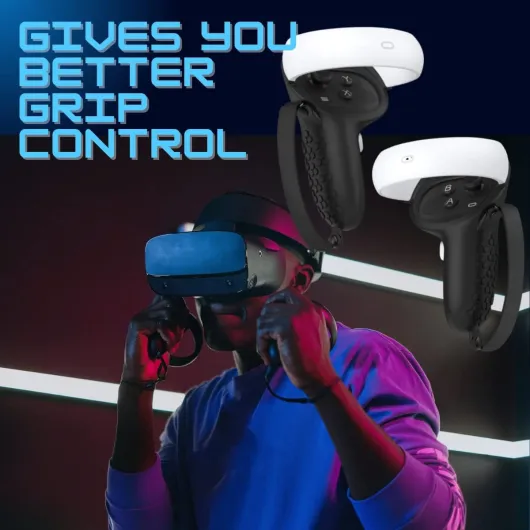
- Better control: With knuckle straps, your hands stay connected to the controller, allowing for more precise movements. This is especially useful in games that require quick reflexes or complex gestures.
- Enhanced immersion: Because you don’t have to grip as tightly, your hands can relax and interact more naturally. This adds to the realism and enjoyment of your Quest experience.
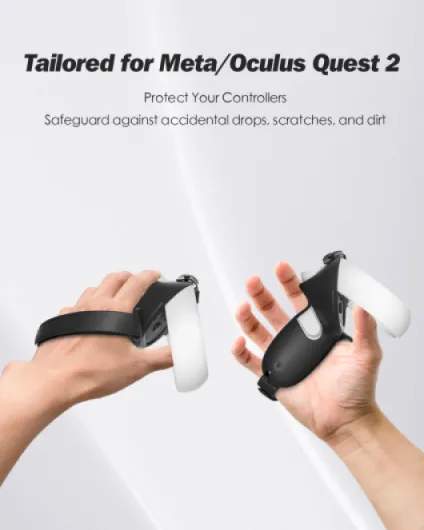
- Protection for your controllers: Grips and covers act as a shield, protecting your Quest controllers from scratches, drops, and sweat. This can help maintain the product’s value and extend its lifespan.
- Customizable options: Many knuckle grip products come with adjustable straps, including leather or fabric options, so you can find the fit that works best for you. Some even offer free shipping or bundle deals, making the price more attractive.
For those interested in optimizing their setup further, exploring the benefits of low-profile keycaps for gamers can also enhance your overall gaming environment.
When browsing for the right grip, check if the product offers features like a secure strap, easy installation, and a design that matches your style. Many online stores highlight these in their cart or checkout process, sometimes with free shipping or calculated shipping options. Always compare the price and read user reviews before adding to your cart or continuing shopping.
Key features to consider when choosing knuckle grips
What to Look for in Quality Knuckle Grips
When searching for the best knuckle grips for your Quest 2 controllers, a few key features can make a real difference in your VR gaming experience. The right product not only improves comfort but also enhances control and durability. Here’s what you should keep in mind:- Material and Comfort: Look for grips made from high-quality silicone or leather. These materials provide a secure feel and help prevent your hands from slipping during intense sessions. Some options, like grips from Kiwi, are known for their soft touch and ergonomic design.
- Adjustable Knuckle Straps: A good grip will include adjustable knuckle straps. These straps let you customize the fit for your hand size, ensuring the controller stays secure even if you let go. Leather straps can offer extra durability and a premium feel.
- Grip Cover Design: The design should allow easy access to all controller buttons and sensors. A well-designed grip cover won’t interfere with tracking or gameplay. Some covers also add extra padding for comfort during long sessions.
- Easy Installation: Choose grips that are simple to install and remove. Some products come with clear instructions or even video guides, making setup hassle-free.
- Compatibility: Make sure the grips are designed specifically for Meta Quest 2 controllers. This ensures a snug fit and reliable performance.
- Price and Value: While price can vary, look for options that offer free shipping or bundle deals. Check if the product is available directly from the manufacturer or trusted retailers. Some stores offer a view cart or continue shopping feature for a smoother buying experience.
Comparing Popular Options
| Brand | Material | Adjustable Strap | Price Range | Shipping |
|---|---|---|---|---|
| Kiwi | Silicone | Yes | Mid | Free shipping on select items |
| Meta (Original) | Plastic/Leather | Yes | High | Shipping calculated at checkout |
| Third-Party | Varies | Some | Low to Mid | Depends on retailer |
Personalizing Your Controller Grips
Some users enjoy customizing their controller grip covers for a unique look or improved comfort. If you’re interested in personalizing your VR setup, you might find inspiration in this guide on how to personalize your Nintendo Switch controller. Many of the same principles apply to Quest controllers, such as choosing colors, patterns, or even adding extra padding for a tailored experience. Remember, the right knuckle grip can make a big difference in your overall Quest experience, so take the time to compare features and find the best fit for your needs.Installation and setup tips for knuckle grips quest 2
Step-by-step guide to fitting knuckle grips
Getting your knuckle grips set up on your Quest controllers can make a big difference in your VR gaming experience. Here’s a straightforward approach to installing your new grips, whether you’ve chosen a popular product like grips kiwi or another top-rated design.
- Unbox and inspect: Start by removing the knuckle grips from their packaging. Check for all included parts, such as straps, grip covers, and any extra accessories. Some products offer free shipping and include additional items like a strap leather or a grip cover.
- Remove existing covers: If your Quest controllers already have a cover or grip, take these off first. This ensures a snug fit for your new controller grips.
- Slide on the grip: Carefully slide the grip over the controller. Make sure the fit is secure but not too tight, as this could affect button access or tracking. The design of the grip should align with the original controller shape.
- Attach the knuckle strap: Loop the knuckle strap through the designated slot on the grip. Adjust the strap so it fits comfortably around your hand, providing support without restricting movement. Some knuckle straps use Velcro, while others use a buckle or snap system.
- Test the fit: Hold the controller as you would during gameplay. The grip should feel stable, and the knuckle strap should keep the controller secure even if you open your hand. Adjust as needed for comfort and safety.
- Check tracking and buttons: Power on your Meta Quest and test the controller. Make sure all buttons are accessible and that the grip or cover does not interfere with sensors or tracking.
Tips for a smooth installation
- Choose a product with clear instructions and a design that matches your Quest controllers. Some brands, like grips kiwi, are known for their easy installation and reliable fit.
- If you encounter resistance when fitting the grip, avoid forcing it. Instead, gently stretch the material or consult the manufacturer’s guide.
- Keep your hands clean during installation to prevent dirt from getting trapped under the grip cover.
- For those concerned about price, compare options in your cart before checkout. Many online stores offer calculated shipping or even free shipping on top products.
What to do if you run into issues
- If the grip feels loose, check if the strap is properly secured. Some controller knuckle grips come with adjustable straps for a better fit.
- For discomfort or slipping, consider a grip with a textured surface or additional padding.
- If you’re not satisfied with the fit or design, check the store’s return policy before you continue shopping or view cart for alternatives.
Proper installation of knuckle grips can significantly enhance your Quest experience by improving comfort and control. Taking the time to set up your controller grips correctly ensures you get the most out of your VR sessions, whether you’re using the original Meta Quest controllers or a newer model.
Common challenges and solutions with knuckle grips
Dealing with Fit and Comfort Issues
One of the most common challenges users face with knuckle grips for the Quest 2 is achieving a secure and comfortable fit. Since hands come in different sizes, not every grip or strap design will suit everyone. Some users report that the original controller grips can feel too tight or too loose, especially during longer gaming sessions. To address this, look for products with adjustable knuckle straps or grip covers that allow you to fine-tune the fit. Brands like KIWI offer grips with customizable straps, which can help improve comfort and control during intense VR experiences.
Ensuring Compatibility with Accessories
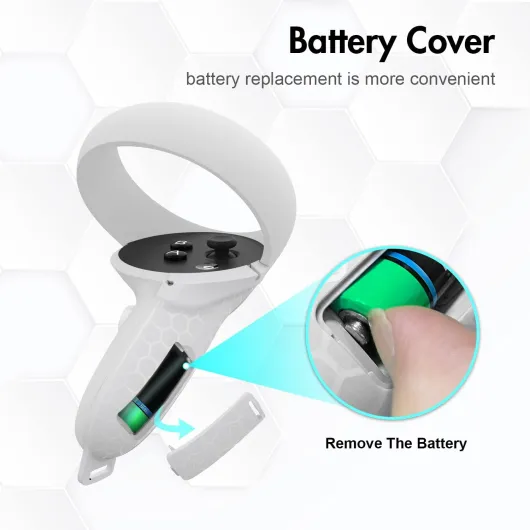
Another issue is compatibility with other Quest accessories. Some grip covers or knuckle straps may interfere with charging docks or block access to the battery compartment. Before adding a new product to your cart, check if the grip design allows for easy battery replacement and works with your existing setup. Reading user reviews and checking the product description for details like "shipping calculated at checkout" or "free shipping" can also help you make an informed decision.
Grip Slippage and Controller Security
Slipping grips or loose straps can impact your Quest experience, especially during fast-paced games. If you notice your controller grip shifting during play, consider using grips with a textured surface or a strap leather finish for extra hold. Some users prefer knuckle straps that wrap securely around the hand, reducing the risk of dropping the controller. Make sure to test the grip before starting a session to avoid interruptions.
Maintenance and Cleaning Tips
Maintaining your knuckle grips is essential for hygiene and longevity. Grips and covers can accumulate sweat and dust, which may affect performance and comfort. Most grip covers are made from materials that can be wiped clean with a damp cloth. For deeper cleaning, check if the product is washable. Regular maintenance will keep your Quest controllers in top condition and extend the life of your grip accessories.
Customer Support and Warranty
Finally, if you encounter persistent issues with your knuckle grips, such as defective straps or poor fit, reach out to the manufacturer’s customer support. Many reputable brands offer warranties or free replacements for faulty products. Always keep your purchase details handy, especially if you bought the grips with free shipping or during a special promotion. This can help streamline the process if you need to return or exchange the item.
User experiences and recommendations
Real-World Feedback from VR Gamers
Many VR enthusiasts who have added knuckle grips to their Quest 2 controllers report a noticeable improvement in their overall quest experience. The enhanced grip and security provided by these products allow users to play more actively without worrying about dropping their controllers. This is especially true for those who enjoy fast-paced games or fitness apps, where a secure hold is essential.What Users Appreciate Most
- Comfort: Many users highlight the ergonomic design of top knuckle grips, such as the grips kiwi or strap leather models. These covers and straps help reduce hand fatigue during long sessions.
- Security: The addition of a knuckle strap or grip cover ensures the controller stays attached to the hand, even during intense movements. This feature is often praised for adding peace of mind.
- Customization: Some products offer adjustable straps and different materials, like leather or silicone, allowing users to find the perfect fit for their hand size and play style.
- Value: Users often mention the price-to-quality ratio, especially when free shipping or calculated checkout options are available. Many find that investing in quality controller grips is worth it for the improved experience.
Common Critiques and Solutions
While most feedback is positive, some users mention challenges such as:- Installation: Some find the initial setup tricky, especially when fitting the grips cover over the original controller. Following detailed instructions or video guides can help.
- Fit: Not all knuckle grips fit every hand perfectly. Trying different designs or adjusting the knuckle straps can make a big difference.
- Bulkiness: A few users feel that certain covers add extra bulk to the quest controllers. Opting for slimmer designs may resolve this issue.