Summary
Editor's rating
Value: good bang for your buck, with some compromises
Design: functional, a bit bulky, clearly console-oriented
Comfort: good enough for long flights, but a few quirks
Materials: lots of plastic, decent weight, nothing premium
Durability: feels okay for the price, but not tank-like
Performance: decent precision and very usable for sims
What you actually get in the box
Pros
- Very easy plug-and-play setup on Xbox Series X|S and PC with no complex configuration
- Complete HOTAS layout (stick + throttle + twist rudder) that’s a big upgrade over a gamepad
- Good value for beginners and casual sim players, with decent precision and comfort for the price
Cons
- All-plastic build with clicky buttons and no force feedback, feels mid-range at best
- No headset jack on the unit and PC driver updates can cause throttle issues if installed

Specifications
View full product page →| Brand | Thrustmaster |
A simple way to stop flying with a gamepad
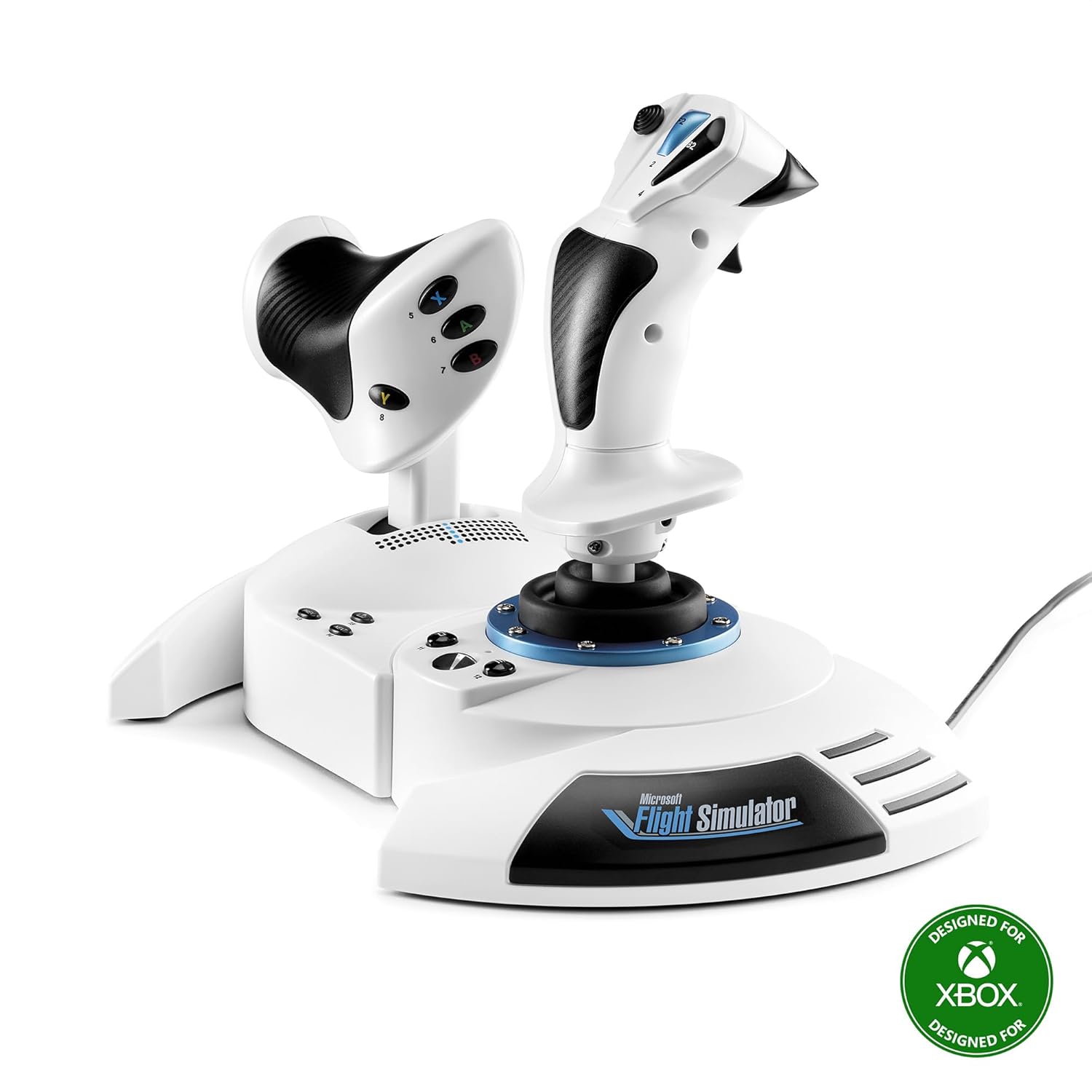
I grabbed the Thrustmaster T-Flight Hotas One Microsoft Flight Sim 2024 White Edition because I was tired of flying in Microsoft Flight Simulator with an Xbox controller. I’m not a hardcore simmer with a full cockpit in the living room, I just wanted something a bit more serious than two thumbsticks. I’ve used a couple of older Thrustmaster sticks on PC before, so I had a rough idea of what to expect: mostly plastic, decent feel, nothing fancy.
Setup on both Xbox Series X and PC was honestly as basic as it gets. I plugged it into the console, hit the Xbox button on the base, and MSFS picked it up right away. No firmware flashing, no weird config screens. On PC, Windows 11 installed its own driver and that was enough. After reading some user reviews, I actually avoided installing the Thrustmaster driver software, and I’m glad I did because people report throttle bugs after updating.
In use, the first thing that stood out is that this is clearly an entry-level HOTAS. The plastic feel, the clicky buttons, the lack of force feedback – you notice all of that in the first hour. But at the same time, the jump in control compared to a standard Xbox pad is big. Takeoffs and landings feel more controlled, and managing throttle with an actual lever instead of a trigger just makes more sense.
Overall, my first impression after a few evenings of MSFS, a bit of Elite Dangerous, and some arcade flying games is pretty straightforward: it’s not perfect, but it gets the job done for the price. If you expect premium metal parts and pro-level precision, you’ll be disappointed. If you just want to enjoy flying without spending half a paycheck, this is a pretty solid middle ground.
Value: good bang for your buck, with some compromises
From a value perspective, the T-Flight Hotas One Microsoft Flight Sim 2024 White Edition sits in a pretty sweet spot. It’s usually priced way below premium HOTAS setups, while still giving you both a stick and a throttle that work on Xbox Series X|S and PC. Considering many high-end sticks cost 2–3 times more and don’t even support Xbox, that’s a big plus for console players.
What you’re paying for here is mainly: plug-and-play console support, a complete HOTAS layout, and a known brand with a decent track record. You’re clearly not paying for premium materials, force feedback, or ultra-precise sensors. If you accept that, the value is pretty solid. It’s a big step up from a controller without stepping into the expensive, niche sim gear category.
On the downside, there are a few corners cut that are annoying even at this price. No headset jack means you might need a second controller powered on just for chat on Xbox. No force feedback or rumble removes some immersion. And the driver story on PC is a bit of a joke: the fact that the “official” drivers can break your throttle and you’re better off with the default Windows ones is not great. These are not dealbreakers, but they do lower the overall feeling of polish.
If I look at the full package – design, build, performance, compatibility, and price – I’d say it’s good value for money for beginners and casual sim fans. It’s not the cheapest stick on the market, but it gives you a complete and fairly capable HOTAS that works on both Xbox and PC. If you already know you’re going deep into flight sims, it might make more sense to save up for something more serious. But if you just want to stop flying with a gamepad and keep your budget under control, this is a reasonable and practical choice.
Design: functional, a bit bulky, clearly console-oriented
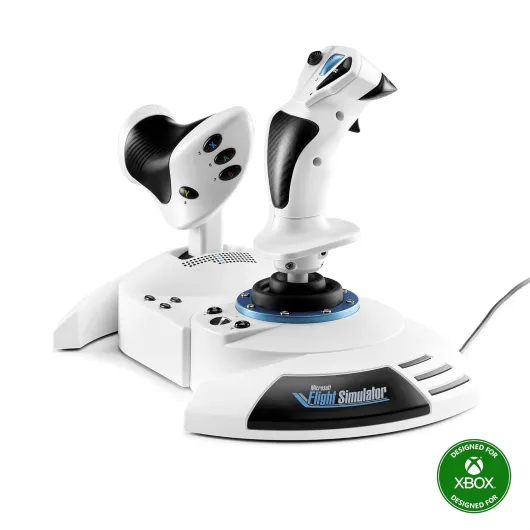
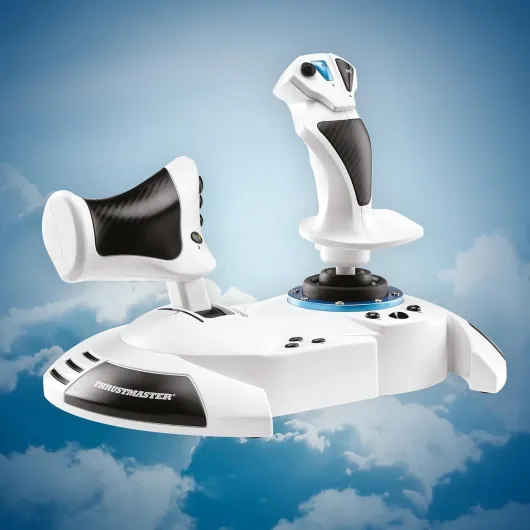
Design-wise, this thing screams “console accessory”. The bases are wide with these weird plastic “wings” that extend toward you. I get that it probably helps with stability on a table or your lap, but it also means you can’t pull the stick super close to your body if you’re sitting at a narrow desk. It’s not a dealbreaker, but it feels like they chose looks over pure practicality here.
The white MSFS edition actually looks nice next to an Xbox Series X|S. The white plastic is clean, and the small LED power light on the base is intentionally dim, which I really appreciated when playing in the dark. You don’t get any RGB nonsense or bright distracting LEDs. The buttons are clearly labeled, though if you’re new to flight sims you’ll still need to learn what you mapped where.
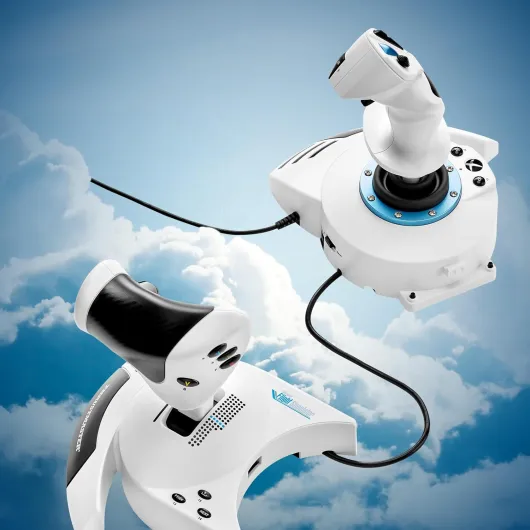
The option to detach the throttle from the stick is one of the better ideas in the design. You can either keep them locked together for couch play (on a lapboard, for example) or separate them by 15–20 cm on a desk to have a more natural hands-apart position. The cable between both halves is long enough for a normal desk setup but not long enough to place them super far apart like a full cockpit. Still, it’s flexible enough for most casual setups.
My main complaints on design: no headset jack anywhere, which is annoying on Xbox when you want to chat or use a wired headset. You need a second Xbox controller turned on just to plug in your headset, which is clumsy. Also, no built-in mounting solution – no screw holes or clamps – so if you want a permanent cockpit rig, you’ll need to DIY something or use a generic tray. Overall, the design is practical for occasional or living-room use, a bit limited if you plan to build a serious sim pit.
Comfort: good enough for long flights, but a few quirks
In terms of comfort, I was pleasantly surprised overall. The grip of the joystick fits my average-sized hand pretty well. The main trigger sits naturally under the index finger, and the thumb can reach the hat switch and main side buttons without doing finger yoga. I did a couple of 2–3 hour MSFS sessions and didn’t end up with hand cramps, which is already a win compared to some smaller, cramped sticks.
The ability to adjust the stick resistance is a nice touch. There’s a tension knob under the base that lets you make the stick looser or stiffer. Personally, I set it to max almost immediately and left it there; at lower tension it felt a bit too floppy for my taste. I actually wish there was the option to go a bit stiffer than the current maximum, but that’s personal preference. The throttle doesn’t have a tension adjustment, which is a shame. It moves smoothly, but I’d like a bit more resistance to make tiny power changes more precise.
One ergonomic downside for me is those front “wings” on the bases. They look like they’re there to help rest your wrists, but in reality they mostly just prevent you from bringing the units closer to the edge of the desk. On a narrow desk, it pushes everything slightly further away from you, which can be tiring if you have short arms or sit far back. On a lapboard, it’s less of an issue because you adjust the whole board position.
The twist rudder on the stick is actually pretty comfortable to use. It’s not super stiff, so you can easily apply small corrections during landing or taxiing. If you prefer, you can ignore it and use the rudder rocker on the throttle or add real pedals later. Overall, comfort is pretty solid for casual and mid-length sessions. It’s not a perfectly ergonomic pro stick, but for the price point and the target audience, it does the job.
Materials: lots of plastic, decent weight, nothing premium
Let’s be honest: the T-Flight Hotas One is basically plastic everywhere. The stick, the throttle, the buttons, the bases – it’s all hard plastic with no rubberized grips or soft-touch coating. If you’ve ever tried higher-end sticks with metal parts and rubber grips, you’ll feel the difference right away. This isn’t trying to compete with those, and it shows.
That said, the plastic doesn’t feel like cheap toy material. The bases have a decent amount of weight, and the rubber feet underneath grip well on a desk or a lapboard. I played a few long sessions on an oversized laptop tray on my couch, and nothing slid around. The stick does have a slight “clunk” near the extremes of its travel, which reminds you that the internal mechanism isn’t top-tier, but it’s not catastrophic either. It just feels like what it is: mid-range hardware.
The buttons themselves are somewhat clicky, almost like microswitches. Some people will like that because you clearly feel when you’ve pressed something; others might find it a bit noisy and harsh. The trigger feels fine for repeated use in combat or space sims, but it’s still plastic and doesn’t give that heavy-duty impression. There’s also no visible metal reinforcement on the bases or the lever.
If you’re expecting a long-term, heavy-use, “I’m going to fly every night for years” kind of device, the materials might worry you a bit. For casual to moderate use, they’re acceptable. I’d say the materials are nothing special but effective for the price bracket. It doesn’t feel like it’s going to snap in your hands, but it also doesn’t feel like a premium piece of gear you’ll proudly keep for 10 years.
Durability: feels okay for the price, but not tank-like
I haven’t had this stick for years, so I can’t pretend I know exactly how it will age, but I can talk about how it feels and what others report. The general build gives a sense of “this will last a while if you’re not brutal with it,” but it doesn’t feel bombproof. The plastic joints and the slight clunk at the extremes of the stick movement make me think this is more of a 3–5 year casual-use product than a decade-long investment.
The good news is that the base is solid, and there’s no obvious wobble or flex where the stick meets the base. The throttle rail also feels stable, with no weird side play after a few evenings of fairly heavy use. The buttons, even if they’re clicky and a bit cheap-feeling, don’t show any early signs of sticking or double-registering, at least in my experience so far.
On the negative side, the all-plastic construction means that if you’re rough with the twist rudder or constantly slam the throttle from idle to full, I wouldn’t be shocked if something loosens over time. Also, reading through other user reviews (the product has a 4.4/5 rating with thousands of reviews), you sometimes see reports of throttle axis issues, often tied to driver problems or calibration. That’s more of a software/firmware durability problem than pure physical wear, but it still matters in real use.
Overall, I’d rate durability as acceptable for the price bracket. It’s clearly not designed for hardcore sim pit addicts who fly every day, but for someone doing a few flights a week or playing some space sims in the evening, it should hold up decently as long as you don’t abuse it and you skip the buggy drivers.
Performance: decent precision and very usable for sims
On the performance side, the T-Flight Hotas One delivers about what you’d expect from a mid-range HOTAS. You get 5 axes (including the twist rudder), 10-bit precision, and 14 buttons plus a hat. In Microsoft Flight Simulator, that’s enough to map all the key stuff: pitch, roll, yaw, throttle, flaps, trim, camera views, gear, etc. Once configured, the stick feels responsive and predictable, with only a small dead zone around the center.
Compared to flying with a standard Xbox controller, the difference is night and day. Takeoffs are smoother, you can flare more precisely when landing, and managing throttle is way easier. I also tried it with Elite Dangerous on Steam, and it was detected by default and worked fine as a basic HOTAS setup. MechWarrior 5 also picked it up after a quick controller setup in Steam, and the throttle and twist rudder worked there too, which is nice if you don’t only play flight sims.
One thing I need to point out: several users, and I’ll echo this, said that updating the Thrustmaster drivers on PC can cause throttle issues (jumping between 0–25% randomly). I avoided the driver update and stuck with the default Windows 11 driver, and I had no such problem. So in practice, performance is good as long as you leave the drivers alone and calibrate it properly. It’s a bit silly that a driver update can break things, but that’s where we are.
There’s no force feedback or rumble, and that’s clearly a missing feature if you like tactile feedback when you stall or fire weapons. Also, the motion of the stick isn’t perfectly smooth; near the edge of travel you can feel a slight mechanical bump. It doesn’t ruin the experience, but it reminds you that you’re not using high-end gear. Overall, I’d say the performance is good enough for beginners and casual sim players, and it’s a big upgrade over a pad, but serious sim fans will eventually want something more precise and robust.
What you actually get in the box
Out of the box, the T-Flight Hotas One comes in two main pieces: the joystick and the throttle, already attached together by a plastic rail system. You can keep them as one big unit or separate them with a simple screw system and a cable that links both halves. No extra accessories in the box beyond the basics – no rudder pedals, no desk clamp, just the stick, throttle, and paperwork.
The version I tested is the Microsoft Flight Simulator 2024 White Edition, so it has that white finish that matches the Xbox Series S / X aesthetic. Functionally it’s the same layout as the standard black T-Flight Hotas One: 5 axes, 14 buttons, a rapid trigger, and a hat switch. On Xbox, the base also has the usual Xbox buttons (Menu, View, Xbox logo, etc.) so you can navigate menus without swapping back to a controller.
On paper, it’s marketed as compatible with Xbox Series X|S and PC, with optional support for the Thrustmaster TFRP rudder pedals if you want to extend the setup later. The rudder can be controlled either by twisting the stick (Z axis) or using a small rocker on the throttle. It’s clearly designed to cover a bit of everything: civilian flight sims like MSFS, space sims like Elite Dangerous, and even some mech or arcade shooters that see it as an Xbox gamepad.
In practice, the whole package feels like a “starter kit” for people who want to try HOTAS without going straight into high-end gear. No extras, no frills, but enough buttons and axes to map all the basics. If you’re expecting a full ecosystem in the box, you’ll be disappointed. If you just want something that works out of the box with MSFS and a few other games, this is basically plug-and-play and that’s it.
Pros
- Very easy plug-and-play setup on Xbox Series X|S and PC with no complex configuration
- Complete HOTAS layout (stick + throttle + twist rudder) that’s a big upgrade over a gamepad
- Good value for beginners and casual sim players, with decent precision and comfort for the price
Cons
- All-plastic build with clicky buttons and no force feedback, feels mid-range at best
- No headset jack on the unit and PC driver updates can cause throttle issues if installed
Conclusion
Editor's rating
The Thrustmaster T-Flight Hotas One Microsoft Flight Sim 2024 White Edition is a straightforward, no-nonsense way to get into flight sims on Xbox Series X|S and PC without blowing your budget. It’s mostly plastic, the buttons are a bit clicky, and there’s no force feedback, but the core experience is clearly better than using a standard controller. The stick is reasonably precise, the throttle is smooth enough, and the twist rudder plus extra rocker give you flexible control options. For most casual pilots and newcomers to MSFS, it simply gets the job done.
It’s not perfect. The lack of a headset jack on Xbox is annoying, the design has some quirks (those front “wings” on the bases, no mounting options), and on PC you’re better off avoiding Thrustmaster’s own drivers to dodge throttle bugs. Long-term durability is likely fine for normal use but doesn’t feel bulletproof. If you’re a hardcore simmer or you know you’ll be flying for hours every single day, you’ll probably outgrow this and want something more robust and premium. But if you’re starting out, or you just want to enjoy MSFS, Elite Dangerous, or a few other flying games with a proper HOTAS setup, this is a pretty solid and reasonably priced entry point.