Summary
Editor's rating
Value: good price for people who value time over tinkering
Design: compact CoreXY tank with some quirks
Durability and reliability: feels sturdy, but software is the weak link
Performance: fast on paper, pretty solid in real life
What the Adventurer 5M actually offers in real life
Effectiveness: from unboxing to real parts without losing your mind
Pros
- CoreXY with auto leveling gives reliable first layers and faster prints than basic bed-slingers
- Quick-swap nozzle system and dual-sided PEI bed make maintenance and part removal easy
- Enclosed, sturdy design that works well for home or small business use with minimal tinkering
Cons
- Software ecosystem is a bit messy and macOS support lags behind new OS releases
- Not the quietest printer at higher speeds and enclosure makes access slightly tighter for maintenance

Specifications
View full product page →| Brand | FLASHFORGE |
A 3D printer for people who just want it to work
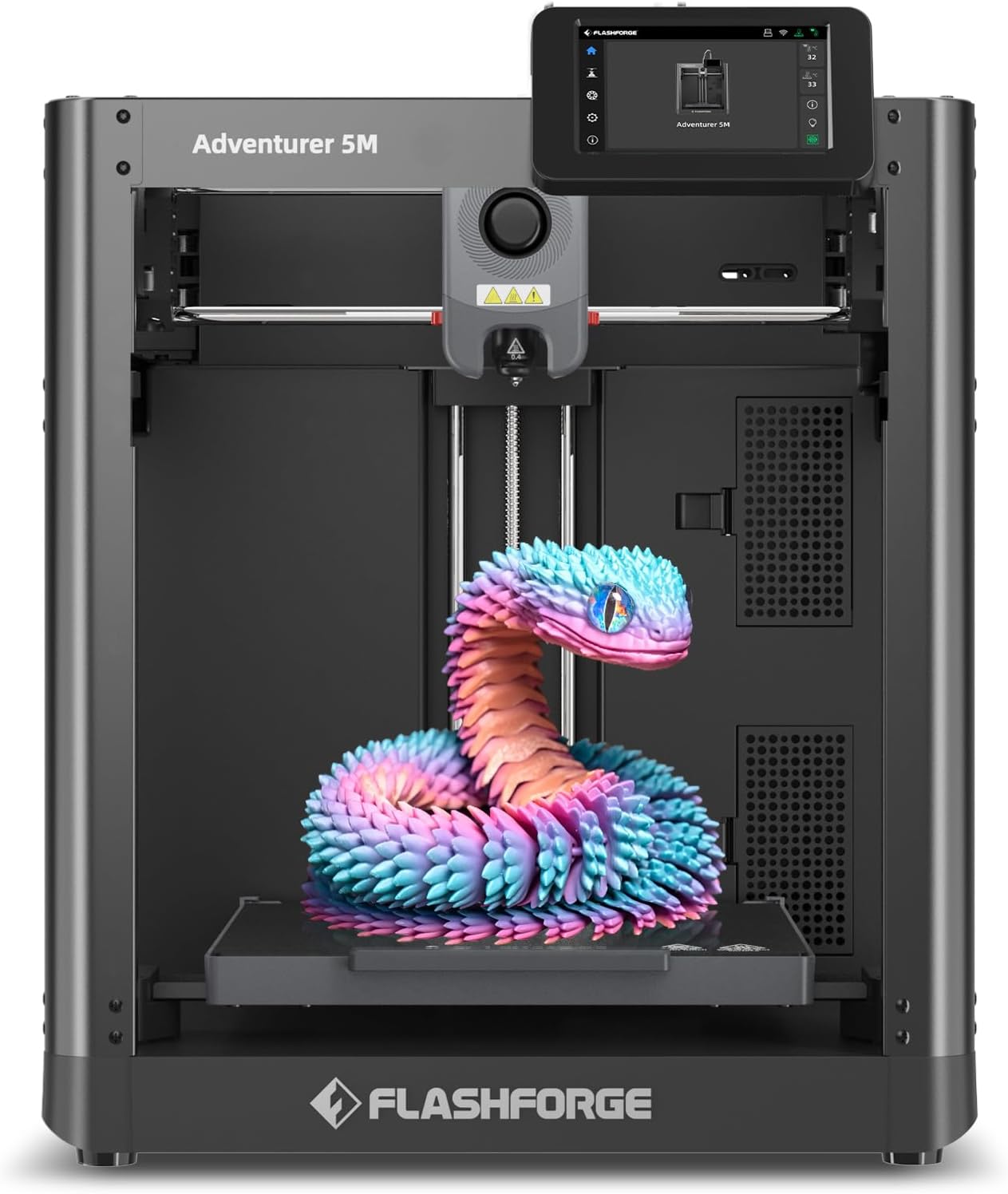
I picked up the FLASHFORGE Adventurer 5M because I was tired of fighting with cheap, half-assembled printers. I wanted something I could drop on a desk, plug in, and actually start printing instead of spending my evenings chasing bed leveling and mystery clogs. On paper, this thing promises a lot: CoreXY, up to 600 mm/s, auto leveling, and a quick-swap nozzle system. The Amazon rating is 4/5 with a lot of reviews, so I figured it was at least a safe bet.
Out of the box, the setup really is closer to a home appliance than a hobbyist kit. You’re not building a frame from scratch or routing cables. Most of the time goes into peeling tape, removing packaging foam, and going through the touchscreen wizard. That part is pretty straightforward. Where it gets less smooth is the software side: between the FlashMaker app, FlashPrint, and/or Orca-FlashForge, it’s not super clear what you actually need until you start stumbling through it.
Once I got past the software mess, the first prints were honestly pretty solid. The preloaded test models came out clean without any tuning, and the bed adhesion was decent right away. Compared to my older bed-slinger that needed constant babying, this felt like a relief. It’s not magic, but it’s a clear step up if you’re coming from a very basic open-frame printer.
Overall, my first impression is: this is a 3D printer aimed at people who want to make stuff, not spend their life in calibration menus. It’s not perfect, and FlashForge really needs to sort out their software clarity and OS support, but as a practical tool on a desk, it gets the job done with a lot less drama than some cheaper brands.
Value: good price for people who value time over tinkering
On value, the Adventurer 5M sits in that mid-range zone where you’re paying more than for the cheapest DIY kits, but less than for high-end prosumer machines. For the money, you’re getting CoreXY speed, auto leveling, a 280 °C direct drive, quick-swap nozzles, and an enclosed structure. That combination is not that common at this price point, especially from a brand that’s fairly established. Considering it’s ranked near the top of 3D printers on Amazon and holds a 4/5 rating over thousands of reviews, it’s clearly hitting a decent price/performance balance for a lot of people.
If you compare it to ultra-budget printers, you can absolutely spend less. But then you’ll likely spend the difference in time and frustration: manual bed leveling, constant tuning, maybe even hardware mods to get reliable prints. One reviewer basically admitted that their cheap printer forced them to learn a lot, but also drove them up the wall with repeated failures and, eventually, a firmware update that killed the machine. The Adventurer 5M is more about paying a bit extra to avoid that drama. For someone running a small business or just printing regularly, the time saved and fewer failed prints do matter.
Running costs are reasonable. The consumables (nozzles, beds) are not overpriced, and you’re not locked into some weird proprietary filament system. You can use normal spools and standard materials like PLA and PETG. The only “lock-in” is more on the software side, since FlashForge clearly wants you in their ecosystem. But even there, you still end up with standard GX files on a USB stick if you want to keep it simple and ignore the cloud features.
So in terms of value for money: if you’re the kind of person who enjoys building and heavily modding printers, you can probably get more raw capability for the same price with a more open machine. But if you’re more interested in a reliable, reasonably fast printer that behaves more like an appliance, the Adventurer 5M offers good value. It’s not the cheapest, it’s not the most hardcore, but it hits a comfortable middle ground that makes sense for beginners and practical users.
Design: compact CoreXY tank with some quirks
Design-wise, the Adventurer 5M sits somewhere between a hobby printer and an office device. The footprint is about 15.8 × 14.3 × 17.6 inches, so it’s not tiny, but it’s compact enough for a desk or a shelf. The CoreXY layout is the big difference compared to cheap bed-slingers: the bed only moves in Z, and the head flies around in X/Y. In practice, that means less wobble on taller parts and smoother motion at higher speeds. You can actually hear and see it move with intent; it doesn’t feel like the whole frame is about to shake itself apart.
The enclosure is mostly metal with PC panels. It feels sturdy enough, and the extra weight helps keep vibrations under control. The touchscreen on the front is clear and fairly straightforward. It walks you through the initial setup, Wi-Fi connection, and auto-leveling routine. It’s not the slickest interface on the market, but it’s much better than the clunky little knob-and-screen combos on older budget printers. The internal lighting and visibility are decent, and the overall look is clean and “appliance-like” rather than a science project.
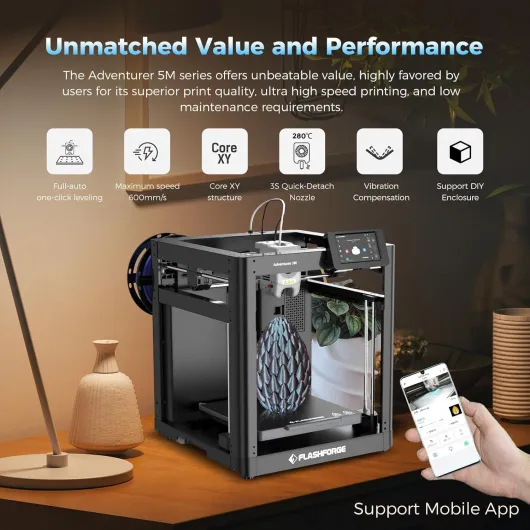
One design choice I like is the 3-second detachable nozzle. If you clog it or want to change size, you’re not undoing half the hotend assembly or hunting for tiny screws. You pop it out, pop another one in, and get back to printing. That’s a small detail that saves time and frustration, especially for newer users who panic at the first clog. The dual-fan setup on the nozzle also helps with cooling, which shows in sharper edges and fewer droopy overhangs when the profiles are dialed in.
The downsides: it’s not the quietest printer. At higher speeds you definitely hear the fans and motion system. I wouldn’t put it in a bedroom or right next to where you take calls all day. Also, while the enclosure is nice for keeping kids’ fingers away and stabilizing temperature, it does make access a bit tighter when you want to clean, adjust, or pull out a failed print. Nothing dramatic, but compared to an open-frame machine, you do a bit more reaching around doors and panels. Overall, though, the design feels like it was built for normal users, not just enthusiasts with a toolbox always open.
Durability and reliability: feels sturdy, but software is the weak link
In terms of physical build, the Adventurer 5M gives a decent impression of durability. The all-metal structure and CoreXY setup mean the frame doesn’t flex all over the place when it’s moving quickly. At around 24 pounds, it has enough weight that it doesn’t walk across the table. The enclosed design also helps protect the internals from dust, curious kids, and random bumps. Over time, that usually means fewer mechanical issues compared to totally open rigs that live in a workshop full of debris.
The parts that wear out on most printers are the nozzle, bed surface, belts, and fans. Here, the quick-swap nozzle is actually a plus for long-term use: instead of trying to resurrect a badly clogged nozzle, you can just replace the module in a few seconds. Nozzles and beds are available separately and not insanely priced, so keeping the machine running doesn’t feel like feeding a money pit. The dual-sided PEI plate will eventually get scratched or lose grip in spots, but flipping or replacing it is straightforward.
Reliability-wise, user feedback suggests that once this printer is set up correctly, it just keeps printing without constant recalibration. Several people moved to FlashForge after getting burned by machines that needed non-stop tweaking (looking at you, some Creality models). One reviewer literally “rage-quit” their Ender 3 S1 after a firmware update bricked it and was pleasantly surprised that the Adventurer just worked out of the box with zero nozzle-height games or bed adhesion drama. That kind of stability matters more than chasing the last bit of speed.
The weak spot for long-term reliability is software and ecosystem support. If FlashForge drags its feet on updating slicers and drivers for new operating systems, you could end up in the same spot as that Mac user who couldn’t install anything on the latest OS. The printer itself might be fine, but if you can’t feed it sliced files easily, that’s a problem. So, hardware durability: looks good. Print reliability: good once dialed in. Software longevity: a bit of a question mark, and something to keep in mind if you plan to keep the printer for many years and regularly update your computers.
Performance: fast on paper, pretty solid in real life
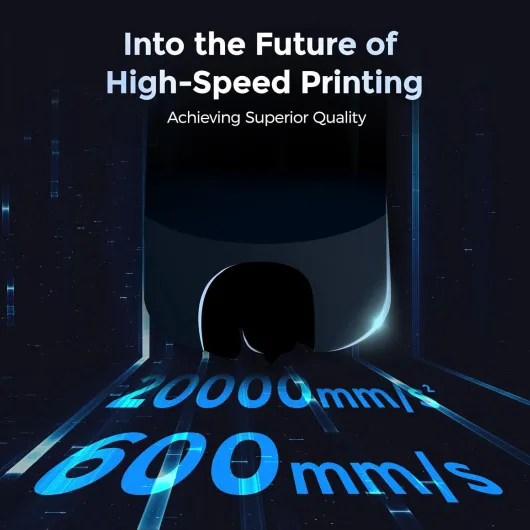
On performance, the marketing screams 600 mm/s and 20,000 mm/s² acceleration, which sounds wild for a printer in this price range. In real life, you’re not going to run every print at that speed unless you like failed parts and spaghetti. But even at more realistic speeds, the Adventurer 5M is clearly quicker than older bed-slingers. Benchmark models and calibration prints come out noticeably faster, especially when you use the built-in high-speed profiles. For a small business or someone churning out functional parts, that time adds up.
Print quality is solid out of the box. The combination of CoreXY, vibration compensation, and dual-fan cooling gives you clean walls and decent overhangs without a ton of tweaking. One user moved from an Ender 3 S1 to this and basically described it as night and day: with the Ender they were always fighting bed leveling, adhesion, and firmware; with the Adventurer 5M they went straight into printing bench models and PETG calibration parts with minimal drama. That kind of feedback matches my experience: the first layers look consistent, and you’re not babysitting every print.
The 280 °C direct drive extruder is good enough for PLA, PETG, and similar filaments. You can also play with some higher-temp stuff, but I’d treat it mainly as a strong general-purpose head, not a hardcore engineering-materials printer. The quick warmup (around 35 seconds to 200 °C) is nice: you hit print, it heats, and you’re printing without a long wait. The high-flow nozzle (32 mm³/s) also helps when you want to combine thicker layers and larger nozzles for fast functional parts.
On the downside, the advertised speed can be a bit misleading if you’re new. Yes, the machine can move that fast, but real-world prints at maximum speed will trade quality and reliability. Think of the 600 mm/s more as a ceiling than a daily setting. Also, it’s not whisper quiet at those higher speeds; the motion system and fans are very noticeable. Still, compared to the constant fiddling that some cheaper printers demand just to stay running, the Adventurer 5M offers a good balance: fast enough, consistent enough, and not a total headache once you have the profiles set.
What the Adventurer 5M actually offers in real life
On the spec sheet, the Adventurer 5M looks pretty stacked: CoreXY motion system, up to 600 mm/s travel speed, 20,000 mm/s² acceleration, 220 × 220 × 220 mm build volume, 280 °C direct drive extruder, and a fully automatic bed leveling system. In practice, what that means is that it’s built more for speed and convenience than tinkering. You’re not going to hit 600 mm/s on every print, but the default profiles are clearly more aggressive than the usual beginner printers. Parts come out fast enough that you actually notice the time saved on bigger jobs.
The printer is enclosed in a mostly metal and PC shell, and weighs around 24 pounds. So it’s not a toy, and it doesn’t feel flimsy when it moves at higher speeds. The nozzle system is quick-swap: you can change it in a few seconds, and there are several diameters available (0.25 to 0.8 mm). That’s handy if you want fine detail one day and fast, chunky prints the next. The bed is a dual-sided PEI plate, which is pretty standard now, but still nice to have for easy part removal.
Where things get a bit annoying is the ecosystem: you basically live between the FlashMaker mobile app for setup/monitoring and either FlashPrint 5 or Orca-FlashForge for slicing. If you’re on Windows, it’s workable. If you’re on newer macOS versions (like Sequoia), some users had trouble installing the software because FlashForge hadn’t updated the installers yet. One reviewer literally had to dig up an older Mac just to slice files, which is pretty silly in 2024. That’s not a hardware issue, but it does affect how usable the printer is day-to-day.
So, overall, the package is: a fast, reasonably polished CoreXY printer with decent volume and auto-leveling, wrapped in a slightly clunky but usable software environment. If you want a pure open ecosystem and full control, this is a bit more closed than the usual DIY rigs. If you want something closer to an appliance that just prints with minimal fuss, this lines up with that goal, as long as you’re okay with FlashForge’s software tools.
Effectiveness: from unboxing to real parts without losing your mind
In terms of pure “does this thing let me actually make stuff?”, the Adventurer 5M does a good job. One verified buyer bought it mainly to design custom polymer clay cutters and ended up printing their first usable object the same day. The key point is the one-click automatic leveling and guided setup. You don’t spend hours with a sheet of paper tweaking knobs. The printer probes the bed, sets the offset, and you get a decent first layer without much drama. For anyone who got burned by finicky printers before, that alone is a big relief.
The workflow looks like this in practice: design in something like TinkerCAD or Fusion, export an STL, slice it in FlashPrint or Orca-FlashForge, then either send the file over Wi-Fi or drop it on the included USB stick. It’s not the most open or flexible ecosystem, but for a lot of users, it’s fine. The printer just takes the GX file and does its job. The included test prints run without any tweaking, which is good to build confidence if you’re new to 3D printing.
For more advanced use, the different nozzle sizes and the dual-sided PEI bed make the printer quite flexible. You can throw on a 0.25 mm nozzle for more detailed work, or move up to 0.6–0.8 mm if you want fast, chunky prototypes or tools. Removing parts from the bed is easy: let it cool, flex the plate, and most prints pop off. Maintenance is also manageable: keep the nozzle and bed clean, check the filament path now and then, and you’re good. It’s not maintenance-free, but it’s less fussy than many open-frame kits.
Where it falls short a bit is the reliance on specific software and the rough edges around OS compatibility. One user with the latest macOS basically couldn’t install the slicers until they used an older Mac, which is ridiculous for a new product. Also, the whole “you must use the FlashMaker app to register and finish setup” step is a bit annoying if you hate account-based devices. But if you accept those conditions, the printer is effective at turning designs into physical parts with far fewer headaches than the more barebones brands. It’s not magic, but it’s competent and consistent once you’re past the initial software hurdles.
Pros
- CoreXY with auto leveling gives reliable first layers and faster prints than basic bed-slingers
- Quick-swap nozzle system and dual-sided PEI bed make maintenance and part removal easy
- Enclosed, sturdy design that works well for home or small business use with minimal tinkering
Cons
- Software ecosystem is a bit messy and macOS support lags behind new OS releases
- Not the quietest printer at higher speeds and enclosure makes access slightly tighter for maintenance
Conclusion
Editor's rating
The FLASHFORGE Adventurer 5M is a solid pick if you’re tired of fiddling with budget printers and just want something that prints without constant drama. The CoreXY motion, auto leveling, and enclosed design make it feel more like a tool and less like a science experiment. Out of the box, it produces clean prints, the first layer is usually spot on, and the quick-swap nozzle system makes clogs and nozzle changes much less painful. It’s not silent, and it’s not a miracle machine, but it gets the job done quickly and with far fewer headaches than many cheaper options.
The weak points are mostly on the software side. You’re pushed into using FlashForge’s app and slicers, and if you’re on the latest macOS, you might run into installer issues until they update everything. If you like fully open ecosystems and deep tinkering, this isn’t the most flexible platform. But if your priority is printing parts for projects, small business, or hobbies without constantly recalibrating and repairing, the Adventurer 5M offers good value. I’d recommend it to beginners who want an easier start, and to practical users stepping up from a frustrating entry-level machine. Hardcore modders and people who hate closed software will probably be happier elsewhere.