Summary
Editor's rating
Is it worth the price? Depends what you expect from it
Small, light, and doesn’t take much space – but it’s still another box on your desk
Power, cables and that random AAA battery
Build and durability: feels fine, but long-term support is the real question
Performance: when it works, it’s solid – but the reliability is hit or miss
What the Cronus Zen actually does (and what it doesn’t)
Does it actually make you better? Yes and no
Pros
- Lets you use one controller across multiple consoles and PC with low noticeable latency
- Tons of customization options: remaps, macros, anti-recoil, profiles per game
- Small, light device that doesn’t take much space and feels reasonably solid
Cons
- Setup and scripts have a real learning curve and can be time-consuming
- Mods and GamePacks can be unreliable or break after game/firmware updates
- Customer support and official documentation are weak; you rely heavily on community guides

Specifications
View full product page →| Brand | Collective Minds |
A small black box that can seriously change how you play (for better or worse)
I’ve been playing around with the Cronus Zen for a few weeks on Xbox Series X and PC, and I’ll be blunt: this thing is powerful, but also a bit of a headache. It’s not magic, it won’t suddenly turn you into a pro, and it’s definitely not a plug-and-play toy. But if you like tinkering with settings, using different controllers on different consoles, and messing with macros, it’s pretty interesting.
The main idea is simple: you plug your Cronus Zen into your console or PC, then plug your controller (or keyboard/mouse) into the Zen. In between, the Zen can do a bunch of stuff: cross-play controllers (like a PS5 pad on Xbox), add scripts for recoil control, rapid fire, slide cancel, etc. On paper, it sounds like the Swiss army knife for input devices. In practice, it really depends on how patient you are.
Compared to just using a normal controller, there’s definitely more control and customization. I was able to fine-tune stick sensitivity for specific games and keep those profiles without touching the in-game menus again. That part I liked. But I also spent way too much time on YouTube and forums trying to get scripts to work properly and figuring out why something suddenly stopped working mid-session.
If you’re expecting a simple accessory you plug in once and forget, this is not it. If you’re okay with a bit of trial and error, and you accept that sometimes it’ll bug out or need a full reset, then it can be a useful tool. Overall, my experience is: powerful gadget, decent results, but with a pretty annoying learning curve and some reliability issues.
Is it worth the price? Depends what you expect from it
Price-wise, the Cronus Zen usually sits around the "not cheap but not insane" range for a gaming accessory. For what it offers on paper—cross-platform controller support, scripts, macros, profiles—it sounds like good value. If you own multiple consoles (PS5, Xbox, Switch, PC) and want to use one or two favorite controllers on all of them, it can actually save you from buying extra pads. In that specific use case, it starts to make sense financially.
Where the value drops is if you’re buying it mainly for mods and "competitive" advantages. Between the learning curve, random script issues, and weak support, you’re paying a decent chunk of money for something that might only work perfectly part of the time. One reviewer said they felt it wasn’t worth $100 because it only worked "half the time" and support was basically missing. I get that. If you don’t enjoy tinkering and troubleshooting, the cost feels high for the hassle.
Personally, I’d say the value is decent but nothing more. I liked the flexibility, I liked being able to map things exactly how I wanted, and I liked using the same controller across systems. But I also spent a lot of time messing with software and reading forums, which is not what everyone wants to do after work. If you’re the type who enjoys modding, tweaking, and trying different setups, you’ll probably feel you got your money’s worth. If you just want a simple upgrade, a good pro controller might be a better investment.
In short: it’s good value for very specific users (multi-console, tech-comfortable, patient). For casual players who just want something that works out of the box, it’s more of a niche gadget that risks ending up in a drawer after a few frustrating weeks.
Small, light, and doesn’t take much space – but it’s still another box on your desk
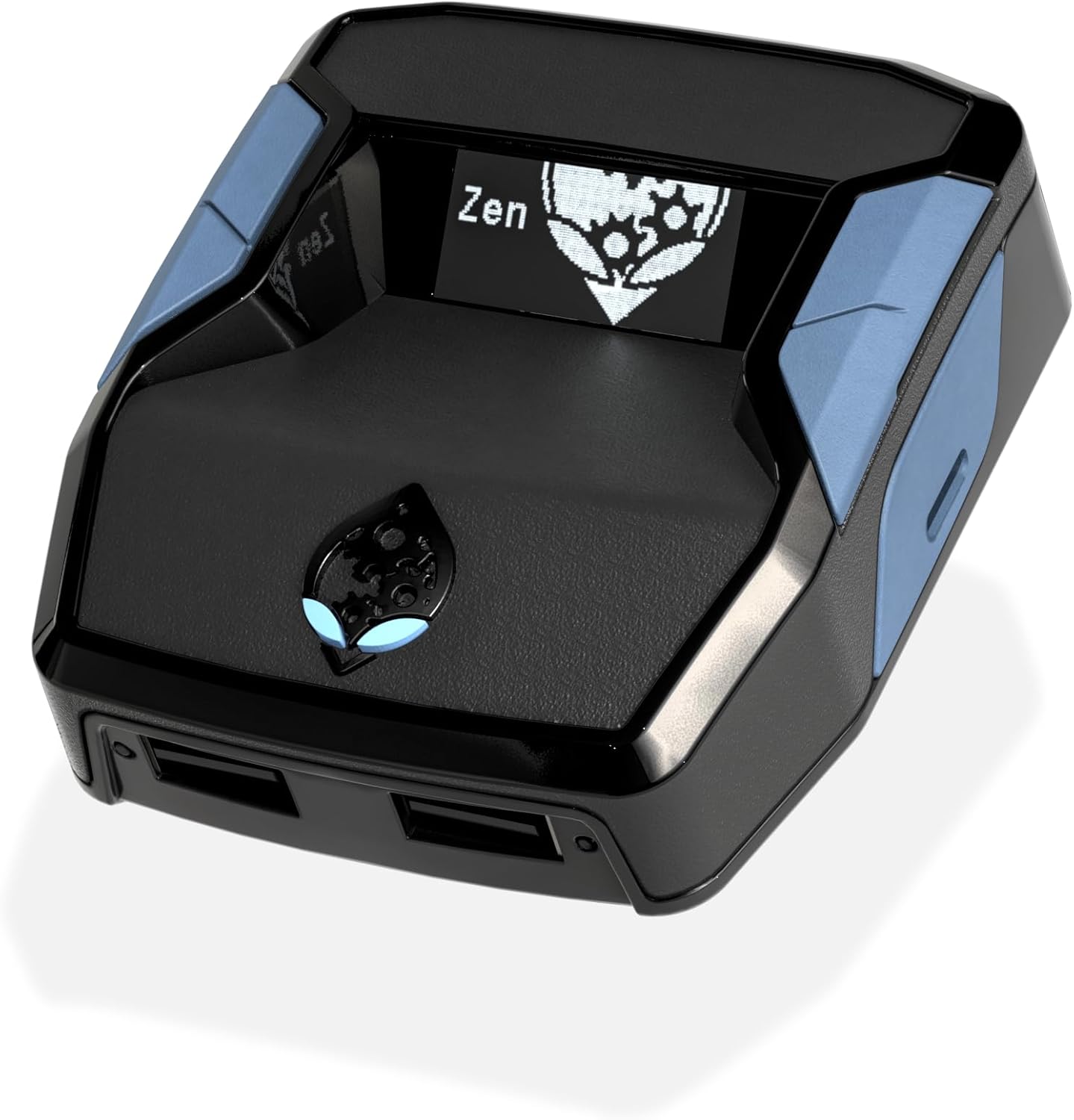
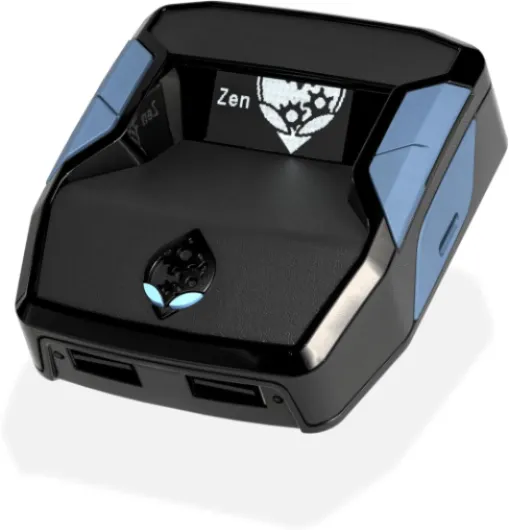
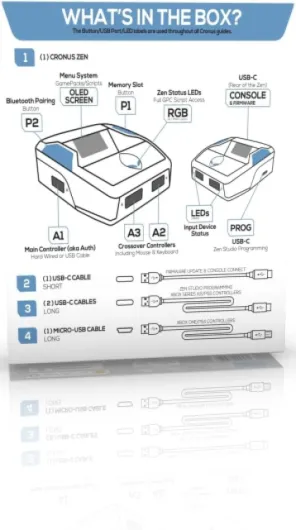
Physically, the Cronus Zen is a small matte black box, roughly 5.35 x 6.69 x 1.57 inches and only 3.5 ounces. It’s light, doesn’t feel cheap, and doesn’t take much room in a setup. I had it sitting between my Xbox Series X and my monitor stand, and after a day or two I barely noticed it was there. It connects with a USB Type‑C cable to your console/PC and has multiple USB ports for controllers and other input devices.
The layout is fairly straightforward: front USB for your controller, extra ports on the side and back, and a small screen with a couple of buttons. The screen shows which profile you’re on and some basic info. It’s not fancy but it’s enough to switch between your saved configurations without having to go back to the PC every time. I liked being able to tap through profiles when swapping from, say, a shooter to a racing game.
On the downside, because it’s another box with cables going in and out, your setup does get a bit messier. I had a USB‑C to console, USB to controller, and sometimes another cable for a second device. If you already have a clean and minimal setup, this will add clutter. Also, for something that can get quite warm with long sessions, the venting is just okay. Mine never overheated, but it does get slightly warm to the touch after several hours of play with scripts running.
Overall, the design does the job: small, functional, not flashy. It feels like a utility box, not a premium gadget. No RGB, no fancy shapes, just a compact piece of plastic that sits there and works in the background when everything is configured properly. If you care more about function than looks, you’ll be fine with it.
Power, cables and that random AAA battery
The Cronus Zen itself is powered through its USB Type‑C connection, so you don’t need to charge it or plug it into a wall. As soon as your console or PC is on, the Zen powers up. In my setup on Xbox Series X and PC, power was stable and I didn’t get any random disconnections due to power issues. That part is straightforward: plug it in, and it turns on with your system.
The odd part is that the specs list 1 AAA battery required. In my use, I didn’t have to install or replace any AAA battery inside the unit itself, so that’s either outdated info or related to some optional accessory or feature I didn’t use. Either way, you shouldn’t expect to be swapping batteries in the Zen like a controller. All the real power is coming from the USB cable.
Where power does matter is with wireless controllers and extra devices. If you chain too many things (like a wireless adapter, extra USB hub, etc.), you might run into power draw issues depending on your console’s USB ports. I kept it simple: Zen to console via USB‑C, controller wired into the Zen. In that configuration, I had no problems with power or random shutoffs. As soon as I started adding more stuff, I noticed a couple of random disconnects, which I suspect were power or cable related.
In short, you don’t have to worry about charging the Zen itself, but you do need to pay attention to cable quality and how many devices you’re hanging off the same USB port. Keep it simple and wired, and it behaves fine. Try to get too fancy with wireless adapters and hubs, and you may run into stability headaches.
Build and durability: feels fine, but long-term support is the real question
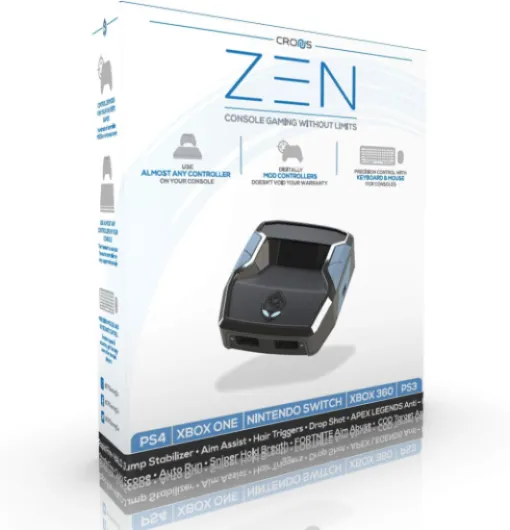
From a physical standpoint, the Cronus Zen feels pretty solid for a small plastic box. The matte black shell doesn’t flex much, the USB ports are snug, and after a few weeks of daily plugging/unplugging controllers and cables, I didn’t see any obvious wear. It’s light, but not so light that it feels hollow or flimsy. If you leave it on your desk and don’t throw it around, it should hold up for a long time.
The weak point, in my opinion, is not the plastic, it’s the software and support. The hardware might last years, but if scripts, GamePacks, or firmware updates don’t keep up with new consoles and game updates, you’re left with a box that doesn’t do what you bought it for. Some reviews mention "non-existent" customer support, and I kind of felt that too. Documentation is mostly community-driven, and official help is pretty minimal. If something breaks after an update, you’re basically at the mercy of forum posts and Discord servers.
During my test, I didn’t have any physical failure or bricking issues. The device booted every time, and firmware updates through Zen Studio went through fine. But I did have several moments where mods became unreliable after game patches, and I had to dig around online for updated scripts. That’s the kind of "durability" that matters more here: software durability, not just the shell.
So, in terms of build, I’d say it’s okay and should last if you treat it normally. The real risk is buying it now and seeing its support slowly fade while games and consoles move on. If the company and community keep it updated, you’re good. If not, you end up with a plastic box that only does basic controller passthrough, which kind of kills the point.
Performance: when it works, it’s solid – but the reliability is hit or miss
In terms of pure performance—latency and responsiveness—I didn’t notice any major lag added by the Cronus Zen on Xbox Series X or PC. Inputs felt normal, even in fast-paced shooters. Button presses and stick movements came through just like a direct connection. For regular play (no scripts, just using it as a controller adapter), it behaved like a normal wired setup. That part is honestly pretty solid.
Where things get tricky is consistency with mods and scripts. For example, I used a popular free anti-recoil script from the Cronus community. At first, it worked well: recoil was clearly reduced, and I could see much tighter groupings at about 50 meters in MWII. But after a few sessions, I ran into what other users mentioned: mods randomly disabling in-game. Sometimes the GamePack would stop responding, and I had to unplug the Zen or restart the console to get it back. That gets old fast when you’re in the middle of a match.
This is where the mixed Amazon reviews make sense. Some people say it "works great" and others say it "only works half the time". My experience is somewhere in the middle. As a pure crossover adapter (using different controllers on different consoles), it’s reliable. As a hardcore mod box, it’s more temperamental. Game updates, firmware versions, and script quality all play a role. If you’re unlucky, you’ll spend more time troubleshooting than playing.
So in practice: if your main goal is using one favorite controller across multiple systems, performance is good. If your main goal is stacking a bunch of mods to squeeze every bit of aim assist and recoil control, expect some frustration and random issues. The hardware seems capable, but the software and ecosystem around it aren’t always stable.
What the Cronus Zen actually does (and what it doesn’t)
The main thing the Cronus Zen does is sit between your console/PC and your controller and pretend to be a regular controller. Because of that, you can use all sorts of controllers on almost any platform: Xbox pads on PlayStation, PlayStation pads on Xbox, Switch controllers on PC, etc. I tested it mainly with an Xbox Series X and a PS4 controller, plus a generic Xbox-style PC pad. Once configured, it worked pretty smoothly for standard gameplay.
On top of that, you’ve got scripts and GamePacks. These are basically pre-made macros and mods: anti-recoil, rapid fire, aim-assist tweaks, auto-sprint, sniper breath hold, slide cancel, and so on. You load them through the Zen Studio software on Windows. There are tons of community-made scripts, and that’s both a strength and a weakness. Strength because you get a lot of options for free; weakness because quality and reliability vary a lot, and there’s no real support if something breaks after a game update.
It’s important to be clear: it’s not an aimbot. You still have to aim, move, and play. The device mostly helps with consistency: less recoil, fewer button presses for repeated actions, etc. I tested anti-recoil on MWII with a TAQ-56 setup, and you can definitely see the difference in spray patterns. But I also had situations where a mod would just stop mid-game, and I had to unplug/replug the Zen or restart the console.
What it doesn’t do well is "just work" for everyone. You need a Windows PC to set it up properly. You need to read guides, watch tutorials, and accept that sometimes an update on the game or console side will break your current setup. If you’re okay with that and like tinkering, it’s interesting. If you just want to plug in and play, you’ll probably find it more annoying than helpful.
Does it actually make you better? Yes and no
I’ll be straight: the Cronus Zen can help, but it doesn’t suddenly turn you into a god at shooters. When I set up anti-recoil and some aim-assist tweaks, I did feel more consistent with my shots, especially on full-auto weapons. The gun kick was easier to control, and I didn’t have to fight the stick as much. For things like auto-sprint, slide cancel, and sniper breath hold, it just reduces the number of buttons you need to press, which is nice over long sessions.
However, it’s very easy to overdo it. Some scripts are tuned aggressively out of the box, and that can actually make your aim feel weird or robotic. I had a couple of games where the anti-recoil pulled the gun too hard in the opposite direction, so I ended up fighting the script instead of the actual recoil. You really have to spend time fine-tuning values for each weapon and game, which is not exactly fun if you just want to relax and play.
On top of that, games and developers keep changing things. After a patch, your carefully tuned setup might feel off and need another round of tweaking. And sometimes mods just stop mid-game like one of the reviewers said. I had that a few times: aim-assist adjustments suddenly gone, or the anti-recoil not triggering until I restarted the profile. So yes, it can be effective, but it’s not "set it and forget it".
If your goal is to reduce repetitive actions (rapid fire, auto sprint, button combos) and slightly smooth out recoil, it does the job when it’s working. If your expectation is "plug this in and dominate everyone", you’ll be disappointed. You still need game sense, movement, and basic aim skills. The Zen is more like a helper tool than a cheat button, and it comes with a fair bit of hassle attached.
Pros
- Lets you use one controller across multiple consoles and PC with low noticeable latency
- Tons of customization options: remaps, macros, anti-recoil, profiles per game
- Small, light device that doesn’t take much space and feels reasonably solid
Cons
- Setup and scripts have a real learning curve and can be time-consuming
- Mods and GamePacks can be unreliable or break after game/firmware updates
- Customer support and official documentation are weak; you rely heavily on community guides
Conclusion
Editor's rating
The Cronus Zen is a powerful but fussy tool. As a basic controller adapter, it’s pretty solid: low latency, wide compatibility (Xbox, PlayStation, Switch, PC), and the freedom to use your favorite pad almost anywhere. For that alone, it can make sense if you own several systems and hate swapping between different controllers. The hardware itself is small, light, and does what it’s supposed to as long as you don’t overload it with weird setups.
Where things get messy is the whole script/GamePack side. Yes, anti-recoil, rapid fire, and macros can help and make gameplay more comfortable, but they also come with a learning curve, random bugs, and almost no official support. You’ll spend time in Zen Studio, on forums, and on YouTube. If that sounds fun, you’ll probably enjoy it. If that sounds annoying, you’ll regret buying it. The average 3.9/5 Amazon rating makes sense: some users are happy tinkerers, others are frustrated and feel it only works part of the time.
Who is it for? Players who have multiple consoles, like to tweak settings, and don’t mind troubleshooting. Who should skip it? Anyone who wants a simple, reliable plug-and-play upgrade or hates dealing with software quirks. There’s potential here, but it’s not a magic box. It gets the job done for the right user, but there’s definitely better, simpler options if all you want is a more comfortable or higher-end controller.