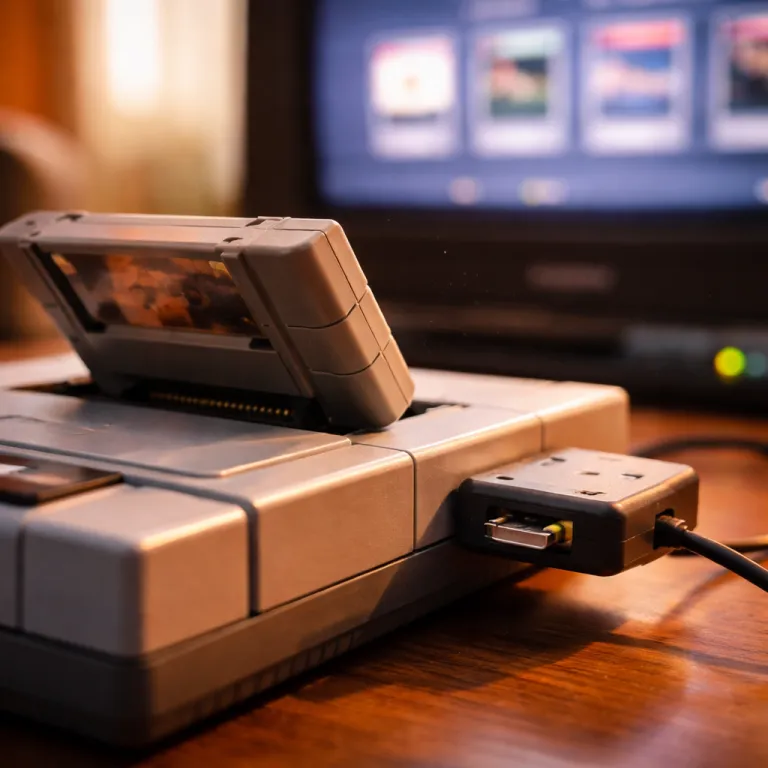
Analogue pocket vs emulation when you care about authentic play
The Analogue Pocket vs emulation debate really comes down to what you value most in retro handheld gaming. If you want a portable game system that treats every original cartridge like museum-grade hardware, the Analogue Pocket sits in a different class from cheap emulation devices and software-based handhelds. For players who mainly want to sample many classic games quickly with preloaded titles, flexible save states and a simple menu, a budget emulator handheld can feel more practical than a single premium pocket device.
The Analogue Pocket uses FPGA hardware, which means a field-programmable gate array chip recreates the logic of original consoles instead of imitating them through software emulation. This FPGA approach lets the system behave like a real Game Boy, Game Boy Color or Game Boy Advance, so timing in a Game Boy platformer or a twitchy Color action game lands exactly where your muscle memory expects it. With most low-cost emulators, the emulator software runs on top of a generic operating system, so the game system must juggle audio, display and input in ways that sometimes add tiny but noticeable lag.
On the Analogue Pocket, you insert an original game cartridge from a Game Boy, Game Boy Color, Game Boy Advance or even a Neo Geo Pocket or Game Gear through adaptors, and the FPGA core talks to that original hardware format directly. On a typical emulation handheld, you load ROMs into software emulators, then pick a title from a list of retro games and hope the emulator core for that system is mature. Both approaches let you save progress, but the Pocket leans on original save chips in the cartridge while emulators lean on save state snapshots that can be taken anywhere in the game.
| Feature | Analogue Pocket (FPGA) | Budget emulation handheld |
|---|---|---|
| Latency and timing | Cycle-accurate behavior, input response close to original handhelds | Depends on software emulator and OS; extra delay is common |
| Save method | Uses original cartridge save memory and in-game save points | Relies on save states plus separate emulator save files |
| Display and resolution | High-density screen with accurate scaling and handheld-style filters | Varied panel quality; stretching and blur are frequent issues |
| Price range | Premium price, often comparable to a modern console | Typically much cheaper, with many low-cost options |
| Cartridge support | Plays original carts directly via slot and adaptors | Runs ROM files; physical cartridges are not used |
How fpga hardware changes the feel of classic handheld games
When you compare Analogue Pocket vs emulation in real play, the biggest surprise is how small differences in timing feel huge in certain games. Rhythm titles, speedruns and combo-heavy action games on Game Boy Advance or Neo Geo Pocket Color expose whether a handheld is running cycle-accurate FPGA hardware or looser software emulation. If you mostly play slower paced retro games, you may never notice that the emulator inside your pocket device occasionally drops a frame or delays digital audio by a fraction of a second.
The Analogue Pocket’s FPGA core is configured to mirror original hardware behavior, from how the game system reads button inputs to how it pushes pixels to the display. That means a Game Boy game or a Game Boy Color release that relied on hardware quirks, such as specific LCD ghosting or sprite limits, behaves the way it did on the original handheld. On many emulators, developers must add patches and hacks into the emulator software to mimic those quirks, which can break another game or cause bugs when operating systems or emulator versions change.
Screen quality also shapes the experience, because the Pocket’s dense display can simulate the grid of a Game Boy or Game Gear while still looking razor sharp. Cheaper emulation handhelds often use lower quality displays that smear motion or stretch a Game Boy Advance or Neo Geo Pocket game to the wrong aspect ratio. Reviewers who have measured latency on popular emulator handhelds often report extra input delay in the 10–30 ms range compared with original hardware, which is small on paper but very noticeable in fast action games; for example, tests from Digital Foundry and other specialist outlets have shown measurable differences in button-to-pixel response between FPGA-based systems and software emulation devices.
Save systems, save states and how you actually keep progress
One of the most practical Analogue Pocket vs emulation questions is how each option handles your saves. On original hardware such as a classic Game Boy or Game Boy Color, the cartridge itself stores your save, and the Analogue Pocket respects that design by reading and writing to the original game memory. Emulation handhelds flip this around, using software emulation to create a save state file that freezes the entire game system at a moment in time.
For purists, using the original save system on a cartridge feels safer, because a save from a Game Boy game or a Game Boy Advance title will still work on a real Game Boy or another compatible game system decades later. For convenience-focused players, save states on emulators are a revelation, letting you save anywhere in a tough Neo Geo Pocket fighter or a Game Gear platformer, then reload instantly if you miss a jump. Many emulators also support multiple save slots per game, while the Analogue Pocket mirrors the single save design of most original game cartridges.
Hybrid players often use the Analogue Pocket for their favorite original game carts, then keep a separate emulator handheld for long-tail retro games and experimental hacks that only exist as ROMs. That second device usually comes with preloaded games, a menu-driven operating system and quick access to save state tools, though you should treat any preloaded library carefully from a legal standpoint. If you are curious how collectors balance authenticity and convenience, the story of why a clear Game Boy Advance remains beloved among handheld fans in a deep dive into the clear GBA shows how original hardware and modern mods can coexist.
Legal, ethical and collection angles in analogue pocket vs emulation
Beyond feel, Analogue Pocket vs emulation also raises legal and ethical questions that every retro fan should face honestly. Using original hardware with an Analogue Pocket and your own original game cartridges keeps you close to the spirit of how these games were sold. Relying on emulators with large libraries of preloaded games that you never owned crosses into piracy, even if the handheld itself feels like just another gadget.
Most legal discussions around emulation accept that dumping a ROM from a Game Boy, Game Boy Color, Game Boy Advance, Neo Geo Pocket or Game Gear cartridge you personally own, then running it on an emulator, is different from downloading a random ROM set. That still does not mean every jurisdiction treats software emulation and ROM backups the same way, so you should check local law before building a digital archive of retro games. What is clear is that original hardware and original game cartridges hold real collection value, while a plastic emulator handheld with a generic operating system and no physical media rarely appreciates.
Collectors often treat the Analogue Pocket as both a daily play handheld and a way to protect fragile original hardware by reducing wear on aging screens and buttons. Emulation handhelds, by contrast, are seen as tools for sampling obscure Game Boy releases, fan translations and prototypes that never reached store shelves. If you are already deep into modern consoles and want to see how retro fits alongside them, a detailed test of the PlayStation 5 Slim Digital Edition in a renewed PS5 Slim review shows how a cutting-edge system can share a TV with a tiny FPGA-powered pocket device.
Choosing between a premium fpga pocket and budget emulation handhelds
When you finally choose between Analogue Pocket vs emulation handhelds, you are really choosing how you want to relate to your games. The Analogue Pocket is a premium FPGA handheld that expects you to bring original game cartridges from Game Boy, Game Boy Color, Game Boy Advance, Neo Geo Pocket or Game Gear, then rewards you with a superb display, clean digital audio and behavior that mirrors original hardware. Budget emulation handhelds flip that model, selling you a cheap pocket system with software emulators, preloaded games and a focus on quantity over the exact feel of each game.
If you are a collector who already owns a shelf of original game carts, the Analogue Pocket turns that library into a modern, portable game system without sacrificing authenticity. If you are a curious newcomer who just wants to play many retro games from different systems, a software emulation handheld with flexible save states, a simple operating system and support for multiple emulators may be a better first step. Some players even run FPGA emulation cores on other devices, but the Pocket’s integrated design, cartridge slot and tuned display make it easier to live with than a do-it-yourself FPGA board.
Think about how often you will really swap cartridges, how much you care about original hardware quirks and whether you are comfortable managing ROMs and emulator settings. A single Analogue Pocket can feel like a lifetime companion for a focused collection of Game Boy favorites, while a rotating cast of cheap emulation handhelds can be fun laboratories for exploring obscure Color games and arcade ports. In the end, the best pocket device is the one that makes you actually sit down, press play and enjoy the game instead of endlessly tweaking software.
FAQ
Is the Analogue Pocket worth it if I already use emulators ?
If you already use emulators on a PC or handheld, the Analogue Pocket is worth it mainly if you own original game cartridges and care about authentic timing. Its FPGA hardware recreates original hardware behavior more closely than software emulation, which matters for rhythm games, speedruns and titles that rely on hardware quirks. If you mostly play casually and rely on save states, a good emulation handheld may remain the better value.
Can emulation handhelds match the Analogue Pocket display quality ?
Most budget emulation handhelds cannot match the Analogue Pocket display for sharpness, color accuracy and scaling options. The Pocket’s high-resolution screen can simulate classic Game Boy and Game Gear pixel grids while staying crisp, which helps both retro games and modern homebrew. Some premium emulation devices come closer, but they usually cost more and still rely on software emulation rather than FPGA cores.
How do save states differ from original cartridge saves ?
Original cartridge saves store progress in memory inside the game itself, which the Analogue Pocket and original hardware read and write in the same way. Save states on emulators capture the entire state of the game system at a moment, letting you reload from any point even if the game never supported saving there. Cartridge saves are more compatible across devices, while save states are more flexible but tied to specific emulators and versions.
Is it legal to use ROMs with emulators ?
Using ROMs with emulators is generally accepted when you dump the ROM from a cartridge you own, but downloading ROMs for games you never purchased is usually considered piracy. Laws vary by country, and there are nuances around backups and preservation, so you should check local regulations. Buying original games and using them on original hardware or the Analogue Pocket is the clearest way to stay on safe ground.
Should I buy both an Analogue Pocket and a cheap emulator handheld ?
Many retro players eventually use both an Analogue Pocket and a budget emulation handheld because they serve different roles. The Pocket excels as a premium way to play favorite original game cartridges with accurate timing and great display quality. A cheap emulator handheld is ideal for experimenting with large libraries, fan translations and systems you do not collect physically.