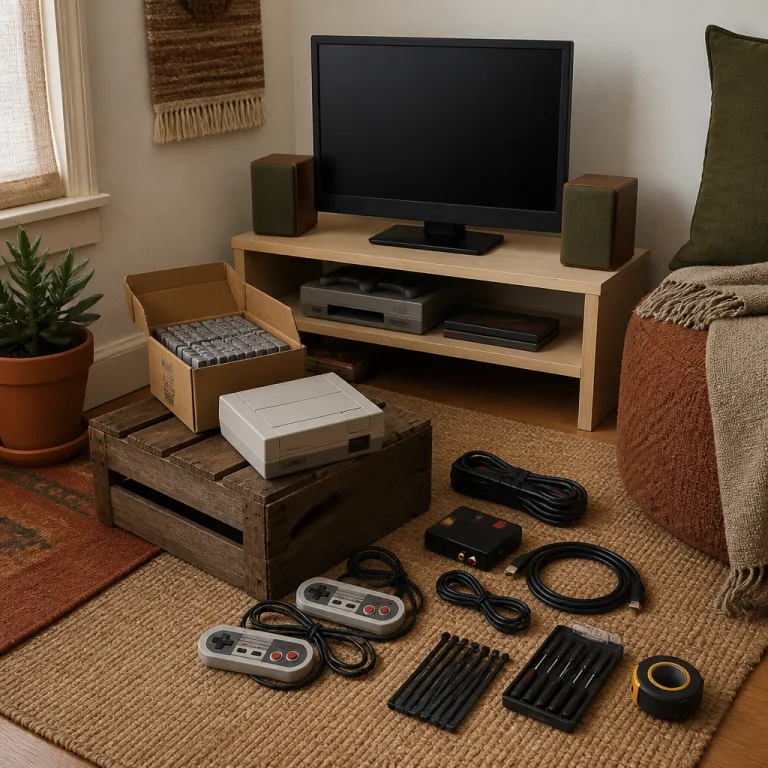
Prioritising your retro gaming setup budget around the display
A retro gaming corner lives or dies by its display choice. Your retro gaming setup budget stretches furthest when you start with the screen, because every game and every console you will play depends on how that panel or tube handles older games. Think of the display as the core system that shapes how you see each video game, from Pac Man to Mega Man.
For the most authentic retro gaming feel, a small cathode ray tube television often costs nothing if you find one locally. Many players report that a free CRT from a neighbour or a classified listing will play games with effectively zero perceptible lag and deep blacks that flatter original console hardware. Classic machines such as an Atari system, a NES console or a Sega Genesis console were designed for this kind of screen, so retro games look natural rather than stretched or blurred.
If you cannot store a bulky CRT, a modern flat panel still works with the right setup. A budget friendly upscaler such as an entry level RetroTINK (often around 80–120 € according to recent community price guides) or an Open Source Scan Converter (typically 120–200 € on the used market based on common marketplace listings) sends a clean HDMI signal to a modern television while preserving the scanline feel of older games. Independent input lag measurements from enthusiast sites frequently show that many modern TVs add roughly 10–30 ms of delay in game mode, which is still playable for most retro titles. This route costs more of your retro gaming setup budget, but it lets you keep one main TV for both retro gaming and the latest hardware such as a PlayStation 5 Digital Edition reviewed in detail on this digital PlayStation 5 test page.
Another path is a compact monitor on a desk, which suits a small apartment corner. A 19 to 24 inch office monitor with HDMI input often costs less than 80 € and will play retro games from a Raspberry Pi system or a budget handheld without drama. This approach keeps your retro gaming setup budget tight while still giving enough space for playing games comfortably at arm’s length.
Console versus emulation when money and space are tight
Once the screen is sorted, the next retro gaming setup budget decision is hardware. Original console systems such as a NES, a Super Nintendo, a Sega Genesis or an Atari machine carry strong nostalgia, yet they also demand space, cables and sometimes repairs before you can play games reliably. Emulation on a Raspberry Pi or a budget handheld compresses many games into one small box, but it trades some authenticity for convenience.
For pure cartridge feel, a single original console paired with a small starter library of games makes sense. A bare NES console or Sega Genesis console often sells for modest prices, and a handful of NES classics such as Super Mario Bros, Mega Man or Pac Man can still be found in working condition if you are patient. When you buy from online marketplaces, filter for sellers who show every edge of each cartridge shell and board, because that simple photo angle reveals corrosion, cracks and other issues that will play havoc with older games.
Emulation shines when your retro gaming setup budget must cover many systems at once. A Raspberry Pi with a lightweight Linux or Windows style interface can run a front end that organises retro games by console, year and genre, then boots directly into the game with a single button press. Handheld emulation devices such as the Anbernic RG35XX (often 60–80 €) or Miyoo Mini Plus (usually 70–90 €) will play a wide range of retro games from NES through PlayStation, giving you a pocket system that doubles as the heart of a living room setup when docked to your display.
If you lean toward Nintendo style libraries, a used Wii U premium pack can be a clever hybrid choice. That console runs many digital retro games legally, outputs clean HDMI and, as shown in this detailed Wii U premium pack test, offers strong games support for families who want both modern and older games. In a tight corner setup, one such console plus a curated list of favorite games can feel more manageable than a tangle of separate boxes.
Real cartridges, emulation hubs and how they shape play
Choosing between real cartridges and emulation is not just a technical question. The way you play, the way you share favorite games with a best friend and the way you manage your retro gaming setup budget all change depending on whether you insert plastic or scroll through a menu. A shelf of original games can feel like a personal museum, while a digital list of retro games can feel like an endless buffet.
Cartridges and discs slow you down in a good way, because each game demands a small ritual. You stand up, you pull a box from the shelf, you check the label and you commit to playing games for more than five minutes before swapping again. That friction makes a single video game session with Pac Man or Mega Man feel more intentional, and it often pushes you to master older games instead of grazing through hundreds of titles.
Emulation hubs flip that dynamic by turning your display into a searchable library. A Raspberry Pi or similar system can hold thousands of retro games, and a simple controller shortcut will play any game in seconds, which is ideal when you want to show a best friend three different versions of the same arcade classic. This flexibility is powerful, but it can also encourage shallow play unless you set small rules such as finishing the first stage of every game before moving on.
If you are torn between both paths, a detailed comparison of real cartridges and emulation on this real cartridges or emulation guide helps frame the trade offs clearly. For a retro gaming setup budget under 200 €, a balanced approach often works best, with one original console for tactile nostalgia and one emulation device for breadth. That mix lets you play games from multiple eras while still giving pride of place to a few physical favorites.
Controllers, layout and making a small corner feel special
Even a modest retro gaming setup budget can create a corner that feels intentional. The trick is to treat controllers, furniture and lighting as part of the system rather than afterthoughts, because they shape how long you will play and how often you invite a best friend to join. A cramped, cable heavy layout discourages playing games, while a tidy, well lit space quietly invites one more round.
Start with controllers, since they are your only physical contact with the console or emulation box. Original pads for a NES, Sega Genesis or Atari console offer unmatched authenticity, but their age means worn membranes, stiff D pads and cables that may fray at the strain relief near the plug. Modern alternatives from brands such as 8BitDo mimic classic shapes while adding wireless comfort, so you can sit two metres back without dragging cables across the floor and still play games with low latency.
Furniture matters more than most people admit when planning a retro gaming setup budget. A simple low shelf or TV bench with at least 30 centimetres of depth keeps the display stable and leaves room for one or two consoles plus a small row of games, while a separate box or drawer hides spare controllers and cables. Good cable management using inexpensive Velcro ties or adhesive clips prevents the back of the system from turning into a nest that makes you reluctant to swap hardware or add a new game.
Lighting finishes the mood, and it does not need to be expensive. A single warm LED strip behind the display or along the shelf edge costs little yet frames the console and games in a soft glow that feels more like an arcade than an office. When you sit down in that light with a controller in hand, even a tiny corner becomes a dedicated space for retro gaming rather than just another part of the living room.
Sample retro gaming setup budgets at 100 €, 150 € and 200 €
Numbers make planning easier, so it helps to map concrete tiers. These example builds show how a retro gaming setup budget can scale from a bare bones emulation box to a mixed system with both original hardware and a wider library of retro games. Prices vary by region, but the structure of each setup remains useful even when individual items change.
| Budget level | Core hardware | Display & furniture | Extras & comfort |
|---|---|---|---|
| Around 100 € | Single emulation device such as a Raspberry Pi with a basic case, power supply and one USB controller. | Free or very cheap display, ideally a small CRT found locally or an existing monitor you already own. | Entry level HDMI cable and a simple power strip so everything turns on together. Shopping checklist: Raspberry Pi kit, one pad, HDMI lead, power strip, spare SD card. |
| Roughly 150 € | Same emulation box plus two better controllers so a best friend can join, and optionally a used original console. | Sturdier shelf or desk that keeps the display at eye level while seated, with space for one or two systems. | Small storage box for games and cables, and a basic surge protector for peace of mind. Shopping checklist: Pi bundle, two quality controllers, low shelf or desk, storage bin, surge strip, short HDMI cables. |
| Near 200 € | Reliable flat panel monitor, one original console with a handful of favorite games and a compact emulation handheld that docks to the screen. | Dedicated TV bench or low unit with room for display, consoles and a tidy controller row. | LED strip for atmosphere plus a couple of spare cables so adding hardware later is painless. Shopping checklist: 22–24 inch monitor, TV bench, original console plus 3–5 games, dockable handheld, LED strip, extra HDMI and power leads. |
At this point you have a corner where you will play regularly, where older games sit beside modern conveniences and where the value comes not from the latest hardware but from the tenth shared evening spent chasing high scores together.
FAQ
How much space do I need for a retro gaming corner ?
A functional retro gaming corner can fit into as little as one metre of wall space. You mainly need room for a small display, a shelf for one or two consoles and a comfortable seat about two metres back. Careful cable routing along the base of the wall or furniture keeps the area tidy even in a studio apartment.
Is a CRT television always better than a modern TV for retro games ?
A CRT offers virtually zero input lag and native support for older games, so motion and colours often look closer to the original arcade or console experience. Modern televisions can still work well if you use a good upscaler and enable game modes that reduce processing. If you value sharp pixels and convenience over pure authenticity, a flat panel with the right settings can be a strong choice within a limited retro gaming setup budget.
Can I build a retro setup without any original cartridges or discs ?
Yes, an emulation based system using a Raspberry Pi or a dedicated handheld can run a wide range of retro games without physical media. This approach saves space and usually costs less upfront, especially when your retro gaming setup budget is under 150 €. Some players still add a single original console later for the tactile feel of inserting a game and pressing a real power switch.
Which controllers work best for both retro and modern systems ?
Modern Bluetooth or 2,4 GHz controllers with a classic layout, such as many 8BitDo models, can connect to PCs, Raspberry Pi systems and some consoles. They often include extra buttons and sticks for newer games while keeping a D pad that feels right for older games. If you split your time between retro gaming and current platforms, one versatile pad per player can simplify your setup and stretch your budget.
Is buying retro hardware from online marketplaces safe for beginners ?
Buying from large marketplaces can be safe if you check seller ratings, request clear photos and read return policies carefully. Look for listings that show the console and games from multiple angles, including the edges and connector pins, because damage there often predicts reliability issues. When possible, start with a single inexpensive console to learn how shipping, testing and potential repairs fit into your retro gaming setup budget.