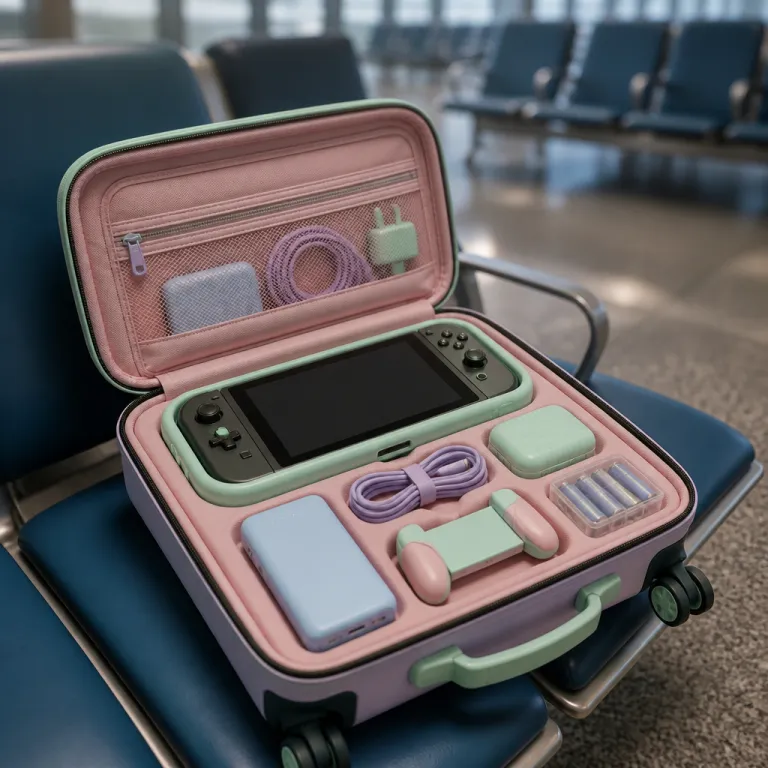
Choosing the best handheld travel gaming setup for your trip
Summer travel exposes every weakness in a handheld gaming console. Long flights, hot train platforms and cramped bus seats punish battery life, screen visibility and handheld comfort in ways a living room never will. If you want the best handheld travel gaming experience, you need to match the right gaming handheld to your actual route, not just to a spec sheet.
For all round handheld gaming, the Steam Deck and the newer Steam Deck OLED sit in a sweet spot between price, performance and comfort, especially if you mainly play Steam games and indie video games. Valve rates the original Steam Deck battery at 40 watt hours and the OLED model at 50 watt hours, and independent tests from outlets such as Digital Foundry and PC Gamer typically show three to eight hours at 50–60% brightness with a 30 frames per second cap in moderately demanding games, with longer runtimes in lighter titles. The Deck OLED model brings a brighter HDR capable display, deeper blacks and meaningfully better endurance, which matters when you are stuck in an airport with every outlet already taken.
Windows based devices like the Asus ROG Ally, the updated ROG Ally X and the Lenovo Legion Go push higher performance, but they burn through battery faster and need more tweaking before you board. Asus lists the ROG Ally at 40 watt hours and the Ally X at 80 watt hours, while Lenovo quotes 49.2 watt hours for the Legion Go; reviewers at sites such as Tom’s Hardware and The Verge generally measure between 1.5 and 4.5 hours at 1080p with 45–60% brightness and a 30 fps limit in recent AAA games. That flexibility is powerful, yet it means you must think about performance presets, resolution scaling and power draw before you leave home.
If you prefer a console style library, the Nintendo Switch family still defines simple handheld gaming for travel, especially for families sharing games. Nintendo’s own specifications list a 16 watt hour battery in the standard Switch and Switch OLED, and around 13 watt hours in the smaller Switch Lite, with official estimates of 4.5 to 9 hours depending on the game. In practice, long term testing from outlets like Eurogamer and IGN suggests roughly four to seven hours at mid brightness in titles such as Mario Kart 8 Deluxe or The Legend of Zelda: Tears of the Kingdom. Retro focused travellers sometimes pack a Game Boy inspired handheld or a compact device like the Ayaneo Flip, but those are better as secondary toys than as a primary gaming console for a long haul trip.
Windows handhelds such as the Lenovo Legion Go, the MSI Claw and various Legion MSI variants run full PC games, yet that flexibility comes with quirks that matter on the road. You juggle Steam, Xbox Game Pass, Epic and other launchers, and you constantly balance performance presets against battery drain, especially on AMD Ryzen based systems. If you are not ready to tune fan curves and frame rate caps in a departure lounge, a simpler Steam Deck or Nintendo Switch will usually deliver the best handheld travel gaming balance for real world journeys.
To make those trade offs easier to scan, it helps to compare the main contenders side by side. A Steam Deck or Deck OLED with a 40–50 watt hour battery and roughly three to eight hours of typical runtime suits medium haul flights and mixed city breaks, while a Nintendo Switch or Switch OLED with a 13–16 watt hour pack and around four to seven hours of play excels on short hops, road trips and family holidays. High powered Windows handhelds like the ROG Ally, Ally X, Legion Go or MSI Claw, with 40–80 watt hour batteries but only about 1.5 to 4.5 hours in demanding games, make more sense for hotel evenings, train journeys with outlets or travellers who always carry a large power bank.
Battery life reality check before you leave home
Battery life numbers on marketing slides rarely match what you see on a hot July afternoon. On the Steam Deck and Steam Deck OLED, you can expect roughly three to twelve hours depending on the game, but travel conditions push you toward the lower half of that range. At 60% brightness, Wi‑Fi on and a 30 frames per second cap, many reviewers report around six to seven hours in indie titles such as Hades or Stardew Valley, dropping to three to four hours in graphically intensive games like Elden Ring, which aligns with the Digital Foundry and PC Gamer style testing mentioned earlier. Brightness goes up to fight cabin glare, Wi‑Fi often stays off, and you probably lean on more demanding games when boredom hits hard.
Windows based gaming handheld devices like the Asus ROG Ally, the ROG Ally X, the Lenovo Legion Go and the MSI Claw typically deliver between one and five hours of battery life under real travel loads. With 1080p resolution, 45–60% brightness and a 30 fps target, third party testing from reviewers such as PCWorld and Notebookcheck usually lands around two to three hours in modern AAA releases and closer to four or five hours in lighter games or when you drop resolution, echoing the Tom’s Hardware and The Verge measurements in the earlier comparison. High performance modes and unlocked AMD Ryzen power targets feel great in a hotel room, yet they drain the battery before the drinks cart reaches your row.
On the Nintendo Switch, battery life is more predictable, especially if you stick to first party games that are well optimised. Nintendo’s own guidance of 4.5 to 9 hours assumes mid brightness and mixed workloads, and independent measurements generally confirm that a standard Switch or Switch OLED can handle a medium haul flight if you dim the screen a notch and avoid constant wireless play, matching the Eurogamer and IGN style testing already referenced. If you are curious how storage and game size affect portable play, a detailed analysis of limited storage on the next Switch generation at why Switch 2 storage will frustrate you faster than you think shows how quickly modern games eat into travel friendly setups.
Power banks are your real safety net, but capacity claims can mislead. A compact twenty thousand milliamp hour pack, usually rated around 70 to 75 watt hours, typically gives a Steam Deck or ROG Ally roughly one full extra charge when you account for conversion losses, while smaller ten thousand milliamp hour models at roughly 35 watt hours are better suited to a Nintendo Switch or a retro handheld. When you compare options in any guide to top portable gaming consoles, focus less on marketing buzzwords and more on actual watt hour ratings, pass through charging support and whether the bank can sustain the high wattage draw that modern handheld gaming demands.
Cases, screens and the risk of travelling unprotected
Throwing a handheld loose into a backpack is how cracked screens and stick drift stories begin. Summer travel means sand, sunscreen, sweat and sudden knocks from overhead bins, all of which punish an unprotected display and exposed thumbsticks. For best handheld travel gaming, a proper case and a screen protector are not accessories, they are insurance.
Hard shell cases work best for heavier devices like the Steam Deck, the Deck OLED revision, the Lenovo Legion Go and the MSI Claw, because their weight and size make them more vulnerable to flexing in a crowded bag. Valve lists the Steam Deck at around 669 grams, while Lenovo quotes roughly 854 grams for the Legion Go, and that extra mass increases the risk of torsion if your backpack is squeezed into an overhead compartment. Soft pouches can be fine for a Nintendo Switch Lite or a smaller retro gaming handheld, but only if you still place them carefully between clothes rather than next to metal water bottles. If you are considering a budget retro handheld with a four inch IPS display and a modest four thousand milliamp hour battery, a detailed hands on review of a transparent black R36 style device at a retro handheld test shows how much protection these smaller consoles still need in real travel bags.
Screen protectors are cheap compared with the price of a Steam Deck OLED, a Lenovo Legion Go or an Ayaneo Flip, yet many travellers skip them. A tempered glass layer will not save a display from a direct stomp, but it will shrug off scratches from zippers, keys and sand that would permanently scar the original screen. On glossy panels like the Asus ROG Ally or the ROG Ally X, a matte protector can also cut reflections, which directly improves comfort and perceived performance during bright daytime gaming.
Do not forget the small accessories that quietly protect battery life and ports. Dust plugs for USB C and microSD slots, short braided cables and a compact stand keep your gaming console safer on sticky café tables and cramped tray tables. Those details rarely appear in spec sheets for the best handheld travel gaming devices, yet they often decide whether your games survive the trip as well as your memories.
Comfort, performance settings and smart game choices on the move
Comfort becomes a performance feature once you pass the second hour of a delayed flight. Heavy handhelds like the Steam Deck, the Deck OLED and the Lenovo Legion Go can cause wrist fatigue if you hold them too low or too high, especially in tight economy seats. Lighter systems such as the Nintendo Switch Lite, some Ayaneo Flip variants or a Game Boy style retro handheld feel easier to hold, but they trade raw performance and larger screens for that comfort.
Grip cases change the equation for many travellers, particularly on the Asus ROG Ally, the MSI Claw and the various Lenovo Legion handheld models. Extra rear paddles and thicker handles spread the weight across your palms, which lets you run higher performance modes without feeling every gram. When you tune performance on AMD Ryzen based handheld gaming systems, aim for a middle ground that keeps fan noise low enough for a quiet cabin while still delivering smooth games at thirty frames per second.
Game selection matters as much as hardware when you chase the best handheld travel gaming balance. Demanding video games with heavy graphics loads drain the battery quickly on Steam Deck, ROG Ally, Legion or MSI Claw devices, while lighter indie games or retro titles stretch battery life dramatically. On a long train ride, alternating between a big budget game and a low impact puzzle or strategy title can keep both your battery and your attention fresher.
Operating systems also shape your travel routine, whether you notice it or not. A Steam Deck running SteamOS feels purpose built for handheld gaming, while a Lenovo Legion Go or a Legion Steamos style configuration with Windows and a console like front end demands more maintenance. Xbox integration on Windows handhelds, including Xbox Cloud Gaming and any future Xbox Ally or ROG Xbox branding, gives you access to a wide library, yet every extra launcher and background service quietly eats into both performance and battery life during the very moments you need them most.
FAQ
How much battery capacity do I need in a power bank for a handheld
For a Steam Deck, ROG Ally, Lenovo Legion Go or MSI Claw, aim for at least twenty thousand milliamp hours with a high wattage USB C output to get roughly one full extra charge. Nintendo lists the Switch battery at about 16 watt hours, while Valve and Asus quote 40 watt hours for the Steam Deck and ROG Ally, so a 70 to 75 watt hour bank usually covers one full refill once conversion losses are included. Nintendo Switch and smaller retro handhelds can manage with ten thousand milliamp hours, especially if you play lower intensity games. Always check watt hour ratings and output power, not just the marketing capacity number.
Is a hard case really necessary for short summer trips
A hard shell case is strongly recommended even for weekend travel, because most damage happens while boarding or stowing bags, not during the actual flight. Heavier handhelds like the Steam Deck OLED, Lenovo Legion Go and MSI Claw benefit most from rigid protection, especially given their manufacturer listed weights of several hundred grams each. Soft pouches are acceptable only if you pack the console carefully between soft clothes and avoid pressure from heavy objects.
Which handheld is easiest to use for non technical travellers
The Nintendo Switch family remains the most straightforward option for people who just want to insert a game and play. Steam Deck with SteamOS is also relatively simple, especially if you stay inside the Steam ecosystem and avoid desktop mode. Windows based handhelds like the ROG Ally or Lenovo Legion Go offer more flexibility but require more setup and troubleshooting.
How can I reduce hand fatigue when playing on planes or trains
Use a grip case or clip on handles to thicken the sides of your handheld and support a more neutral wrist angle. Rest your elbows on armrests or a pillow to take weight off your forearms, and take short breaks every thirty to forty minutes. Lowering the device slightly and tilting the screen to reduce glare can also ease strain without sacrificing visibility.
What types of games are best for long journeys
For long journeys, mix shorter indie games, turn based strategy and retro titles with occasional big budget sessions. These genres usually demand less from the GPU, which extends battery life on Steam Deck, ROG Ally, Lenovo Legion and similar devices. They also fit better into the stop start rhythm of boarding calls, security checks and transfers.