Summary
Editor's rating
Value: nostalgia tax vs what you actually get
Design: looks like a toy, works like a little tank
Battery life: old-school AAs, but they last longer than you’d think
Comfort in hand and in use: good for short bursts, less great for marathons
Durability: this thing can clearly take a beating
Performance and gameplay: still smooth where it counts
What you actually get with this old Indigo GBA
Pros
- Plays original GB, GBC, and GBA cartridges reliably with instant boot
- Very solid build that has held up well after more than 20 years
- Long battery life on two AA batteries and easy to keep running with spares or rechargeables
Cons
- Non-backlit screen is hard to use in low light and feels very dated
- Runs on AA batteries instead of a built-in rechargeable pack, which can be less convenient
- Condition varies a lot on the used market, with common cosmetic wear and missing covers

Specifications
View full product page →| Brand | Nintendo |
A 20+ year-old handheld I actually still use
I’ve been replaying a bunch of old games lately, so I picked up a used Game Boy Advance Indigo to see if it still holds up in 2026. Short version: it’s old, it has clear flaws, but it’s still a pretty solid little machine if you know what you’re getting into. This is not a Switch, not even close, and if you expect modern comfort you’ll be annoyed pretty fast. But if you want to run original GBA and Game Boy Color carts without emulation headaches, it gets the job done.
I’ve used it almost daily for a couple of weeks, mostly on the couch and a bit on the train. I bought a unit in "acceptable" condition from a marketplace seller, nothing collector-grade. Out of the box it had the usual: light scratches on the shell, some micro-scratches on the screen, and that slight old-plastic smell you get from 2000s electronics. Nothing dramatic, nothing shocking for the age.
What surprised me most is how playable it still is, despite the unlit screen. I remembered the screen being bad, and yeah, compared to anything with a backlight it’s rough, but in decent light it’s fine. If you only play indoors in the evening with weak lighting, you’ll hate it. If you’re near a window, outside, or under a good lamp, it works. I ended up playing a lot more in daylight than I usually do with modern consoles.
So overall, my angle in this review is simple: does it still make sense to buy an original Indigo GBA today, when you can emulate everything on a phone or get a modded GBA with an IPS screen? I’ll go through how it feels in the hand, how the screen behaves, the buttons, the battery life, and if the price makes sense compared to the alternatives. I’ll be honest: it’s not perfect, but for the right person it’s still a decent little toy.
Value: nostalgia tax vs what you actually get
On value, it really depends how much you pay and what you expect. The console itself is discontinued, so prices bounce around. On Amazon and second-hand sites, I’ve seen Indigo GBAs go anywhere from cheap "acceptable" units with scratches and missing battery covers to pricier "like new" or refurbished ones. Considering what it does—a simple 32‑bit handheld with no backlight and no modern features—the raw specs are not impressive in 2026. You’re mostly paying for original hardware and nostalgia.
If you just want to play GBA games, there are cheaper and more comfortable options: emulators on your phone, cheap Chinese handhelds, or clone consoles. Those often come with backlit screens, rechargeable batteries, and more features. But they’re not official Nintendo hardware, and cartridge compatibility can be hit or miss. With the original Indigo GBA, you know your official carts will work the way they were designed, sound and timing included. For some people (me included), that has value.
Where the value improves is if you’re willing to mod it. A lot of people buy these old GBAs, then install an IPS backlit screen and a new shell. That obviously adds cost, but you end up with a very comfortable device that still runs original carts. One of the reviewers did exactly that and was very happy with the result. So the base console can be seen as a solid foundation, even if out of the box it feels dated.
Overall, I’d say the Indigo GBA is good value only if you either: 1) really care about playing on original hardware, or 2) plan to mod it. If you’re just looking for a cheap way to play old games casually, there are easier and cheaper setups. Personally, I don’t regret buying it, but I also wouldn’t recommend it blindly to everyone. It’s a niche purchase, and the nostalgia factor is doing a lot of the heavy lifting.
Design: looks like a toy, works like a little tank
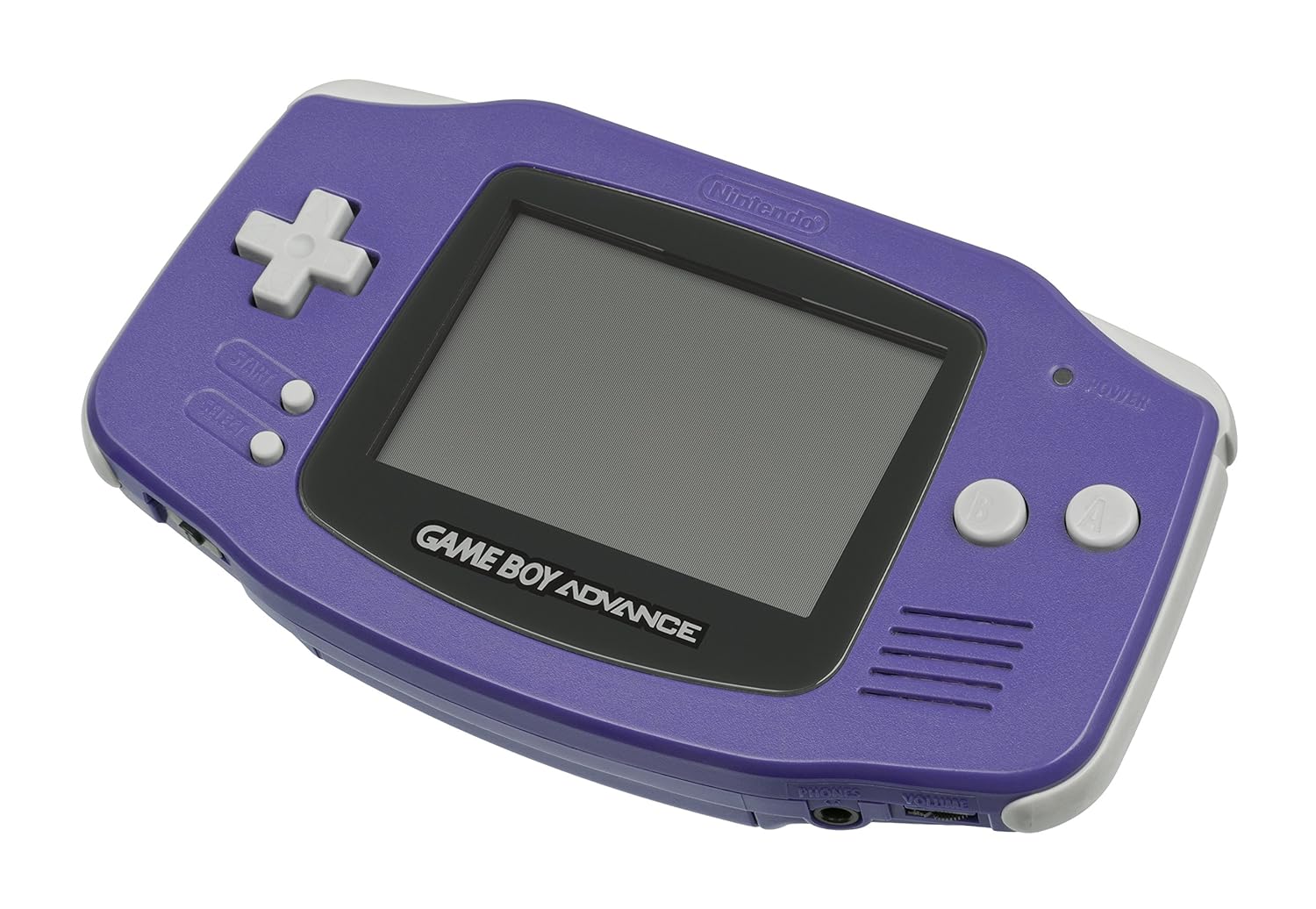
Design-wise, the Indigo GBA is pretty straightforward: horizontal layout, D‑pad on the left, A/B buttons on the right, Start/Select in the middle, and L/R shoulder buttons on top. Compared to modern handhelds, it looks very basic, but that’s also what makes it easy to just pick up and use. No menus, no home button, no system updates. You pop in a cart, slide the power switch, and that’s it. For quick sessions, I actually liked this simple design more than my Switch Lite.
The Indigo color is nice if you like that early 2000s vibe. It hides wear better than lighter colors. On my unit, the shell had a bunch of micro-scratches, but you only really see them when you angle it under a light. The shape is slightly curved on the sides, so your hands wrap around it pretty naturally. All the edges are rounded, so nothing digs into your palms. It’s clearly built with kids in mind, but as an adult, it still feels fine in the hand.
One design thing that hasn’t aged well is the screen treatment. It’s a reflective, non‑backlit panel, and it catches reflections from lights and windows very easily. You spend a bit of time tilting it around to find the right angle. Back in the day it was normal; now, when you’re used to backlit everything, it’s a bit annoying. The bezels around the screen are also big by modern standards, so you’re holding a lot of plastic for a relatively small picture. If you’re into modding, this design is also why a lot of people gut these and install IPS screens—there’s a lot of room in there.
Overall, the design is simple, robust, and obviously dated. If you want something that looks sleek or premium, this is not it. If you want something that feels like an old-school toy you can toss on the couch without stressing, it fits that role perfectly. Personally, I like the no-nonsense look, but I’d be lying if I said it doesn’t feel a bit cheap compared to newer handhelds like the Analogue Pocket or even a Switch Lite.
Battery life: old-school AAs, but they last longer than you’d think
The battery situation is very different from modern handhelds. The Game Boy Advance Indigo runs on two AA batteries, not a built-in rechargeable pack. At first that feels outdated, but in practice it’s not that bad. With a decent pair of alkaline AAs (Duracell, nothing fancy), I got around 12 to 14 hours of playtime spread over several days. That matches pretty well with the advertised 15 hours, especially considering these are old devices.
The upside is that when it dies, you just swap in new batteries and you’re back in business instantly. No waiting for charging, no cable hunting, nothing. For travel, if you throw a couple of spare AAs in your bag, you’re pretty much covered for a whole trip. I did a weekend trip and only changed batteries once, and that was with a lot of playing in the car and at night in the hotel (under a lamp, obviously, because no backlight).
The downside is cost and convenience if you play a lot. If you’re someone who games daily for hours, going through AA batteries will add up unless you use rechargeables. I ended up using Eneloop rechargeable AAs, and with those, the experience is much more reasonable. You just have to remember to charge them separately. Compared to a Switch or a phone, it’s clearly less convenient overall, but at least you don’t end up with a dead built-in battery after a few years—if the battery dies, you just replace the cells.
Overall, I’d say the battery system is practical if you’re prepared, mildly annoying if you’re not. For casual use a few times a week, it’s totally fine. For heavy daily use, you’ll want a set of rechargeables and a charger. It’s old-school, but it works, and the runtime per pair of AAs is actually pretty solid compared to some modern handhelds running emulators and big screens.
Comfort in hand and in use: good for short bursts, less great for marathons
In hand, the Indigo GBA is pretty comfortable for short to medium sessions. It’s very light, so your wrists don’t get tired, and the rounded sides sit nicely in the palms. I played about an hour of Advance Wars and didn’t feel any strain. The D‑pad is classic Nintendo: precise, not too stiff, and good for 2D games. The A/B buttons have a clear click and a decent amount of travel. The L/R shoulder buttons are surprisingly comfortable, with a soft but defined press.
Where it starts to fall apart is during longer sessions, especially if you’re older and not playing under strong light. Because the screen isn’t backlit, you constantly adjust the angle to see better. After about 2 hours playing Pokémon, my neck felt a bit stiff from leaning towards a lamp and tilting the console. On top of that, the console is small, so if you have big hands, your fingers might feel cramped after a while. It’s fine for 30–60 minutes, but I wouldn’t call it ideal for 3–4 hour marathons.
The volume wheel is on the side, and you can easily bump it by accident if you’re gripping the console tightly. It’s not a huge issue, but I did it a couple of times when shifting my hands. The speaker is mono and front-facing, so at least you can hear everything clearly without covering it with your fingers. For comfort, I ended up using headphones half the time, both for sound quality and so I could hold the console a bit more loosely without worrying about the speaker.
Overall, I’d say the comfort is decent but not more than that. It’s good enough for occasional play, and for kids it’s probably fine. But if you’re used to ergonomic controllers or modern handhelds with better grips, you’ll feel the difference. I personally wouldn’t use it as my main handheld for long sessions, but for quick nostalgic bursts, it works well enough.
Durability: this thing can clearly take a beating
Durability is probably one of the strong points of the Indigo GBA. Mine is a used unit from 2001–2002 era, and it still boots instantly, buttons feel good, and there are no weird creaks or cracks. The plastic shell has a bunch of micro-scratches and one slightly deeper scratch, but structurally it’s solid. No loose hinges to worry about (unlike the SP), no sliding parts, just a fixed block of plastic with a screen in it.
The buttons and D‑pad still have a clear click and don’t feel mushy, which says a lot after two decades. L and R still trigger reliably, and that’s usually where older handhelds start failing. The cartridge slot holds games firmly without wobble, and contacts seem to be holding up fine—every cart I tried loaded on the first or second attempt. In the Amazon reviews, several people mentioned getting units with pristine internals even if the shell was worn, which matches my experience: the inside seems more protected than the outside suggests.
The weak points are mostly cosmetic: the screen lens is plastic, so it scratches easily, and the shell picks up marks over time. If you care about looks, you’ll probably want to replace the front screen lens at some point—those are cheap and easy to swap. One of my friends even gutted his used Indigo GBA, put in an IPS screen and new shell, and the motherboard was still almost like new inside. So in terms of core electronics, it seems pretty tough.
In day-to-day use, I wasn’t worried about tossing it in a bag or leaving it on the couch. It feels more like a toy than a fragile gadget, which is actually nice if you want to give it to kids. So yeah, from a durability standpoint, it’s pretty solid for something this old. You just have to accept that it will probably show its age on the outside, unless you go the refurb or mod route.
Performance and gameplay: still smooth where it counts
Even though this thing is over 20 years old, performance is not really an issue. The processor is way beyond what Game Boy and Game Boy Color games need, and GBA titles run exactly as intended. There’s no lag, no stuttering, nothing like that. I tried several games: Pokémon Emerald, Metroid Fusion, Advance Wars, and a couple of older Game Boy titles like Tetris and Pokémon Yellow. Everything ran smoothly, just like I remember from back in the day.
Loading times basically don’t exist. It’s a cartridge system, so you turn it on, and the game boots almost instantly. Compared to modern consoles that need updates, logins, and menus, it feels weirdly nice. You can also just flip the power off without worrying about OS corruption or anything, as long as you saved in-game. For quick 10–15 minute sessions, that instant-on, instant-off behavior is actually a big perk.
Controls are also responsive. The D‑pad and buttons register inputs cleanly, and I didn’t notice any missed presses, even in more action-heavy games like Metroid. The only limitation is that you only have A/B and L/R, so modern-style controls with lots of buttons simply aren’t possible—but that’s how the games were designed, so it’s not really a downside, more just the era. The link port still works, but you obviously need the cable and another GBA if you want multiplayer or trading in Pokémon. That’s more of a niche use nowadays.
So in terms of pure performance, I can’t really complain. It does what it’s supposed to do, and it does it well. The limits you feel are more about the screen and ergonomics than the hardware speed. If your goal is to play original carts as they were meant to be played, performance-wise it still holds up, even compared to fancy modern emulation devices.
What you actually get with this old Indigo GBA
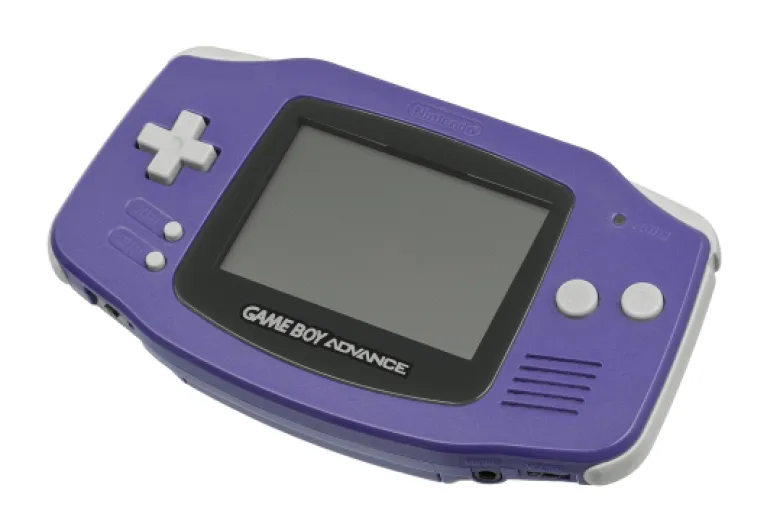
The Nintendo Game Boy Advance Indigo is the classic horizontal GBA model (AGB-001), not the SP. So it’s the one shaped like a small controller with a screen in the middle. It runs original Game Boy, Game Boy Color, and Game Boy Advance cartridges. Mine came loose: console only, no box, no charger because it doesn’t use one, just two AA batteries. That’s already something to note: no built-in battery, no USB, nothing modern.
Specs-wise, on paper it sounds stronger than it feels today: 32-bit processor, 50% bigger screen than the old Game Boy Color, and around 15 hours of battery life on a pair of AA batteries. In practice, those numbers still hold up surprisingly well. I got around 12–14 hours with decent alkaline batteries playing games like Pokémon Emerald and Advance Wars, with some idle time in between. No brightness settings, no Wi‑Fi, no nonsense. You turn it on, it boots instantly, and you’re at the Nintendo logo in a second.
Physically, the Indigo color is that classic dark blue/purple mix Nintendo loved in the early 2000s. It looks like a toy, but in a good way. The console is light (just a couple ounces) and small enough to toss in a bag without worrying too much. Cartridges click in with a reassuring feel, and the power switch and volume wheel are old-school but still easy to use. You do feel you’re handling tech from 2001, but not in a bad way, more like using an old but reliable tool.
One thing to keep in mind: since it’s discontinued, what you actually get will depend a lot on the seller. Some people in the reviews got almost mint units with a clean screen; others got shells with scratches, sticky residue, or missing battery covers. Mine was in the middle: cosmetic wear, but fully functional. So if you’re picky about condition, expect to either pay more or be ready to open it up and maybe swap the shell or screen lens.
Pros
- Plays original GB, GBC, and GBA cartridges reliably with instant boot
- Very solid build that has held up well after more than 20 years
- Long battery life on two AA batteries and easy to keep running with spares or rechargeables
Cons
- Non-backlit screen is hard to use in low light and feels very dated
- Runs on AA batteries instead of a built-in rechargeable pack, which can be less convenient
- Condition varies a lot on the used market, with common cosmetic wear and missing covers
Conclusion
Editor's rating
The Nintendo Game Boy Advance Indigo is basically a small, tough nostalgia machine. As a piece of hardware, it’s simple, reliable, and still very playable as long as you accept its main flaw: the non‑backlit screen. Performance is fine, battery life on AA batteries is surprisingly solid, and the controls feel good even after all these years. It’s the kind of device you can throw in a bag, hand to a kid, or use on the couch without worrying too much about breaking it.
Who is it for? Mainly people who want to play original Game Boy, Game Boy Color, and GBA cartridges on real Nintendo hardware, or those who like modding and want a base unit for an IPS screen upgrade. If that’s you, the Indigo GBA still makes sense, especially if you can find one in decent condition at a fair price. The durability is there, and the library of games is still one of the best handheld libraries ever made.
Who should probably skip it? Anyone who expects modern comfort—backlit screen, rechargeable battery, sleek design—or who just wants a cheap way to replay old games without caring about original carts. For those people, a phone with a controller or a modern emulation handheld will be easier and more comfortable. In short: it’s not perfect, it’s clearly dated, but if you’re okay with its limits, it still gets the job done and delivers that old-school handheld feel.