Summary
Editor's rating
Is the Nex Playground worth the money?
Small cube, big presence in the living room
Power, batteries, and what you actually need to plug in
Built for family chaos… mostly
Motion tracking, gameplay, and how it holds up with real kids
What the Nex Playground actually is (and what it’s not)
Pros
- Gets kids physically active instead of just sitting in front of a screen
- Very easy setup with no controllers or extra sensors to manage
- Fun for multiple ages and up to 4 players at once, good for parties and playdates
Cons
- Limited number of included games; real variety requires paid Play Pass subscription
- Needs decent lighting and enough space in front of the TV for tracking to work well

Specifications
View full product page →| Brand | Nex |
A console that makes kids sweat, not just stare
I’ve had the Nex Playground in the living room for a few weeks now, and I’ll be honest: I bought it half out of curiosity, half out of desperation to get the kids moving indoors. Between bad weather and everyone glued to tablets, I wanted something that felt like gaming but didn’t turn them into statues. This thing is basically a small cube you plug into the TV, with a camera that tracks your body so you play just by moving around.
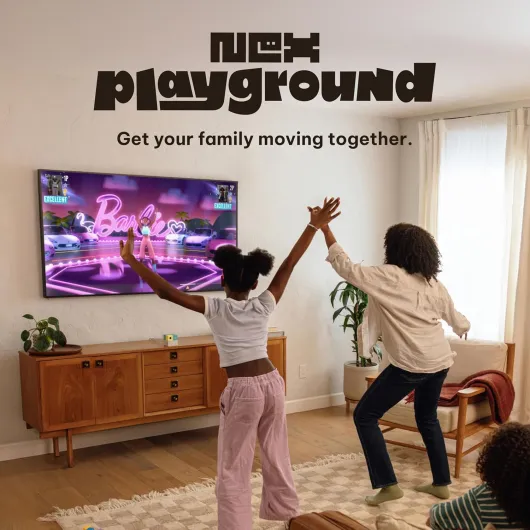
The first evening we set it up, the kids (8 and 11 in my case) went at it for about two hours straight. They were sweaty, loud, and actually tired in a good way. Usually, after a couple of hours on the Switch or iPad, they’re wired and cranky. Here, they burned real energy. Even the grandparents ended up trying Fruit Ninja and Whac-a-Mole and got into it, which I didn’t really expect.
In day-to-day use, it feels like a mix between old-school Kinect and a party game console. No controllers, no little plastic accessories to lose, just stand in front of the TV and move. The tracking is decent as long as the room is fairly bright and you give it a few meters of space. If your living room is tiny or very dark, you’ll need to be a bit creative.
It’s not perfect though. You only get a handful of games included, and if you really want to tap into all the branded stuff (Barbie, TMNT, Peppa Pig, etc.), you have to pay for the Play Pass, which starts to add up on top of the console. But in terms of concept—kids moving, laughing, and not fighting over controllers—it does what I hoped it would do.
Is the Nex Playground worth the money?
Let’s talk about the part that hurts: the price and what you actually get for it. The console itself is not dirt cheap, and then on top of that, you have the optional Play Pass subscription: about $49 for 3 months or $89 for 12 months. Out of the box, you get 5 games (Fruit Ninja, Starri, Whac-a-Mole, Go Keeper, Party Fowl). Those are decent and can keep kids busy for a while, especially if you rotate them and don’t let them play for hours every single day.
Where the value starts to make more sense is if you really care about active play and limiting passive screen time. Compared to buying another regular console game that just has kids sitting down, this one actually gets them jumping and moving. If your kids are stuck indoors a lot (bad weather, small yard, apartments, etc.), paying for something that basically turns the living room into a mini gym/arcade doesn’t feel crazy. I’ve seen my kids come out of a 30–40 minute session red-faced and tired, which I don’t get from any normal video game.
On the downside, if you want the full library with all the branded content—Barbie, TMNT, Peppa Pig, Elmo, Gabby’s Dollhouse, etc.—you pretty much have to factor the Play Pass into the cost. Without it, the variety is limited long term. So it becomes more like a service than a one-time purchase. If you hate subscriptions, that will annoy you. Also, older kids who are used to PlayStation or Switch might see this as a “little kids’ console” after the novelty wears off.
For me, I’d say value is pretty solid if: you have kids between about 5 and 11, you’re actually going to use it regularly for family nights or rainy days, and you’re okay with paying for at least a year of Play Pass. If you think it’ll get used twice and then gather dust, the price stings. Compared to buying a traditional console plus several games, it’s in the same ballpark, but the focus is very different. It’s not the best deal ever, but for active family fun, it’s reasonable.
Small cube, big presence in the living room
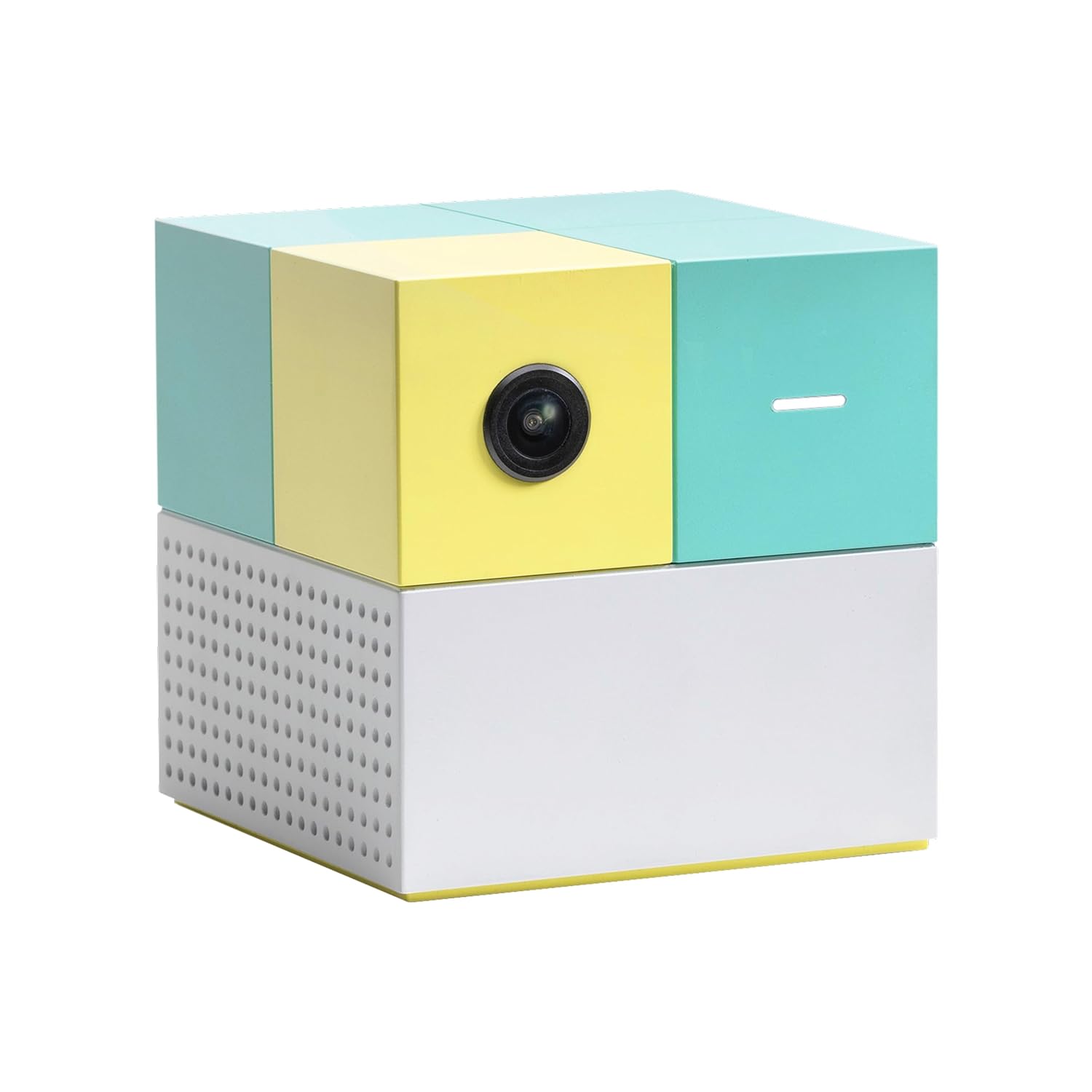
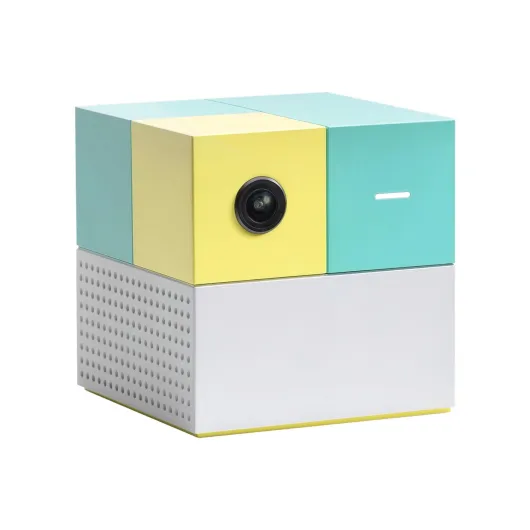
Physically, the Nex Playground is very compact. It’s a small cube, about 3 inches on each side, so it doesn’t dominate your TV stand. In my setup, it just sits under the TV, and I barely notice it when it’s off. That’s a plus if you hate clutter or already have a bunch of boxes hooked up to your TV. It’s light but not so light that it feels cheap; if a kid bumps into the TV stand, it doesn’t fly off instantly.
The design is clearly kid-oriented but not tacky. It looks like a modern gadget, not a toy from a bargain bin. The wide-angle camera is on the front, and there’s a status light so you can see when it’s active. One thing I appreciated: no mess of extra sensors or base stations around the room, just this single cube and the cables. For families who already trip over LEGO and random toys, fewer extra pieces is a win.
From a practical point of view, placement matters a lot. You need to put it fairly centered under or above the TV so the camera has a clear view of the play area. If it’s too low and your coffee table is in front of it, the tracking gets weird. I ended up pushing the coffee table to the side during play sessions. If you have a wall-mounted TV with a clear area underneath, you’re in good shape. If your living room is cramped, you might have to move furniture every time, which gets annoying.
It’s also pretty easy to move around. I tossed it into a backpack with the HDMI cable and power adapter and took it to a friend’s house for a playdate. No issues there. So from a design point of view, it’s compact, simple, and portable, which is exactly what you want for something that might travel between rooms or houses. It’s not fancy, but it does the job without drawing too much attention to itself.
Power, batteries, and what you actually need to plug in
Power-wise, the Nex Playground is pretty straightforward: it’s a corded device that plugs into an outlet and then into your TV via HDMI. There’s no built-in rechargeable battery for the console itself, so you can’t really use it without being near a TV and a power socket. That’s fine for what it is—this isn’t meant to be portable like a handheld console—but it does mean you’re tied to the living room or wherever your main screen is.
The specs say it uses 2 AAA batteries (included), which at first confused me, because there are no controllers. In daily use, I honestly didn’t think about those batteries at all. They’re probably for the remote or some internal backup function. In practice, I never had to swap them out during my test period, and the console turned on every time without any drama. So from a user point of view, you plug it in, forget about the batteries, and that’s it.
Energy consumption seems low. The unit doesn’t get hot, and there’s no loud fan noise. We’ve done several long sessions—over an hour of non-stop play with multiple kids—and it stayed quiet and stable. No random shutdowns, no overheating, nothing like that. It behaves like a small streaming box or media player, just with a camera stuck on it.
If you’re looking for something your kids can use in the car or on trips without a TV, this isn’t the right product. But if you just want something that lives under the TV and is always ready when you plug it into power, the setup is simple. You don’t have to manage charging cycles, spare controllers, or docking stations, which honestly is kind of nice compared to other consoles where half the battle is finding controllers that aren’t dead.
Built for family chaos… mostly
In terms of durability, this is where I always get a bit skeptical with kid-focused tech. The Nex Playground is made of plastic, but it doesn’t feel like it’s going to fall apart if you look at it wrong. Over a few weeks of use, it’s been moved around, unplugged, replugged, and occasionally bumped by kids racing past the TV. So far, there are no cracks, no loose parts, and the camera still works like day one.
That said, it’s still a small electronic box with a camera on the front, so if a kid decides to knock it off the TV stand or drop it on a hard floor, I wouldn’t bet my life on it surviving unlimited falls. It’s not wrapped in rubber or shock-proof. The best you can do is place it somewhere stable where it’s not at foot level. On a solid TV stand, pushed back a bit, it’s probably safe enough. I wouldn’t put it on the edge of a low table where kids do their wrestling matches.
The cables are standard and feel decent. The HDMI connector isn’t loose, and the power cable hasn’t shown any fraying or weakness. We’ve unplugged and replugged it quite a few times for moving it to another room or taking it to a friend’s house, and nothing feels like it’s wearing out quickly. The finish hasn’t scratched easily either, even with some clumsy handling.
Overall, I’d say durability is good for a family gadget, as long as you use basic common sense. It’s clearly designed for a home with kids running around, but it’s not indestructible. If your household is very rough on electronics, you’ll want to be a bit careful with where you place it. For normal family use—playdates, parties, weekend sessions—it seems to handle the chaos just fine.
Motion tracking, gameplay, and how it holds up with real kids
The big question with this kind of device is: does the motion tracking actually work, or is it laggy and frustrating? Overall, I’d say it’s pretty solid for family use. When the room is well-lit and you give it enough space, it tracks jumps, arm swings, and big movements well enough that kids don’t complain. Fruit Ninja, for example, feels responsive—when the kids swipe their arms, the fruit slices almost instantly. Same with Whac-a-Mole: they slap the air where the mole pops up, and the game registers it most of the time.
Where it struggles a bit is in less-than-ideal conditions. In my dimmer living room at night, with only one lamp on, it sometimes loses track of smaller kids if they run too close to the camera or out to the side. The fix is simple but a bit annoying: turn on more lights and define a play zone. I ended up using a rug as the “stay on this” area, and that helped a lot. Also, if kids are too close to the TV, tracking gets worse. It likes you to stand a couple of meters back.
On the performance side, menus load quickly, and I didn’t notice stutters or long load times once games were installed. Wi-Fi does matter, though. When downloading new games with the Play Pass, a weak connection means longer waits. Once they’re on the device, it’s fine. I never had it crash during a session, which is important when you’ve got hyped-up kids jumping around. Up to four players can join, and it handles that decently as long as they don’t all bunch up in the same spot.
For the type of product it is, I’d say performance is good but not flawless. It’s totally fine for casual family play, parties, and getting some movement in. If you’re expecting esports-level precision or something as polished as a top-tier console with motion controllers, this isn’t that. But kids don’t care about a slight delay here and there—they care that the game reacts when they move, and on that point, it mostly delivers.

What the Nex Playground actually is (and what it’s not)
The Nex Playground is basically a compact motion-tracking console that plugs into your TV via HDMI. No discs, no cartridges, no separate controllers. It’s a 3 x 3 x 3 inch plastic cube (around 0.86 pounds) with a wide-angle camera that watches the play area and tracks players’ bodies in real time. It runs its own software, connects to Wi-Fi, and comes with 64 GB of built-in storage. Think of it as a modern plug & play console aimed squarely at kids and families.
Out of the box, you get the console, power cable, HDMI cable, and the AAA batteries it needs. Setup for me took maybe 10–15 minutes the first time, including updates. You plug it into power, plug HDMI into the TV, connect it to Wi-Fi, and then it walks you through room calibration. It does a quick scan of the room to see where you can move, and then you’re basically ready. The interface is simple and bright, clearly designed so kids can navigate without help.
By default, you get 5 games: Fruit Ninja, Starri, Whac-a-Mole, Go Keeper, and Party Fowl. That’s enough to get a feel for the console and keep the kids busy for a while, especially Fruit Ninja and Whac-a-Mole which are instant crowd-pleasers. But a lot of the hype around this thing comes from the larger catalog with licensed stuff (Barbie, Teenage Mutant Ninja Turtles, Peppa Pig, Elmo, etc.), and that’s where the separate Play Pass subscription comes in. You can choose 3 months for about $49 or 12 months for about $89.
So, in practice, this is not really a traditional console like a Switch or PlayStation. It’s more of an active play station meant for parties, rainy days, and short bursts of physical play. If you buy it thinking it’ll replace a full gaming system for older kids, you’ll probably be disappointed. But if you see it as a dedicated “get-them-moving” device for ages 5–12 (and some goofy adults), then the concept lines up pretty well with what you actually get.
Pros
- Gets kids physically active instead of just sitting in front of a screen
- Very easy setup with no controllers or extra sensors to manage
- Fun for multiple ages and up to 4 players at once, good for parties and playdates
Cons
- Limited number of included games; real variety requires paid Play Pass subscription
- Needs decent lighting and enough space in front of the TV for tracking to work well
Conclusion
Editor's rating
Overall, the Nex Playground does what it says: it gets kids moving in front of the TV instead of just sitting there. The motion tracking is good enough for family use, the included games are fun, and setup is simple. In my house, it quickly turned into a go-to activity for rainy afternoons and playdates. Seeing the kids sweaty and laughing after 30 minutes instead of zoned out on a tablet is honestly the main reason I’d keep it plugged in.
It’s not perfect. You need a bit of space and decent lighting, and the real variety only comes if you’re willing to pay for the Play Pass. If you’re expecting deep, complex games like on a big console, you’ll be disappointed—this is more about quick, active mini-games than long story modes. But for families with kids roughly 5–11 years old, who want something simple that everyone can jump into without controllers or complicated rules, it hits the mark pretty well.
I’d recommend it for parents who are tired of passive screen time and want a straightforward way to turn the living room into a small activity zone. If your kids are already teenagers, hardcore gamers, or you hate subscriptions, you might want to skip it. For younger kids, active families, and people who host a lot of playdates or parties, it’s a pretty solid buy that actually gets used, not just admired in the box.