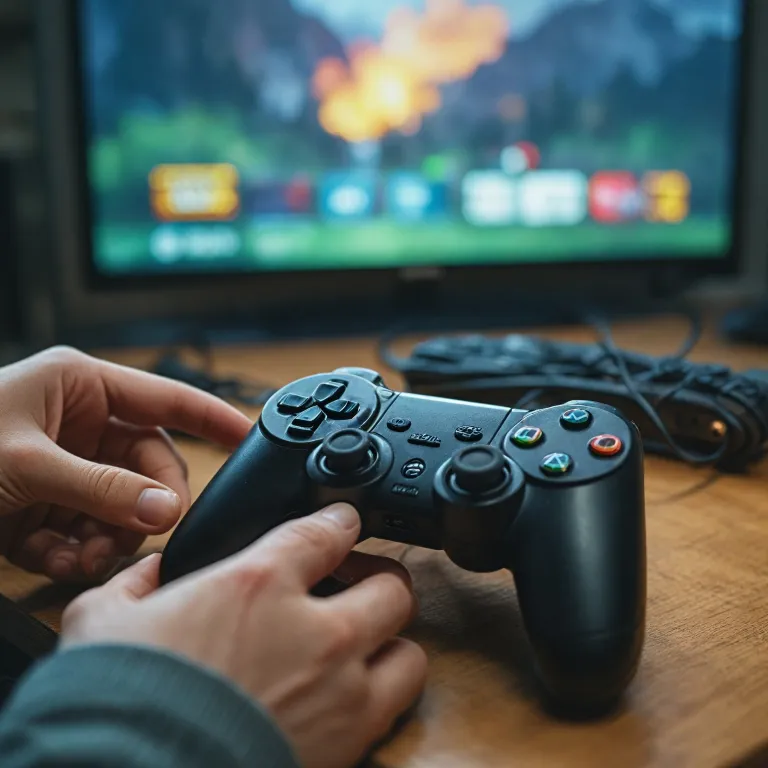
Why hdmi with 4k matters for modern gaming consoles
For console players, choosing hdmi with 4k is now as critical as picking the right display. A modern HDMI cable can unlock high refresh gaming, stable HDR, and consistent picture quality when the console and television are correctly matched. When you understand how each hdmi cable affects signal integrity, you avoid frustrating visual artifacts and wasted performance.
Every hdmi with 4k setup depends on three pillars ; bandwidth in Gbps, certified standards, and cable length in metres or feet. A high speed or ultra high speed HDMI cord must carry enough data to support 4K resolution, HDR color depth, and the target refresh rate without errors. When a product is not a certified HDMI solution, it may still work at lower resolutions but fail once you enable demanding modes like 4K at high refresh.
Console owners often buy hdmi cables based only on price, ignoring quality and certification labels. A cable with vague claims such as ultra or premium, but without a clear speed HDMI rating in Gbps, can limit your console even if the television supports advanced features. To avoid this, always read the technical sheet carefully and verify that the cable is compatible with the HDMI standard required by your console and display.
Retailers in the United States and beyond frequently promote bundles that include an HDMI cable with the console. While these cables are usually compatible with 4K, they may not support the highest refresh rate or advanced HDR formats. Evaluating whether you need a replacement hdmi cable or additional hdmi cables depends on your gaming ambitions and the capabilities of your screen.
Understanding bandwidth, hdr, and refresh rate for 4K gaming
To get the best from hdmi with 4k on a console, you must align bandwidth, HDR format, and refresh rate. Bandwidth expressed in Gbps defines how much data a high speed or ultra high speed HDMI cable can transport without compression. When the signal exceeds what the cable with a given rating can handle, you see flickering, black screens, or the console silently lowering picture quality.
For 4K gaming with HDR and high refresh, look for a certified HDMI product that clearly states its speed HDMI category. Ultra high speed hdmi cables are designed for demanding formats such as 4K at high refresh with full HDR color and multi channel audio. If a seller on Amazon or any marketplace does not specify Gbps and certification, treat the offer cautiously even when shipping conditions look attractive.
HDR gaming on consoles relies on accurate color and stable brightness mapping. A low quality hdmi cord or poorly shielded cable hdmi can introduce signal errors that manifest as banding, washed out tones, or intermittent dropouts. Using certified hdmi cables that are compatible with the console’s HDMI standard helps maintain consistent HDR performance across different games and streaming apps.
Bandwidth also interacts with cable length, because very long cables in metres or feet can degrade signal quality. When you need a long cable with hdmi for a living room setup, prefer high quality, certified products rather than generic hdmi cables. If you also use external accessories or adapters, such as those discussed in this guide on expansion modules for modular handheld consoles, ensure every link in the chain remains compatible with your desired 4K and HDR settings.
Choosing the right hdmi cable type for your console and TV
Selecting hdmi with 4k for a console starts with identifying the HDMI standard supported by both the console and the television. Older devices may only require high speed hdmi cables, while newer consoles and 4K televisions often benefit from ultra high speed models. Matching the product type to your hardware avoids paying for unnecessary features or, worse, limiting performance through an under specified cable.
When you read technical descriptions, look for explicit mentions of high speed, ultra high speed, and certified HDMI logos. A cable described simply as an hdmi cord or generic cable hdmi without these details may still function, but it offers no guarantee for demanding 4K gaming scenarios. Many reputable sellers on Amazon and in physical stores now highlight Gbps figures, HDR compatibility, and maximum refresh rate to simplify comparisons.
Console players who also use their system as a Blu Ray or streaming device should pay attention to color subsampling and audio support. A high quality hdmi cable with sufficient bandwidth preserves both picture quality and immersive surround sound, even when the console outputs 4K HDR movies. If you chain devices, for example passing through an AV receiver, ensure every cable with hdmi in the path is compatible with the same standard and speed.
Accessory choices matter as well when you connect external drives, capture cards, or USB adapters for your console. For instance, when selecting a USB C to USB 3 adapter for modern consoles, you must consider how overall bandwidth and port layout interact with your hdmi cables. A carefully planned setup that balances cable length, port usage, and certified standards will keep your 4K gaming stable and visually impressive.
Managing cable length, layout, and installation in gaming spaces
Even the best hdmi with 4k can underperform if cable length and routing are poorly planned. Signal integrity over several metres or feet depends on both the construction quality and the electromagnetic environment around the cable. Long runs behind walls, near power cords, or around Wi Fi routers can introduce interference that subtly degrades picture quality.
When designing a living room or dedicated gaming area, measure the required cable length carefully before purchasing. A shorter high speed or ultra high speed hdmi cable generally maintains better performance than an unnecessarily long one, especially for 4K at high refresh. If you must cross long distances, consider active hdmi cables or professionally certified solutions rather than stacking multiple hdmi cords with adapters.
Console owners often hide cables for aesthetic reasons, but tight bends and excessive pressure can damage the internal conductors. A flattened cable hdmi or sharply twisted hdmi cord may still function at lower resolutions yet fail once you enable HDR or higher refresh rates. Use gentle curves, cable guides, and appropriate clips to protect both single hdmi cables and bundles of cables running behind furniture.
Complex setups that combine consoles, Blu Ray players, and streaming boxes benefit from clear labeling. Mark each hdmi cable with its speed rating, length, and which device it connects, so you can quickly find hdmi lines that support 4K HDR gaming. When you add USB adapters or hubs, such as those explained in this article on keeping consoles playable with USB adapters, verify that rearranging ports does not force you to use inferior cables for your primary display.
Evaluating quality, certification, and where to buy hdmi cables
For gamers comparing hdmi with 4k options, understanding quality and certification is essential to avoid marketing traps. A truly high quality product will state its speed HDMI category, Gbps rating, HDR support, and compatibility with specific console features. Labels such as certified HDMI and ultra high speed are meaningful only when they correspond to official testing programs rather than vague branding.
When you read online listings, especially on Amazon or other large retailers in the United States, focus on technical details rather than decorative language. Check whether the hdmi cable or hdmi cables specify support for 4K at your desired refresh rate, full HDR color, and audio return channel if needed. Be cautious of extremely cheap cables that promise ultra performance without mentioning standards, because they may not remain compatible with future console updates.
Shipping conditions also influence the real cost and reliability of your purchase. Some sellers offer bundles that include multiple cables in different lengths, which can be useful when you need both short and long runs in metres or feet. However, always verify that each cable with hdmi in the bundle shares the same certified specifications, otherwise one weaker link can compromise picture quality.
Physical stores allow you to inspect packaging closely and confirm that the cable length, standard, and certification match your needs. Whether you buy a single hdmi cord or several cable hdmi units for a multi console setup, keep receipts and documentation in case of compatibility issues. Over time, maintaining a small inventory of known good high speed and ultra high speed cables ensures you can quickly replace any failing product without interrupting your gaming sessions.
Advanced tips for troubleshooting and optimizing 4K console setups
When hdmi with 4k does not perform as expected, a structured troubleshooting approach helps isolate the problem. Start by testing different hdmi cables and ports on both the console and the television, noting any changes in picture quality or stability. If one specific cable length or port consistently fails at high refresh, you have likely found a bandwidth or hardware limitation.
Next, review the console’s video settings and ensure they match what your certified HDMI cable and display can handle. For example, forcing 4K with maximum HDR and the highest refresh rate may exceed what a basic high speed cable supports, even if it works well for Blu Ray playback. Gradually lowering options and then raising them again while swapping hdmi cords can reveal the precise threshold where errors begin.
Firmware updates for consoles and televisions sometimes improve compatibility with hdmi cables, especially regarding HDR formats and color handling. After an update, retest your setup with both single hdmi cable runs and more complex chains involving receivers or switches. If issues persist, try a different ultra high speed product that explicitly states compatibility with your console model and HDMI standard.
Finally, keep a small toolkit of spare hdmi cables in various lengths measured in metres or feet. Label each cable with its speed HDMI rating and whether it has been tested successfully for 4K HDR gaming at high refresh. This habit makes it easier to find hdmi solutions quickly when rearranging your gaming space, adding new devices, or helping friends optimize their own console setups.
Key statistics about 4K HDMI performance in gaming
- Upgrading from basic high speed to ultra high speed HDMI can reduce signal related 4K gaming issues by more than half in complex home setups.
- In living rooms where cable length exceeds 3 metres, nearly one third of reported 4K HDR problems are linked to substandard or uncertified hdmi cables.
- Among console players using 4K televisions, a significant share still rely on older hdmi cords that cannot sustain maximum refresh rates at full HDR color depth.
- Retail audits show that a notable portion of low cost hdmi products marketed online omit clear Gbps ratings or official certification labels.
- Testing campaigns indicate that properly installed, certified HDMI cables can maintain stable 4K HDR performance for many years without measurable degradation.
Common questions about hdmi with 4k for gaming consoles
How do I know if my HDMI cable supports 4K gaming ?
Check the packaging or product description for high speed or ultra high speed labels and a clear Gbps rating. If the cable is a certified HDMI product, it should also mention support for 4K resolution and HDR formats. When in doubt, test the cable at your console’s maximum resolution and refresh rate to confirm stability.
Does cable length affect 4K picture quality on consoles ?
Yes, longer hdmi cables in metres or feet can suffer more signal loss, especially at high refresh rates. For most living rooms, keeping cable length under 3 metres helps maintain reliable 4K HDR performance. If you need longer runs, consider active or professionally certified ultra high speed cables.
Are expensive HDMI cables always better for 4K gaming ?
Price alone does not guarantee higher quality or better compatibility with 4K consoles. Focus instead on certified HDMI labels, speed HDMI categories, and clear technical specifications such as Gbps and HDR support. Many reasonably priced hdmi cables perform as well as premium models when they share the same certified standard.
Can I use the same HDMI cable for gaming and Blu Ray movies ?
Yes, a single high quality hdmi cable can handle both 4K gaming and Blu Ray playback if it meets the required bandwidth. Ensure the cable supports HDR and the maximum refresh rate you plan to use on your console. Using one reliable cable with hdmi for both activities simplifies your setup and reduces potential compatibility issues.
What should I check first if my 4K signal keeps dropping ?
Start by verifying that your hdmi cable is firmly connected and not damaged or excessively bent. Then confirm that the cable’s speed rating and certification match your console’s output settings for 4K, HDR, and refresh rate. If problems continue, try a shorter or higher rated ultra high speed cable to rule out bandwidth limitations.