Seasonal gaming setup maintenance for controllers and handhelds
Every new ranked season exposes how fragile a competitive gaming setup really is. When your controller fails mid match, the data that matters is the lost MMR and the missed clutch, not the spec sheet. Smart gaming setup maintenance treats controllers as consumable components that you can stretch, not miracles that last forever.
Start with the thumbsticks, because most gaming performance deaths begin there. Potentiometer based sticks on DualSense, Xbox Wireless Controller and Nintendo Switch Pro Controller often drift after six to twelve months of heavy gaming, so a seasonal cleaning routine is your first line of maintenance. Use compressed air around the stick wells, then a lightly dampened microfiber for surface cleaning, keeping any liquid left well away from the internal components and the underlying system board.
Trigger feel is your next seasonal checkpoint, especially for shooters where style and timing define your gaming experience. Slowly press each trigger and bumper while watching a test screen on your monitor or TV, checking that the on screen response matches your finger data without dead zones or double inputs. If you notice inconsistent performance, schedule a controller service before your components warranty expires, because stick or trigger replacement is cheaper under warranty than a new pad.
Handhelds like Nintendo Switch, ASUS ROG Ally and Steam Deck need the same gaming maintenance discipline. Clean the screen with a dry microfiber first, then a second cloth barely moistened with distilled water, because alcohol based cleaners can damage OLED color reproduction and long term thermal layers on some panels. For retro handheld fans, pairing a modern IPS Game Boy Advance SP with careful seasonal cleaning of buttons and shell seams keeps that upgraded gaming experience sharp without sacrificing the nostalgic style that made you mod it in the first place.
Console ventilation, thermal control and seasonal deep cleaning
Heat is the silent killer of every living room gaming setup. A PlayStation 5 or Xbox Series X that sounds like a gaming laptops fan at full blast is already losing performance to thermal throttling, even if your frame rate data still looks fine on paper. Seasonal gaming setup maintenance means treating dust like an enemy team that never stops pushing.
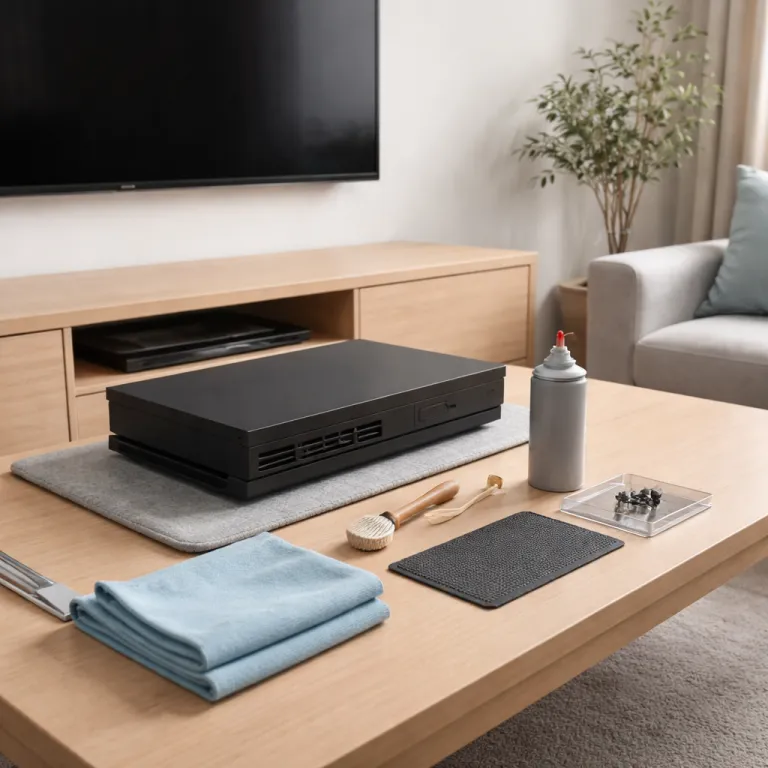
Once per season, power down the console fully instead of relying on sleep mode, unplug it and move it away from the wall. Use short bursts of compressed air along the vents, keeping the can upright so no liquid paste like residue escapes, and watch how much dust the cooling system throws out of the side and rear grills. If you see thick gray mats left on the table, your thermal headroom has been compromised for weeks, and your cpu gpu combo has been running hotter than it should.
Console owners cannot replace thermal paste as easily as gaming PCs builders, but you can still think like a technician. Give the console at least ten centimeters of clearance on every left and right side, avoid closed cabinets that trap hot air, and never stack other components like gaming laptops or streaming boxes directly on top. This simple airflow guide protects the internal cooling system, extends fan life and keeps the power supply from cooking itself during long gaming marathons.
Screen care is part of thermal and dust control too, especially in summer when windows stay open longer. Clean your TV or gaming monitor with a microfiber cloth and a panel safe solution, because harsh chemicals can damage anti reflective coatings and distort color accuracy over time. If you are deep into retro and portable play, pairing a modern IPS Game Boy Advance SP upgrade with gentle seasonal cleaning of its hinge and screen bezel keeps both style and performance aligned for another year of travel friendly gaming.
Cables, docks and behind the TV cable management
Most competitive players obsess over cpu gpu specs and forget the humble HDMI cable that carries every frame. Seasonal gaming setup maintenance should always include a cable management audit, because a single bent pin can undo all the performance gains from a new console or monitor. Treat the space behind your TV as part of the system, not a black hole where components go to die.
Pull the console forward, then inspect each HDMI 2.1 cable for kinks, crushed sections or loose connectors. If you see frayed sheathing or damaged metal, replace the cable before it fails mid tournament and log that change as part of your personal gaming data, just like you would track sensitivity or button layout. When you choose a replacement, use a certified high bandwidth cable and follow a dedicated guide on how to choose HDMI with 4K for sharper console gaming, because signal integrity matters as much as raw console power.
Nintendo Switch owners need a separate dock and port routine. Remove the console from the dock, then use compressed air to clear dust from the dock cavity and the USB C area, taking care not to scrape contacts with metal tools that could void your components warranty. A clean dock reduces intermittent black screens, protects the power supply handshake and keeps your gaming experience stable when you slide the console in during a rushed ranked queue.
Once the cables are healthy, commit to simple but strict cable management. Use Velcro ties to separate power supply lines from data carrying HDMI and Ethernet cables, reducing interference and making future service easier when you add new components like external storage or a second monitor. Retro fans who run a modded Game Boy Color through upscalers and capture cards should treat those fragile adapters with the same seasonal care, because a single loose connector can ruin both the nostalgic style and the recorded gameplay you planned to share.
Storage, firmware, and a seasonal ultimate guide to system health
Storage is where gaming setup maintenance quietly saves you money and sanity. Modern games routinely eat 80 to 150 gigabytes, so a single console can hold only a small rotation before performance and usability suffer. A seasonal storage audit keeps your system responsive, your gaming data organized and your gaming experience focused on what you actually play.
Start by sorting your library by last played date and uninstall anything left untouched for several months, especially massive single player titles you have already finished. Offload captures and clips to an external drive or cloud service, because those silent components can consume more space than you expect and slow down menu navigation. Treat this as an ultimate guide style ritual at the start of each competitive season, aligning your digital clutter with your current ladder goals.
Firmware matters as much as free space. Check for console system updates and controller firmware patches, then apply any recommended bios updates on connected gaming laptops or gaming PCs that share your display, because cross platform bugs can affect input latency and network stability. While you cannot tweak console bios settings like a PC cpu, staying current on firmware keeps your cooling system curves, power supply behavior and nvidia GeForce streaming integration in line with what developers actually test.
Finally, respect the limits of paste replacement and liquid cooling talk you see in PC forums. Console owners should not open their machines for thermal paste changes unless a manufacturer service center or an authorized ready to ship repair program explicitly supports it, because that usually voids the components warranty and risks permanent damage. For most players, the real ultimate guide to gaming maintenance is boring but effective : regular cleaning with compressed air, smart sleep mode habits, sensible cable management and a seasonal checklist that treats your console like the competitive tool it is, not just another box that ship gaming hardware to your TV.
FAQ
How often should I clean my console for optimal performance ?
A seasonal routine works well for most competitive players who game several evenings per week. Plan a light cleaning with compressed air and a microfiber cloth every three months, then add an extra session after any major dust event like home renovations. If your fans sound louder than usual or the console feels hot to the touch, move that maintenance forward instead of waiting.
Can I use alcohol wipes on my OLED handheld screen ?
Alcohol based wipes are risky for OLED panels because they can damage anti reflective coatings and affect long term color consistency. Use a dry microfiber cloth first, then a second cloth slightly dampened with distilled water or a panel safe cleaner designed for TVs and monitors. Always apply the liquid to the cloth, never directly to the screen.
When should I replace my HDMI cable instead of just replugging it ?
Replace an HDMI cable if you see visible damage such as bent pins, crushed sections or frayed outer sheathing. Frequent black screens, flickering at higher resolutions or intermittent audio dropouts are also strong signs that the cable is failing. A new certified HDMI 2.1 cable is inexpensive insurance compared with lost ranked matches or troubleshooting time.
Is it safe to open my console to change thermal paste ?
Opening a modern console usually voids the manufacturer warranty and can easily damage internal components if you lack experience. For most players, it is safer to rely on external maintenance such as dust removal, good ventilation and proper placement rather than attempting thermal paste replacement. Only consider internal work through an authorized service center that explicitly supports that level of repair.
How much free storage space should I keep on my console ?
Keeping at least 15 to 20 percent of your internal storage free helps your console handle updates, patches and temporary data without slowdowns. If you regularly bump against the limit, add external storage that is certified for your platform and move less frequently played games there. A seasonal uninstall of finished titles is still the simplest way to keep your system responsive.
